Embeddable widgets have proliferated the web since JavaScript was born in the mid-nineties, and even before. Since the days of CGI counters, we have come a long way, with companies like Intercom and Stripe providing drop-in code to render components that provide rich and interactive experiences within customers’ existing sites.
At Tito, we have provided an embeddable widget since early on. When it came to rewriting it, we wanted to keep the things that made it great: a simple drop-in native-like web component that was easy to customise with CSS and integrate with JavaScript hooks. Our secondary goals were higher level. We wanted an easy to use codebase, and a widget that could be the primary code that we used on our own checkout pages. We also wanted to hook in to the modern ecosystem of JavaScript package managers, bundlers and modules.
This talk will explore the process of upgrading an older widget to a modern codebase and framework, some of the advantages to be gained, and some of the challenges faced.
1 / 165 Use ← → to navigate
Auto-generated transcript - may contain errors.
Tap a timestamp to jump the video.
Hello. Gather around children and let's talk about JavaScript for a little while. Oh, he's gone. Alex, is he? He was just asking me to hear, what's it like to go from being a developer to a business person and I was just like, just write loads of ******* code.
Loads of it. And that's what this talk is gonna be. I'm just gonna talk about code for twenty minutes. So if you're not into JavaScript and you don't like looking at code samples, then this isn't gonna be for you. I'm going deep, people.
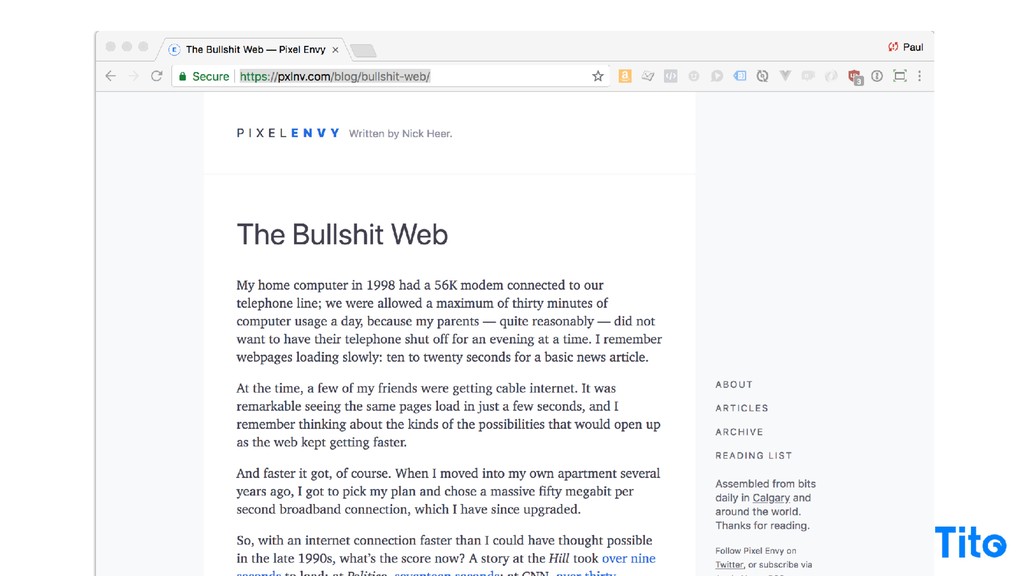
Not that deep. Alright. This morning, this article popped up on my Twitter, and I thought it was amazing because it's an article about how the web is it's by Nick here. The web is essentially broken now. It goes through the history of slow computers and slow telephony lines, and now, I mean, forty years twenty years later from the example, we've got so much bandwidth and we've got so much crazy, but page load times are insane, the web is so bloated it takes nine seconds to load the New
York Times on a fast connection. And so it kinda led me to a startling conclusion about building embedded, particularly JavaScript widgets, and I think the ultimate technique to building embedded applications that you put a snippet of JavaScript code inside somebody's page, the best thing to do, just don't do it.
Don't write any don't write anything, don't embed anything, just go off, reconsider your life, become a farmer, start some activism. That's it. See you. But if you do want to do it, let's talk about it. So a bit of background on who I am. I started Tito.
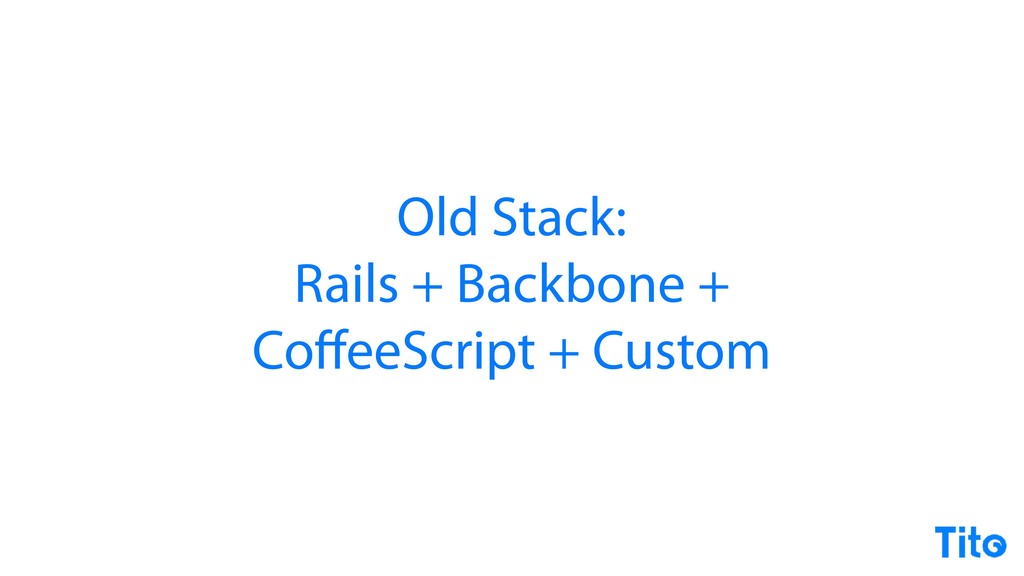
It in this context, we do the ticket sales for JSConf, Strange Loop, RubyConf, n gConf. Oddly enough not Vue, and Vue is my framework of choice, but there you go. We sold loads worth of tickets. It's it's a rail stack. I wrote a load of backbone code, a load of CoffeeScript because they were all cool five years ago, and I like using whatever is cool today.
Loads of custom stuff. Wasted loads of my time my life writing loads of code. And a hundred million is a big number. I didn't get all of it mostly. I didn't get any of it, really. I got a bit of it. So this is our widget. I'm still really proud of this.
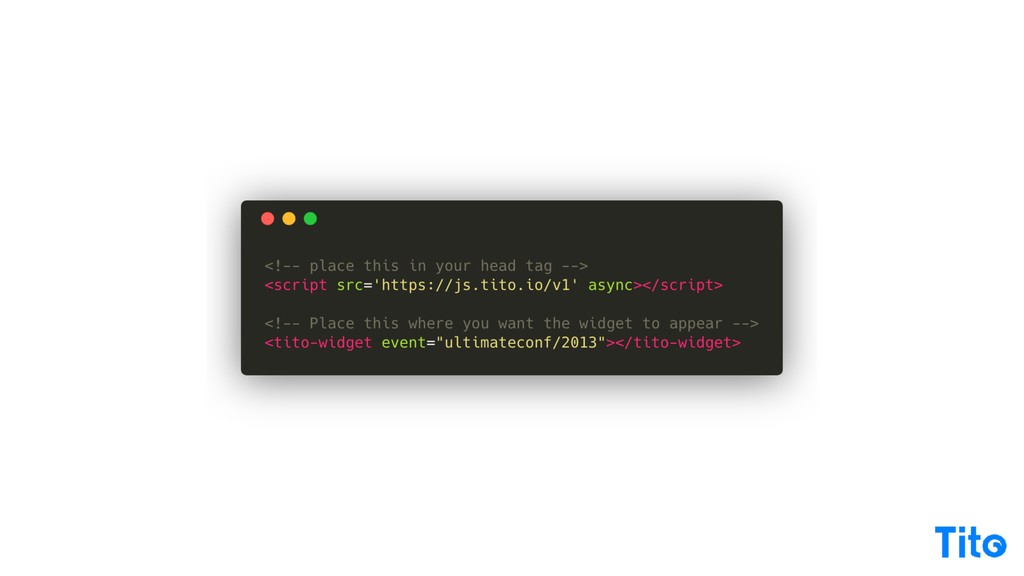
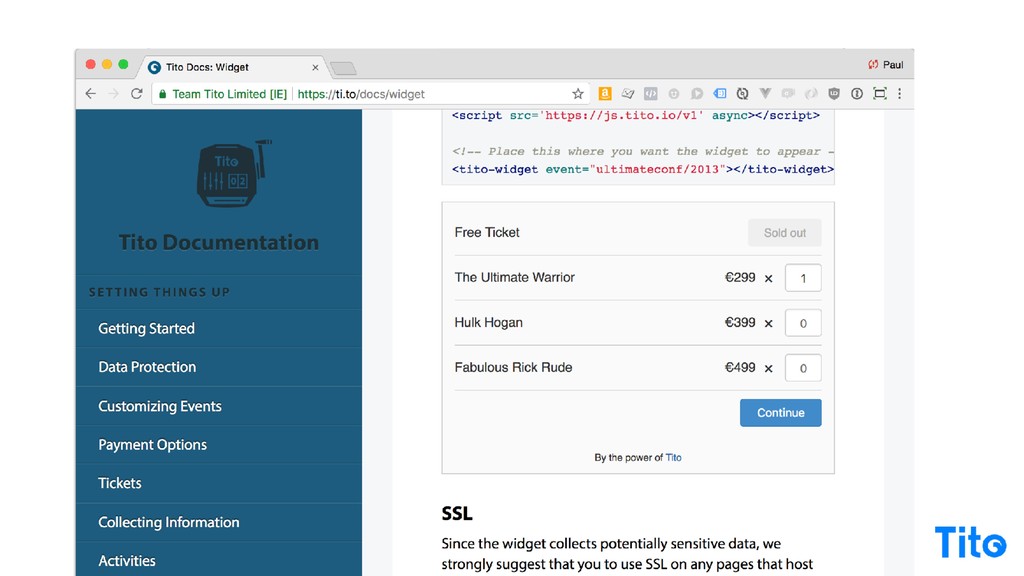
I guess since the example is from two thousand and thirteen, I did actually write it five years ago, and I I'm still really happy with how simple it is. You drop in the code and it's got a custom element web we still we still don't have web components, but you can do custom elements.
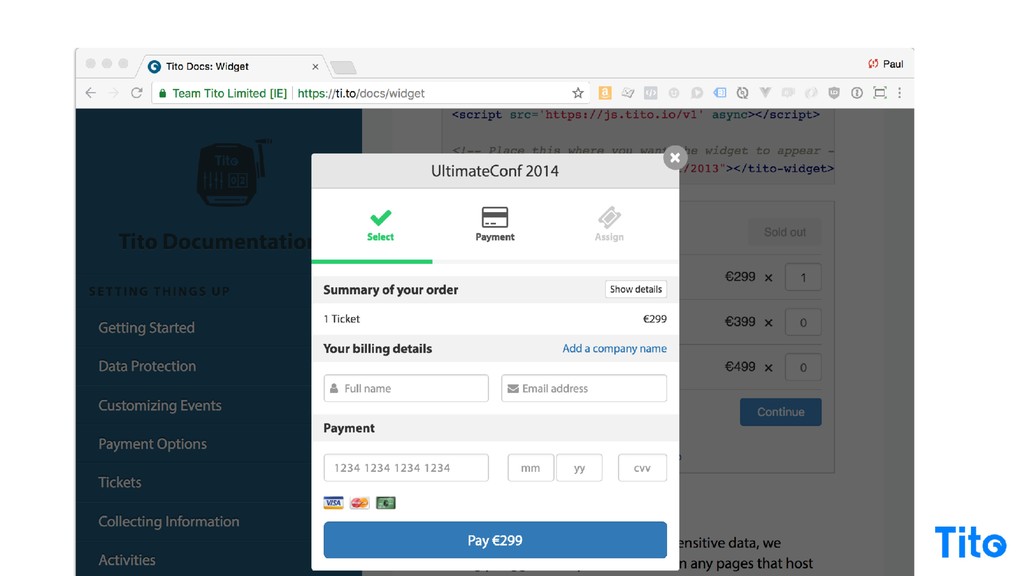
Could do it then, you could do it now. There's nobody nobody's gonna stop you doing nobody's gonna validate your HTML and you sell tickets, is basically what I'm trying to say. It produces a website like this. It embeds the ticket form. It's all live and up to date, and then you click the buttons and you've got a Stripe checkout inspired, checkout form and it works and people seem to be able to buy tickets, which is good.
So the last eighteen months or so, I've been updating things, going on the latest rails. I found and fell in love with Vue dot j s. I can't go into how amazing Vue dot j s is today, but I would encourage you to read the documentation and get to know it.
I saw you write in React earlier, it doesn't matter what framework you use, it's great. Modern JavaScript is brilliant. It does away with all the crappy stuff from before. Not gonna go too much into modern JavaScript except I'm gonna refer to some of the ways it's brilliant in some of the code samples, but the point is you can use it all today through various techniques or you can use it all today if you wanna support Lettersprout. It's great and some custom stuff, whatever.
Cool. So modern is awesome. And it's also a little bit of a fake word because, what does modern even mean? Doesn't really mean anything. It's just like, what would you do if you were starting today? That's the main point of it. So widgets, the ability to share computed, features on your site without having to do any work, Drop in a piece of thing and you get functionality that you didn't have to make, widgets.
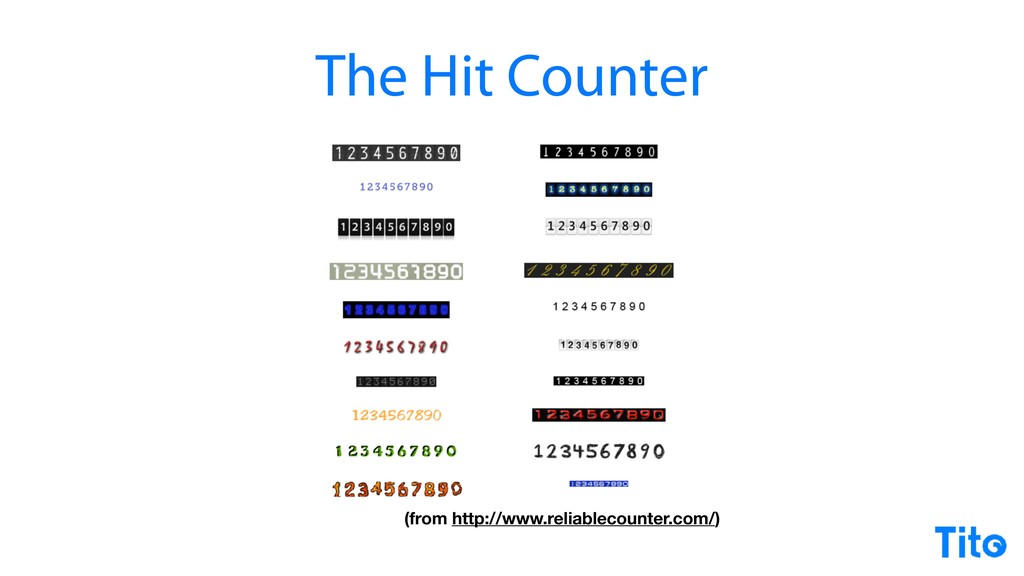
Brilliant. So the canonical example from the dawn of the web is the hit counter. Remember CGI bin, counter dot p l, it stored the count in a text file and it incremented it, and it was basically early analytics forever, you could get it in a variety of amazing designs.
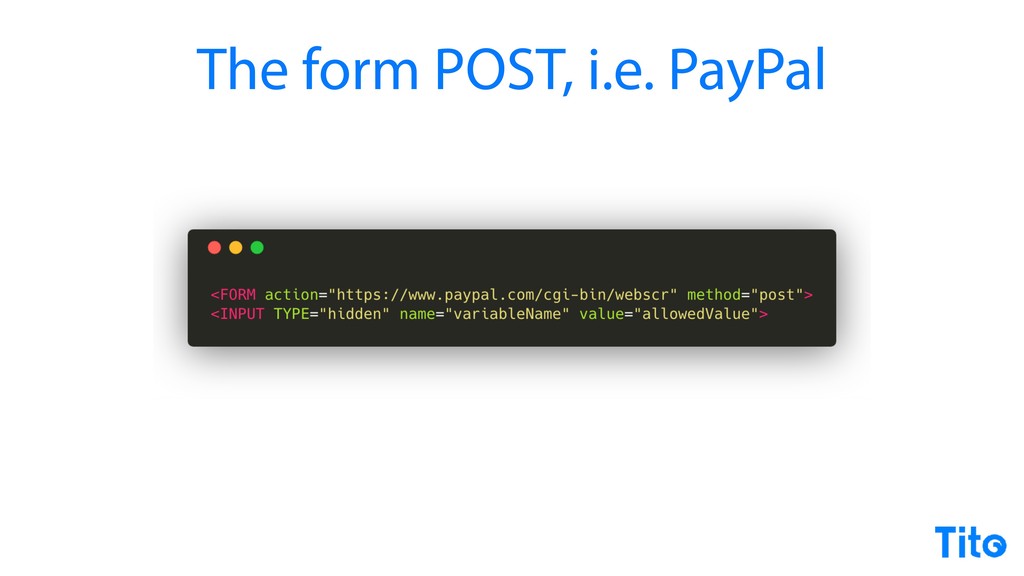
Fast forward a little bit, ecommerce came along, and this very creative technique of using a form post to send your data to a remote service with some hidden fields, some configuration, and then they process it or they redirect and they do something on their site and they send it back to you, totally legit, cool.
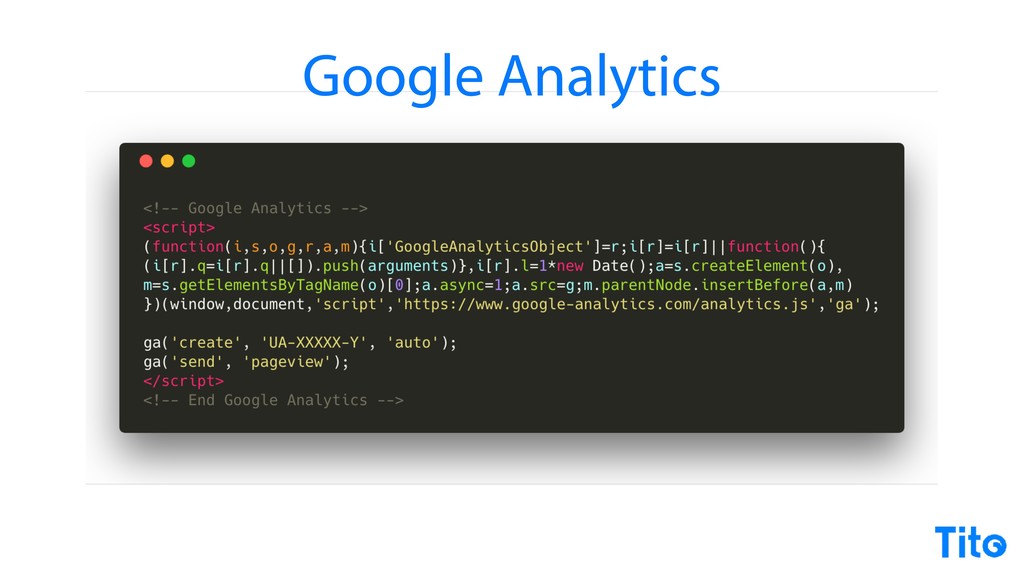
Then of course, fast forward, JavaScript, the done of JavaScript, the ubiquity of JavaScript in the late nineties, and Google come along and produce Google Analytics, and then this is a pattern that we're gonna look at quite a lot now. Gobbledygook, put it in your page and everything just works.
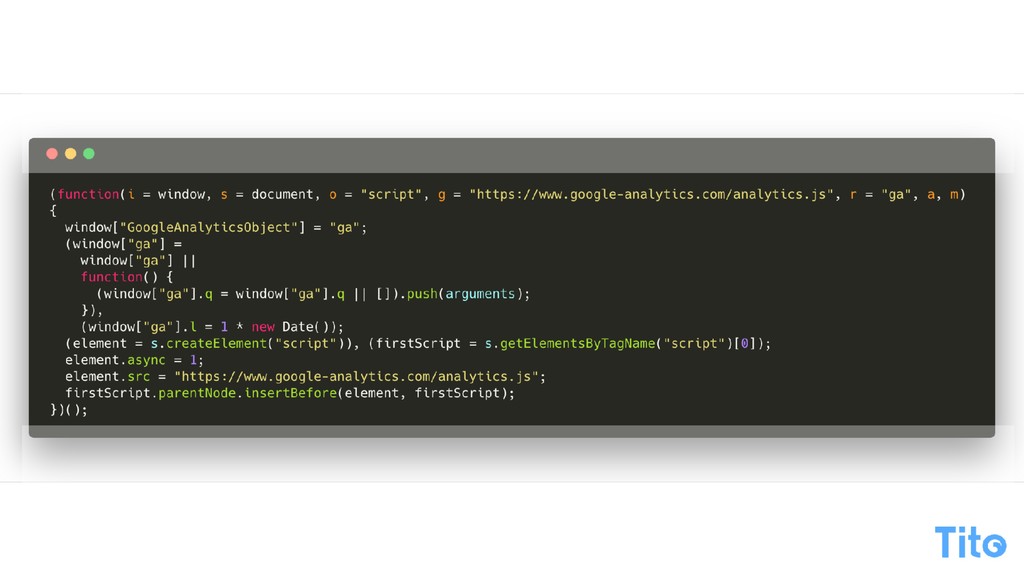
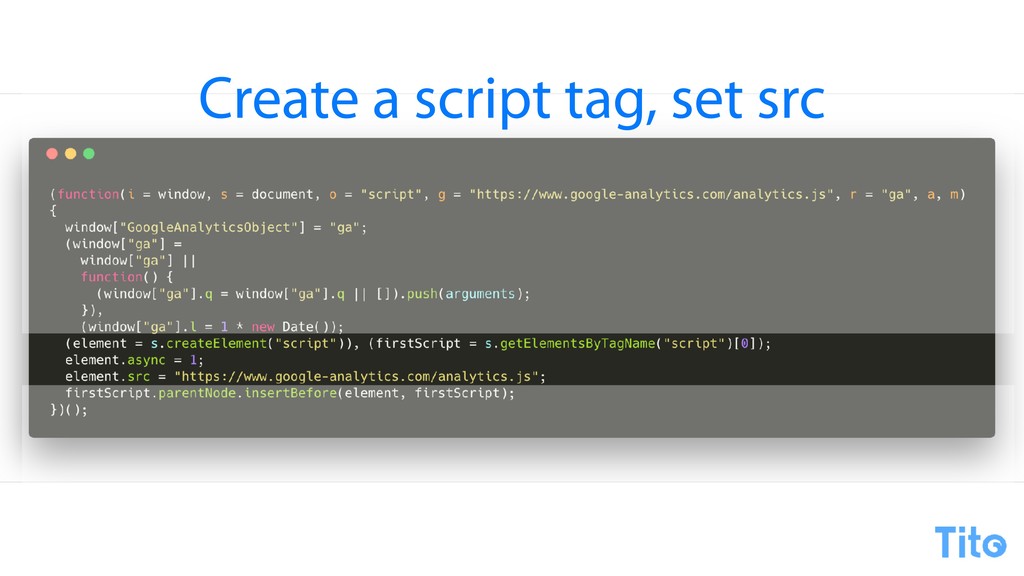
Gobbledygook. So well, it's not actually gobbledygook, it's JavaScript. Right? It's embedded JavaScript, so and it does stuff. So if you kind of like rationalize it a little bit, it's it's really, really, really simple code. I don't really know why they're setting a Google Analytics object, but they do that in the first one.
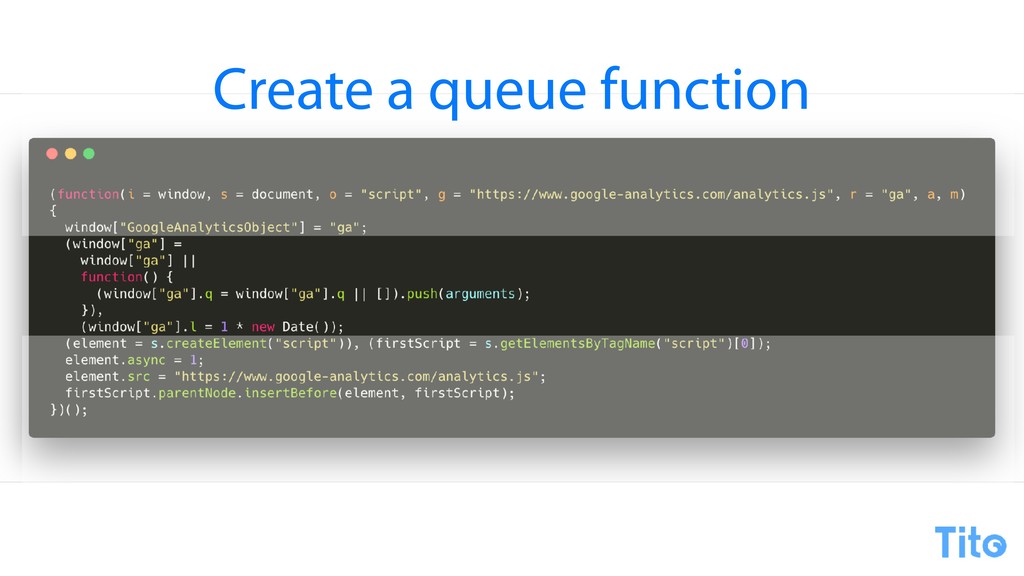
But then they're creating a function, and a function, dead simple, it creates an array and it pushes the arguments into the array. So it's a queue. So Google Analytics basically creates a queue, creates async queue, and you can basically send any old site to the queue to be dealt with later.
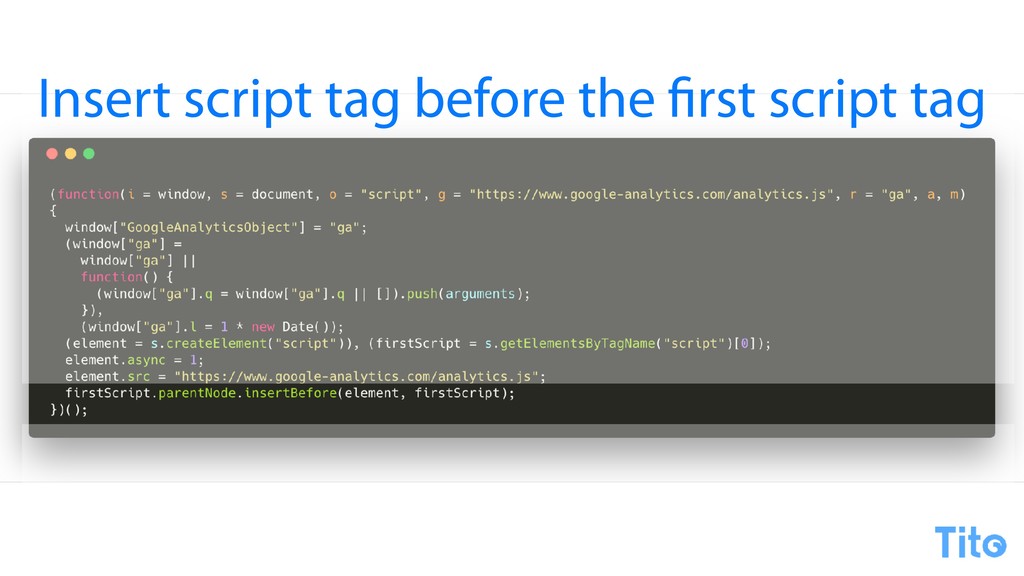
The next thing it does, and this is another pattern we'll see in the next few examples, is it creates a script element and it finds the first script element on the page and it puts the it fills in the source and then it inserts that script element.
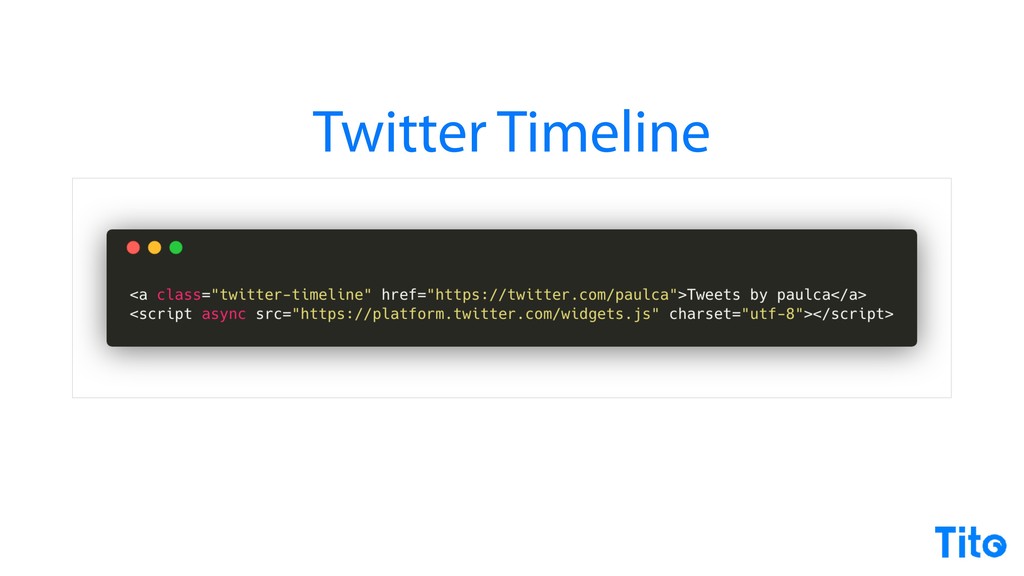
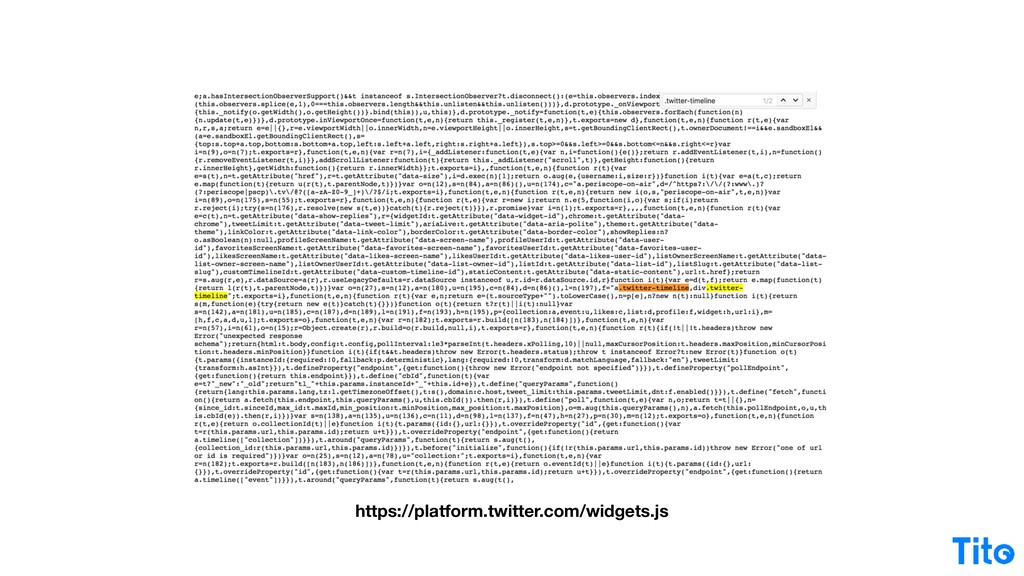
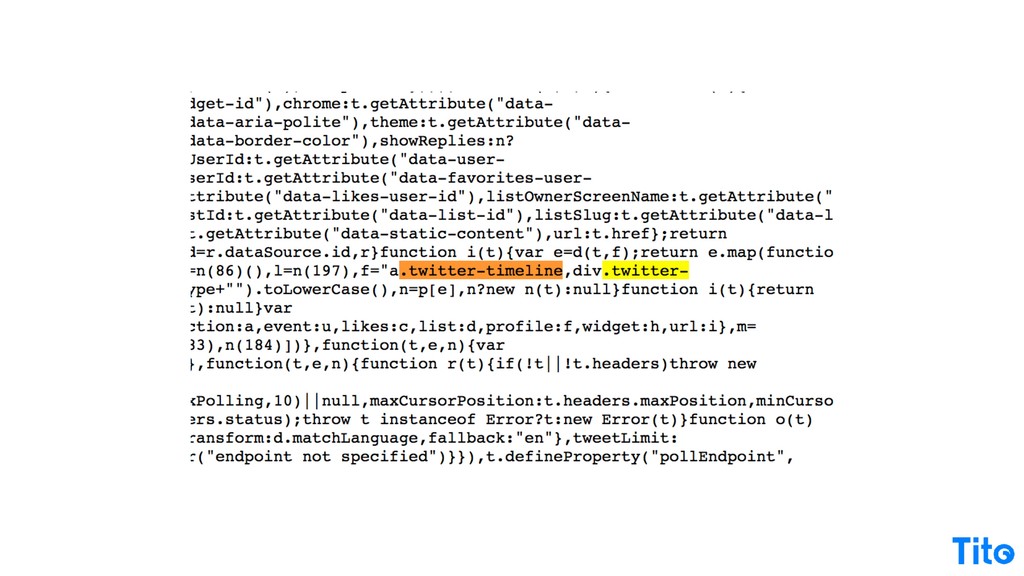
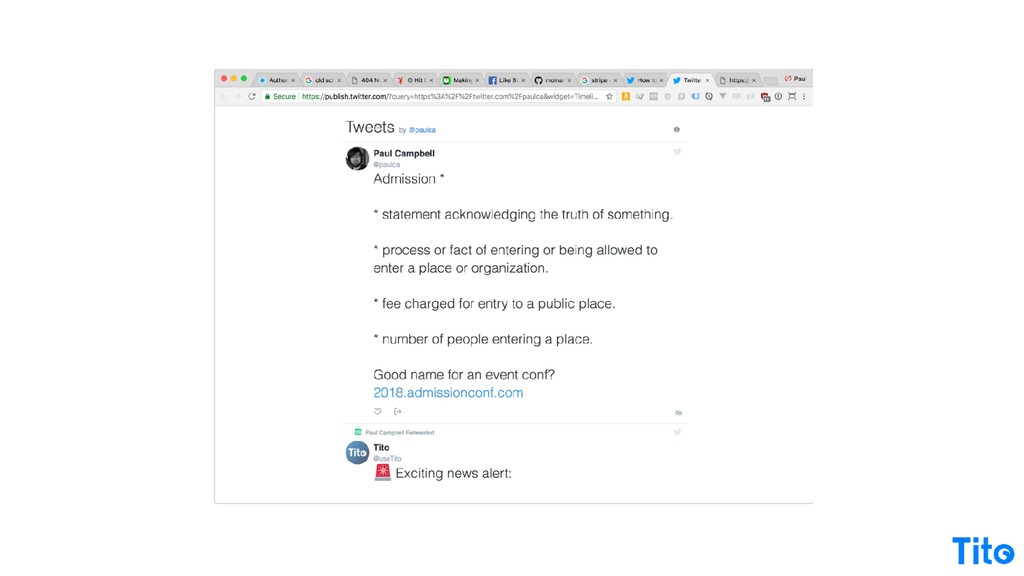
That's basically all you need to do to embed a widget. Google do it, Pretty much everyone else does it. Twitter does something different. They don't embed any JavaScript in your page, they just delegate the whole thing to a widget, which is kinda what the Tito one does.
And then you give them a little hook. The hook is the Twitter, or that's the actual code, to give you a Twitter timeline code and away you go, and it just inserts all of the widget into that into that element, and it's pretty simple.
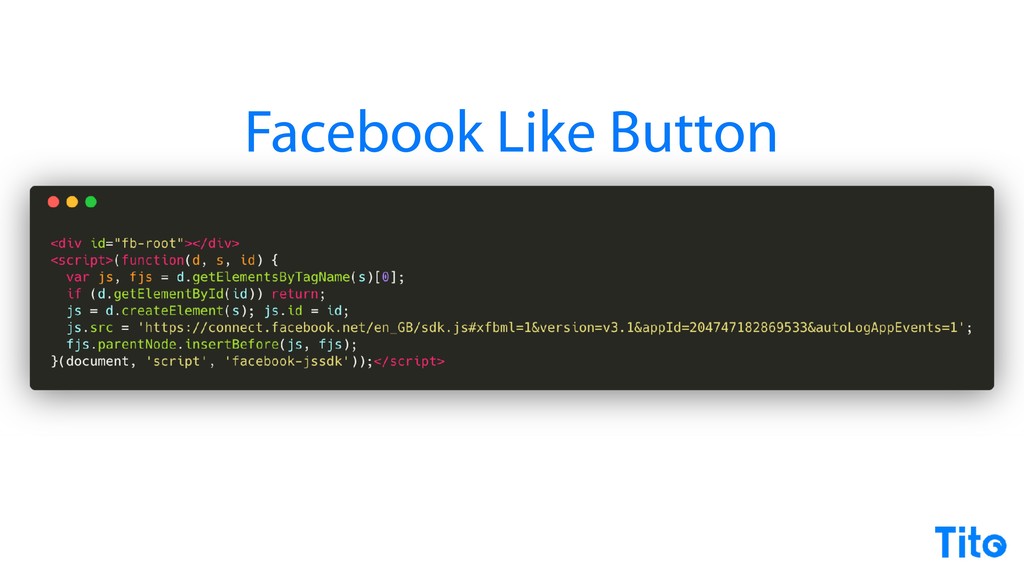
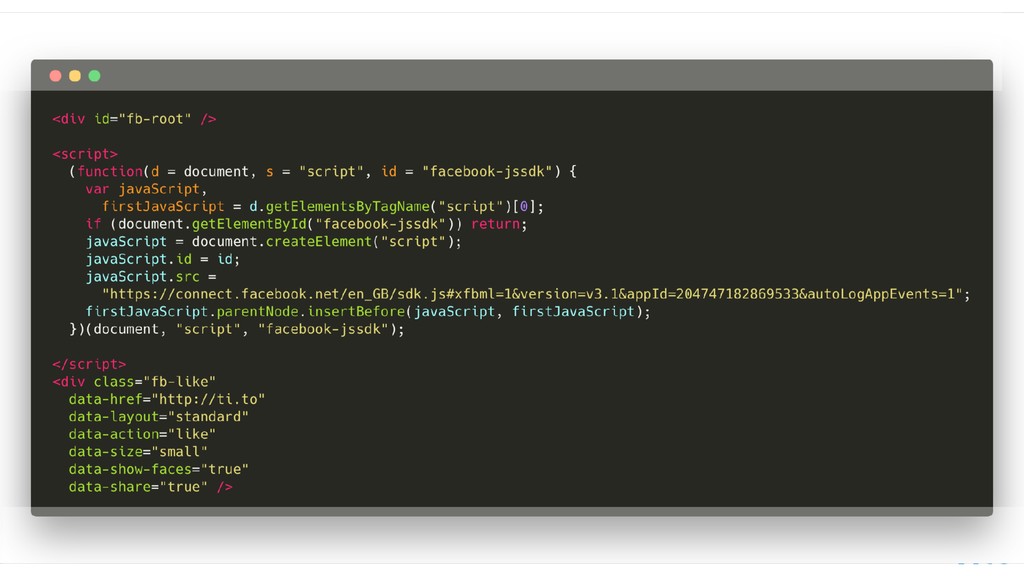
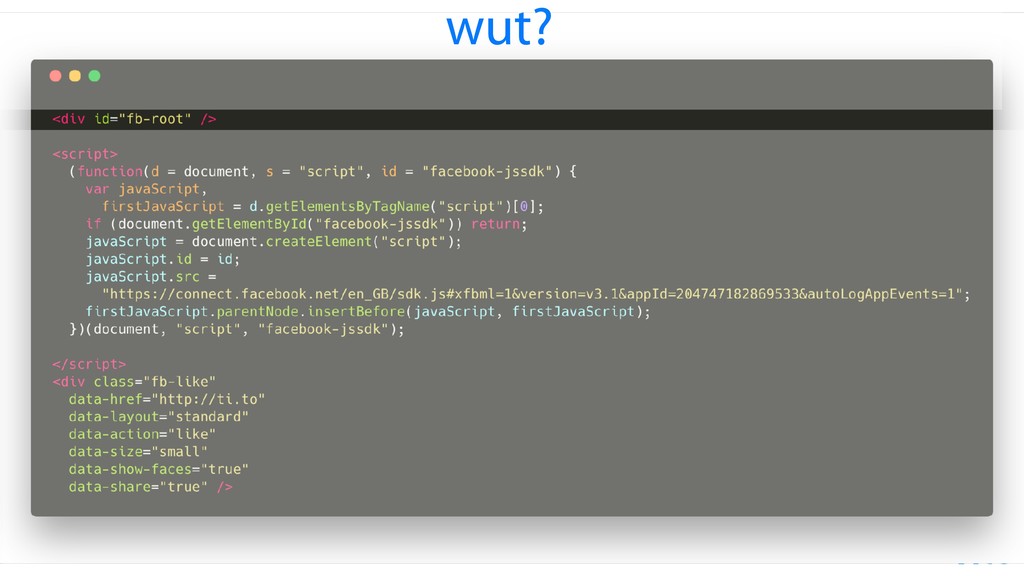
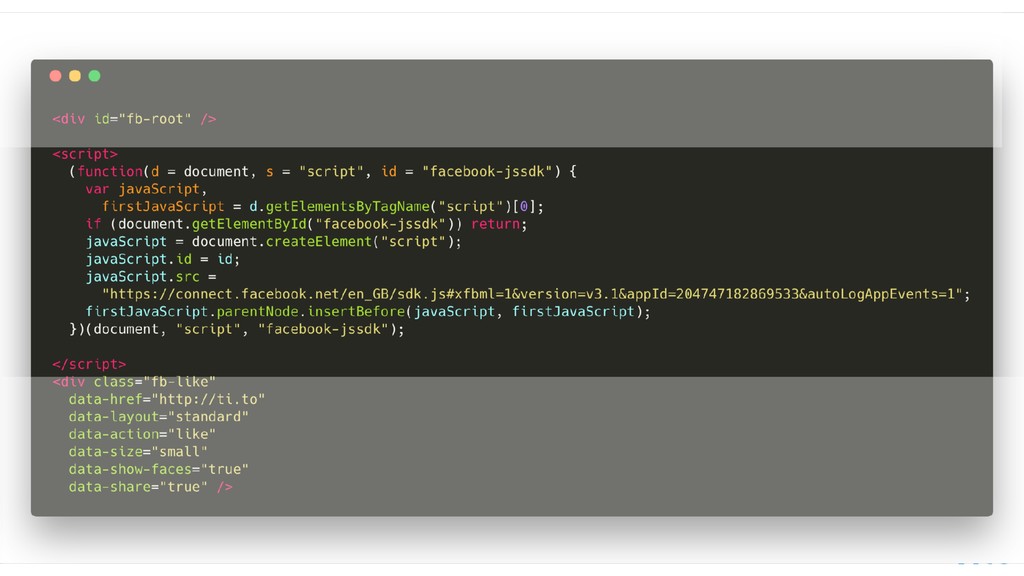
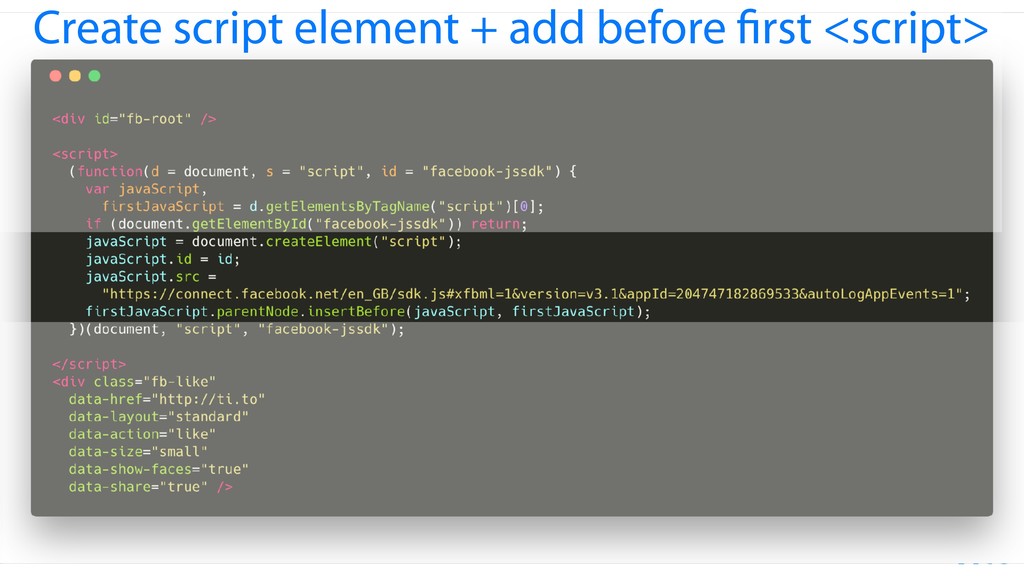
So that's how it work. The same pattern gets repeated over and over with all these embedded things that we use. Facebook like button, again, gobbledygook, translates to basically exactly the same script as what Google do, except this time it combines what Twitter do and you get a placeholder element.
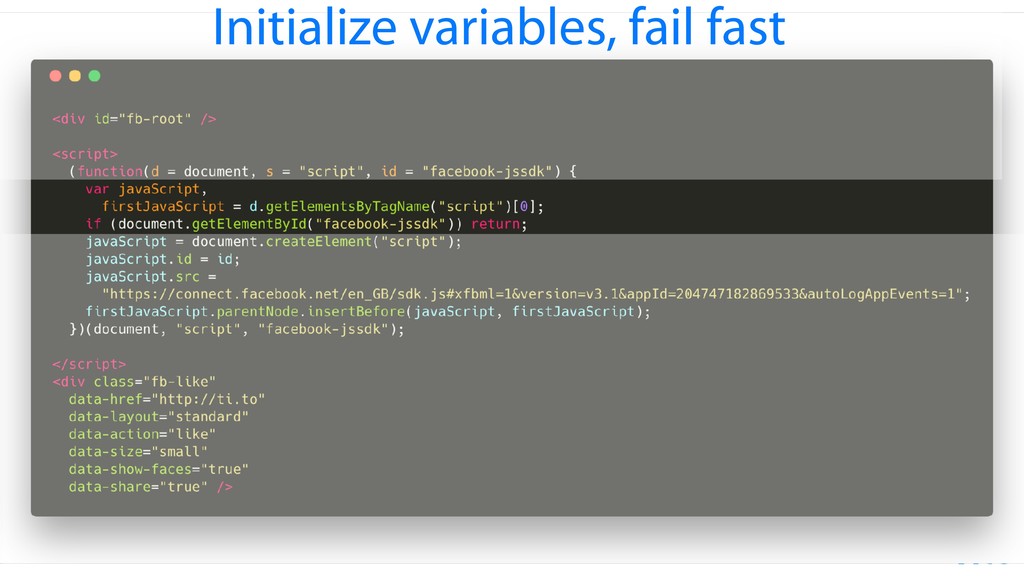
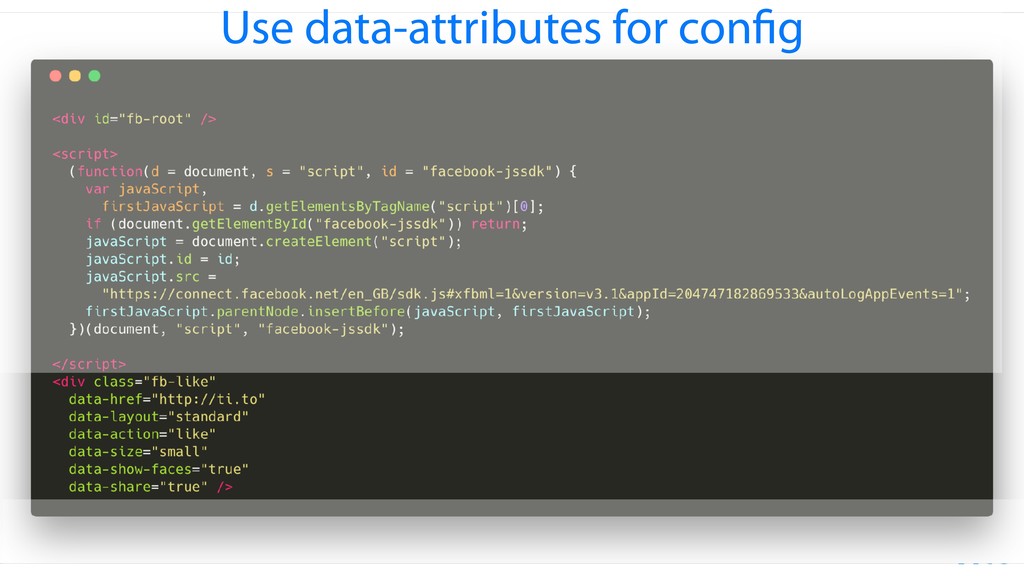
Don't know what that root thing does, but it's the same thing. You are fine. You're getting the first JavaScript element. You're creating a new element. This one includes a fail fast so that if Facebook detects an element of its own ID, it doesn't load, and then it goes and does exactly the same as Google, and almost exactly the same as Twitter, but this time you've got the ability to have configuration in the element.
So there's patterns here and there's little variations of things, and because you, like the ******** web, you've got Facebook button. Even more ********, but it's just a different pattern. This time they've gone this is the route that I I went. I actually was hanging out while whilst I was implementing the Tito JavaScript.
I was gonna go the dev route, and then I actually met the guy who built the Google plus one button, he was like, go the custom element route. And I was like, it's two thousand and thirteen. How can I do that? And he showed me how to do it, and that's why we have our custom element.
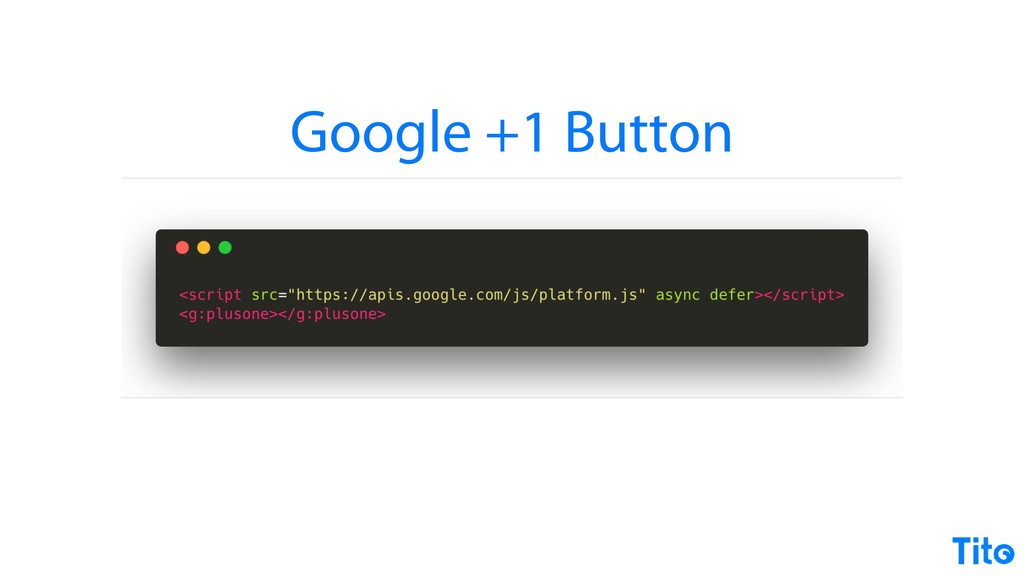
But I really like the custom element. Super declarative. It's the Google plus one button, and you get a Google plus one button. Brilliant. Fantastic. Don't ever do it. And then you have the poster children of the embedded web at the moment. Stripe. Again, it's just a different variant.
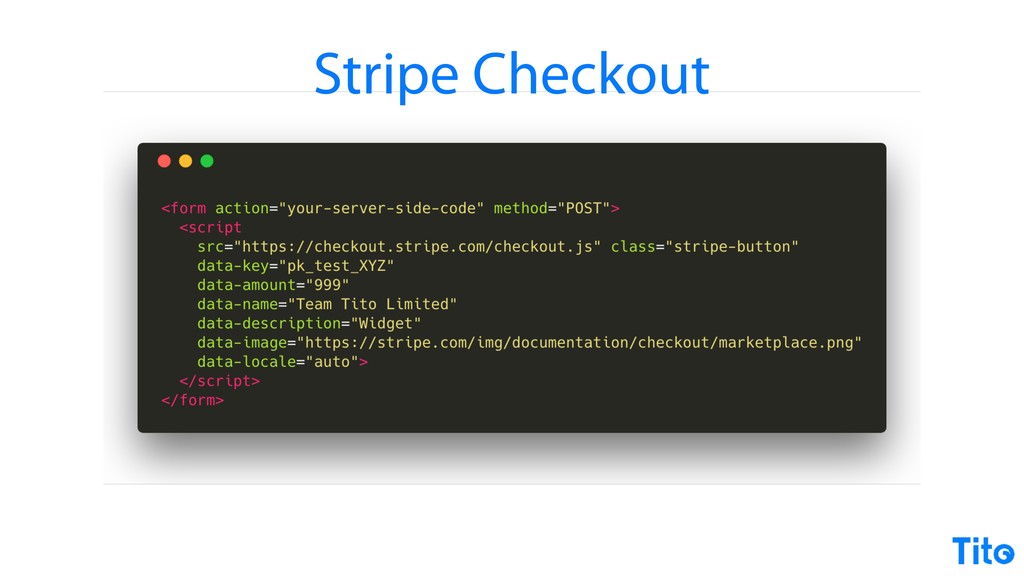
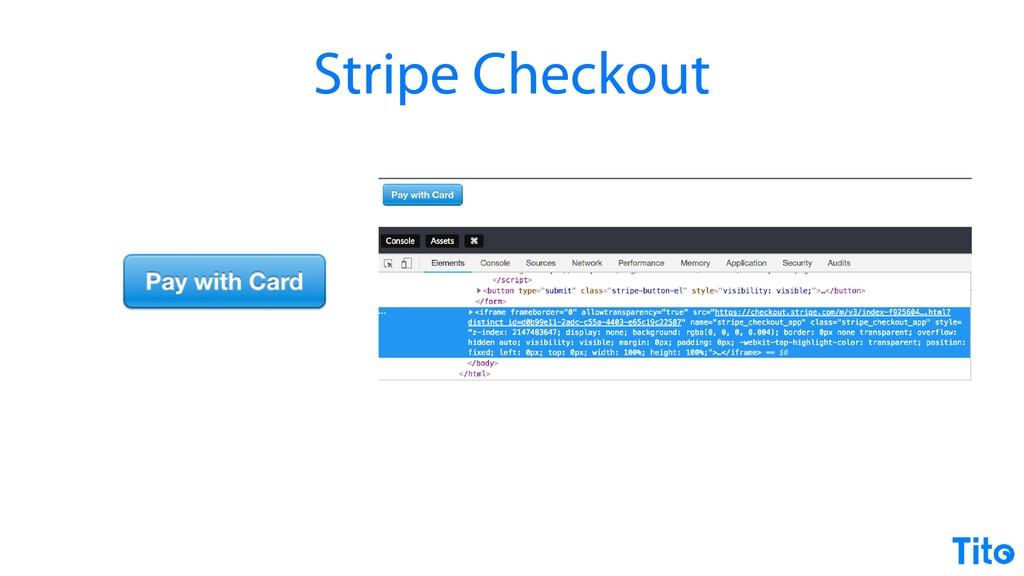
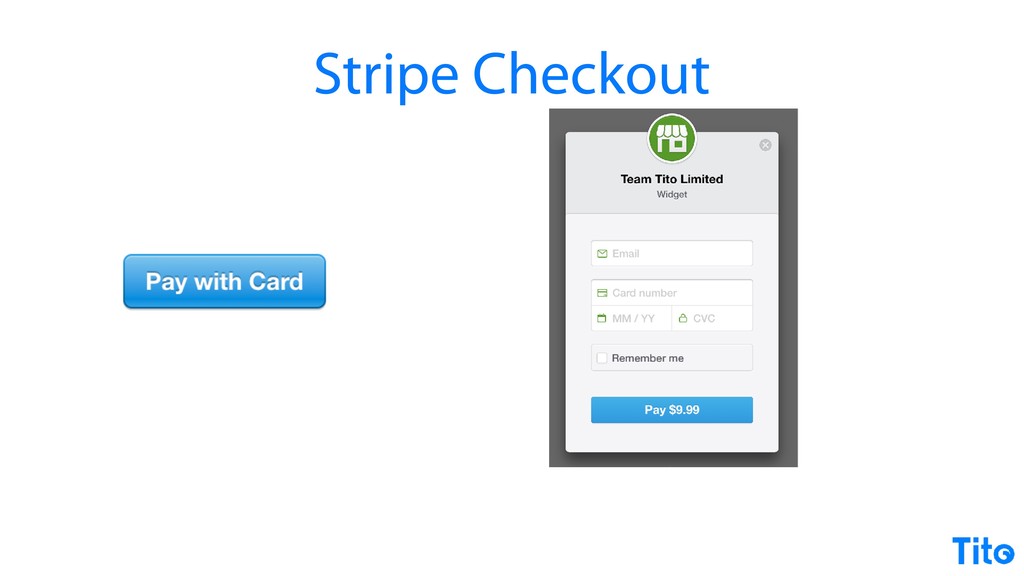
They have a script that doesn't hook onto an element, it just becomes the element, and its its configuration is on itself, so it's meta, but it's more or less the same thing. And then you get a button in the background, you get an iframe, iframe is hidden by default, and then you press the button and the iframe pops up and you get your overlay and you've all used Stripe checkout.
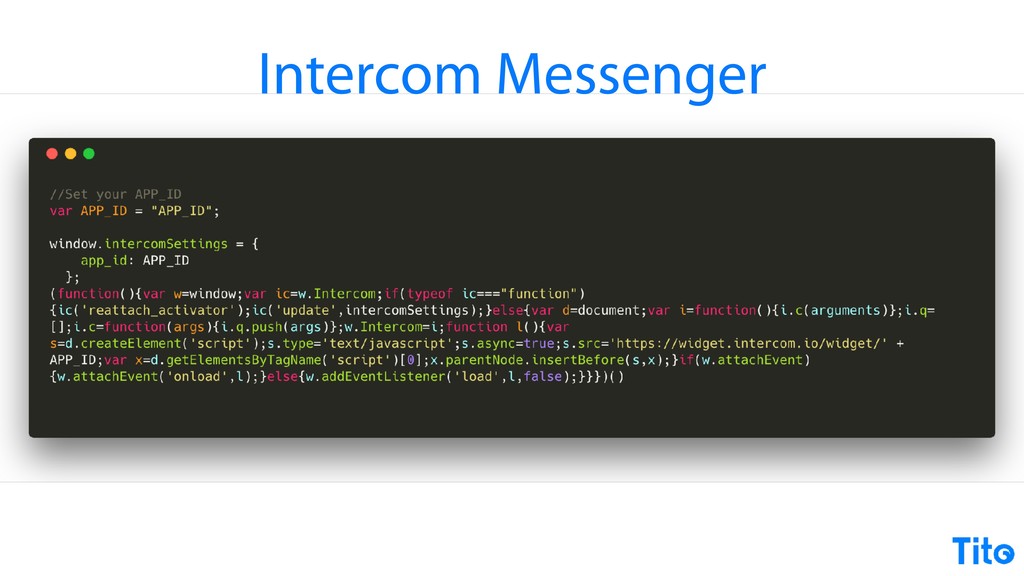
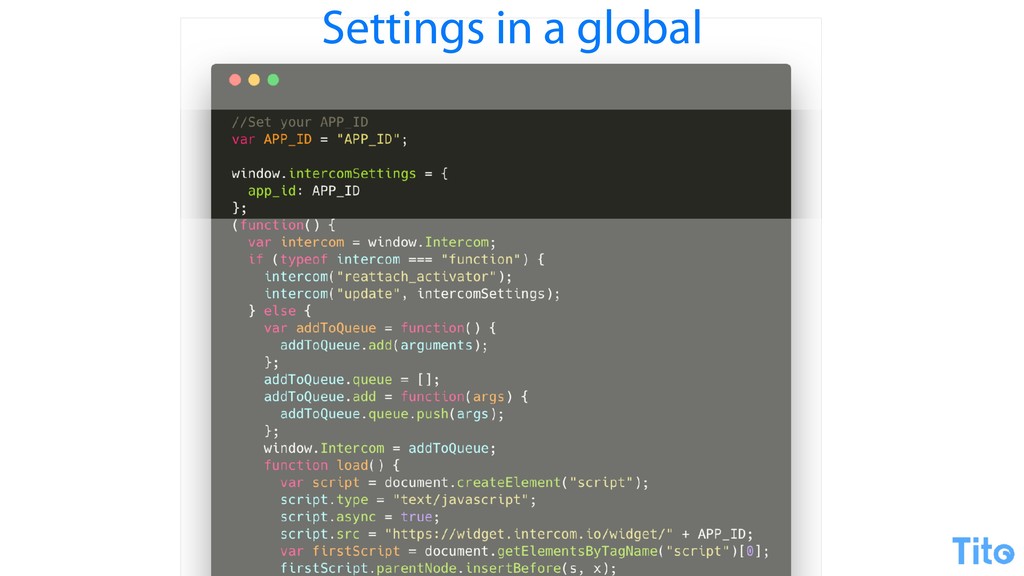
And if you haven't, it's that easy to check out it's that easy to check out, to look at. Intercom Messenger, again, just a variation. We're seeing the same thing over and over with different techniques. Gobbledygook rationalizes to a global to store some settings because we haven't loaded the page yet, so it's really easy to put a global to store settings on rather than creating a function, so this is just an object with settings in it.
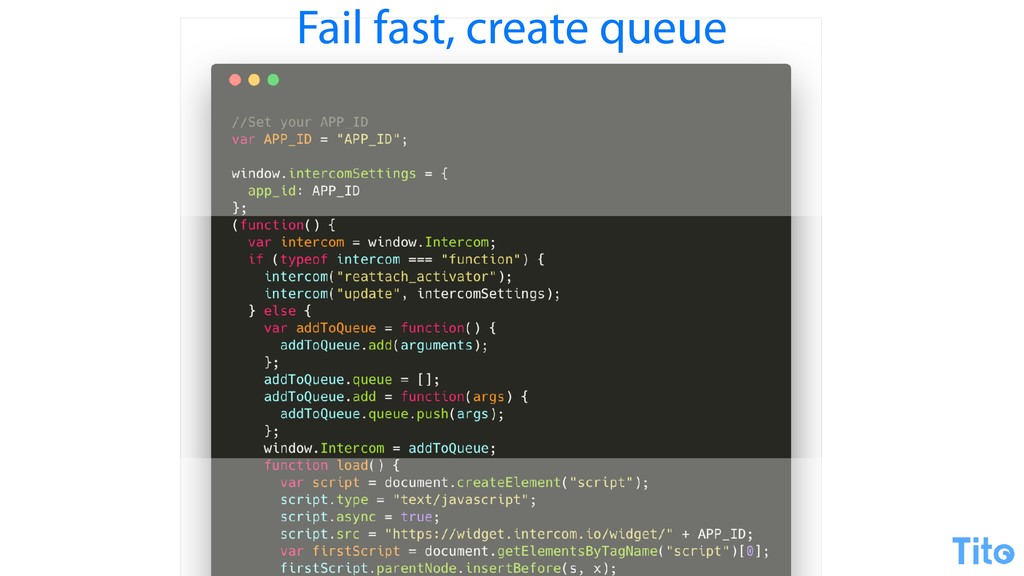
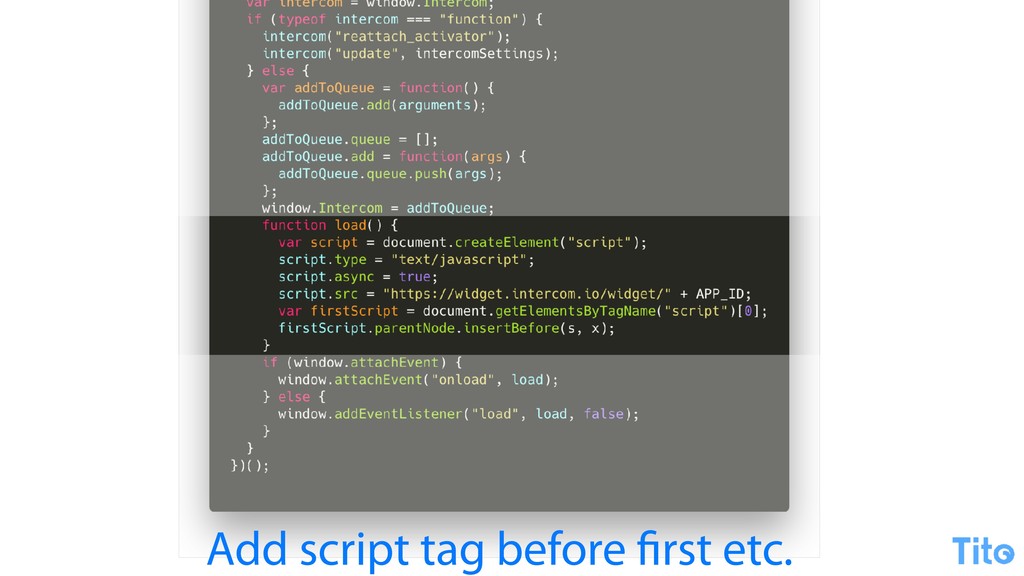
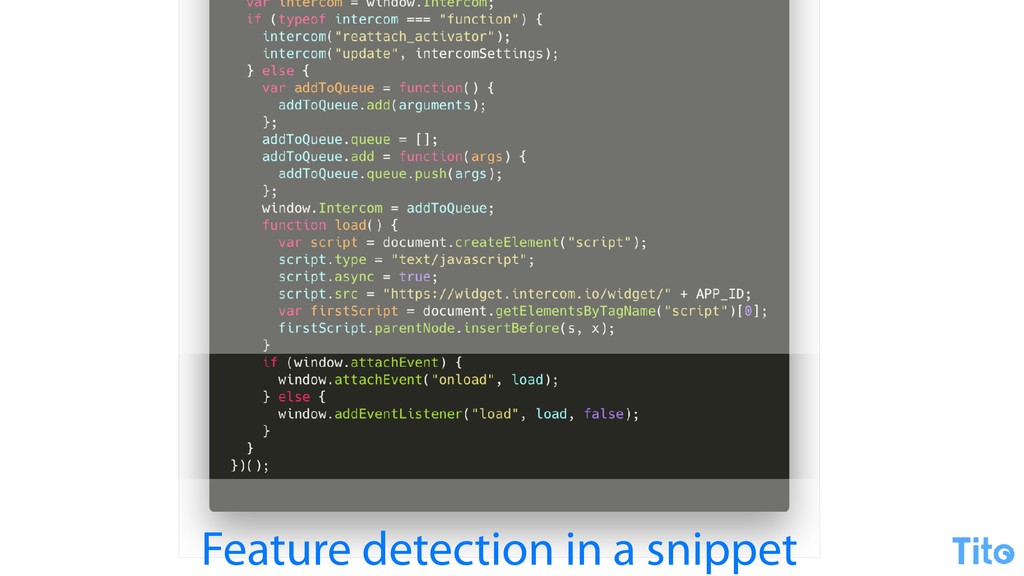
Where have we seen this before? It's just the Google queue technique again, stuffing stuff onto a queue to use later on the global. Easy peasy. Then there's a loader, and just for good measure, we do some feature detection in the snippet because why not?
So there we go. But that's what it is, it's just JavaScript. It really does rationalize out to very simple stuff. It goes, gets a script, sets the source, creates a script, puts it as the top script element in the page. That's how they all do it.
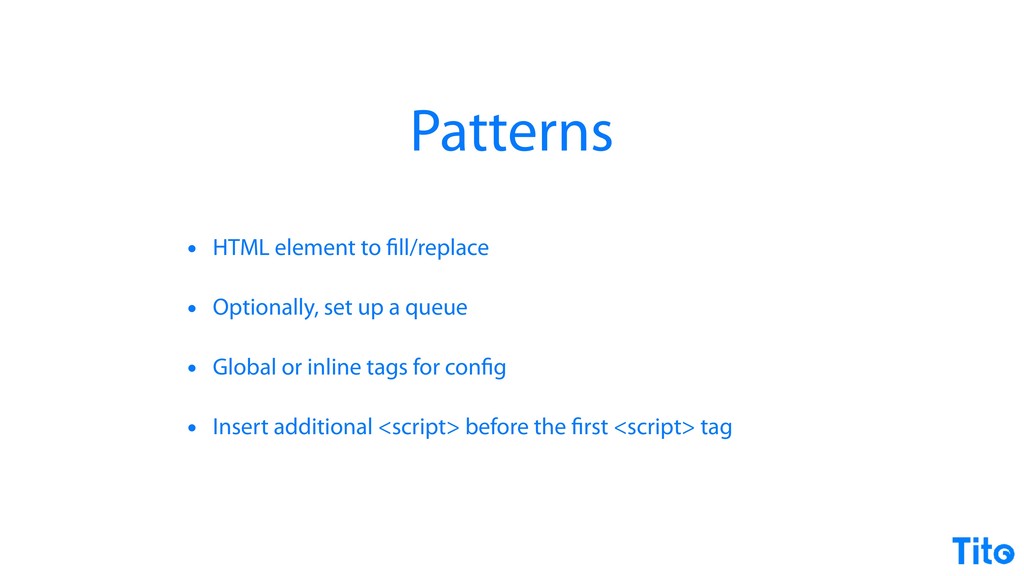
And it summarizes out to you have a HTML element to fill or replace, so you need an element to hook onto. Optionally set up a queue. The queue is so that you can have an async series of functions to run after your script loads or to configure it.
Some people set a global for configuration, some people do these data attributes or or whatever for configuration, and then you put your script at the top of the page presumably to make sure that you don't that that yours gets added without any dependencies.
Anyway, so that's how it all works. Technically, that's how everybody else does it. This is way before the deep breath slide. Whatever makes a modern widget? So modern is the modern web. So everything these days has to be simple and easy to use, and I agree with that.
I would argue that all of the drop in ones, all the drop in codes are, but I like the ones where it's just linked to some JavaScript and have an element. Simple and easy to use, but also configurable. There's a few strategies there for being configurable.
They should async load as well so that the rest of the page can load around them as they're loading. And then from the developer point of view, it should be we should be able to use modern JavaScript syntax and features because there's some really compelling stuff there.
Obviously, as well in twenty eighteen, you'd like for any functionality of the widget to be reliable if you're distributing it, so there should be a certain degree of scalability there. Gag coming. Alright. That's my gag. The first option is to use Node JS, and the example I'm I'm gonna show is building a hit counter, but a modern one.
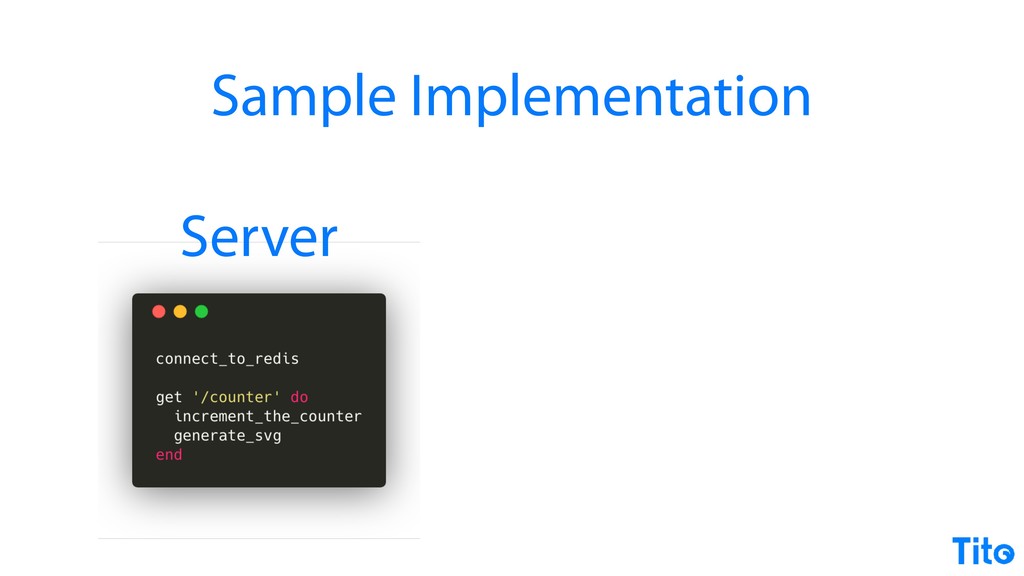
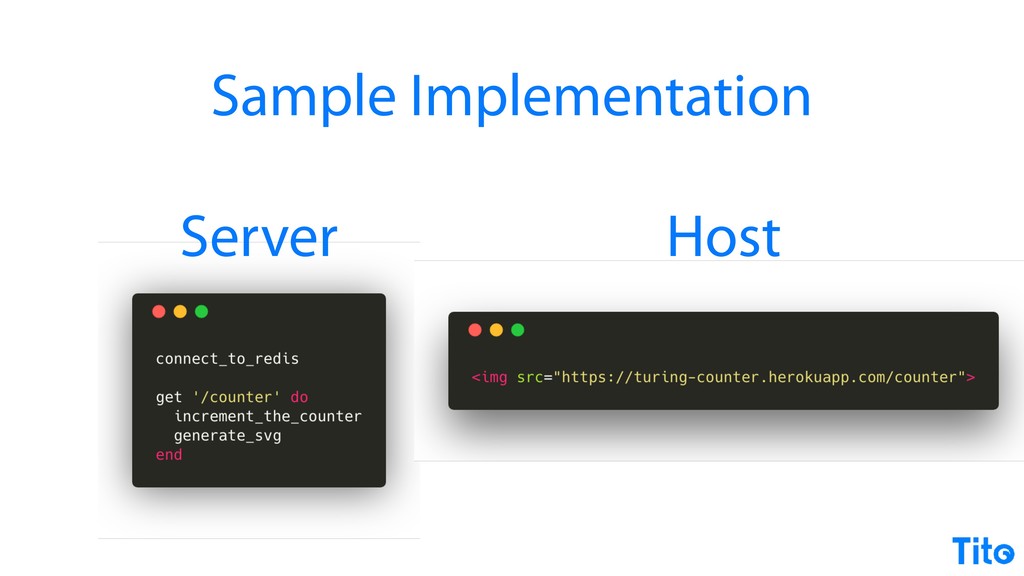
So we'll address scalability straight away, and we'll use SVG rather than a GIF or a p PNG. There's loads of bit loads of benefits to building an embedded functionality this way. The server implementation can be relatively simple. This is just some pseudo code.
We're gonna store the count in Redis because scalable. Yes. And then we're gonna increment the counter and then generate the SVG. There's tons of libraries out to do SVG generation. You can do it by hand, whatever. And then the actual usage is super super simple.
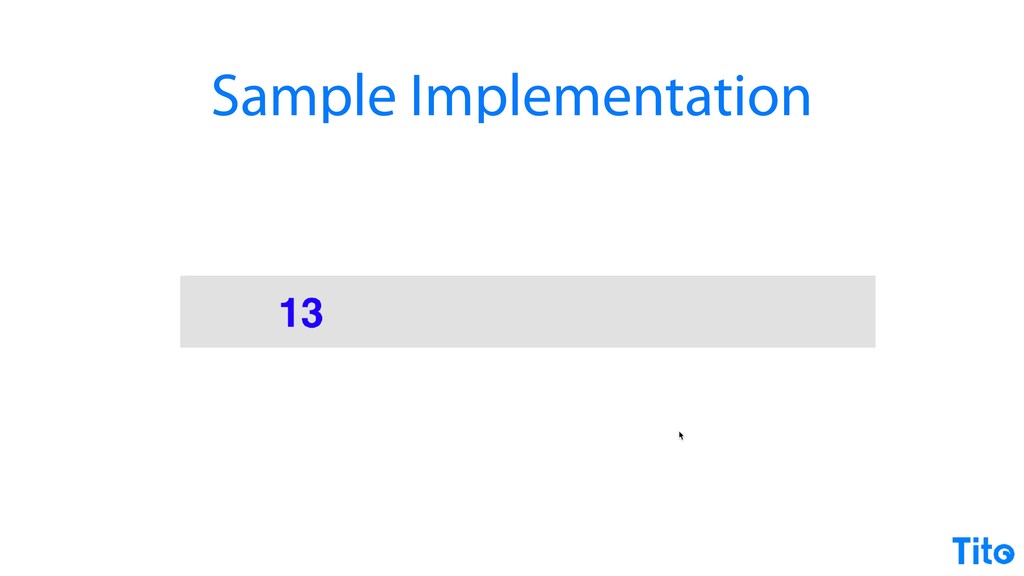
You just include an image and then you get a counter and it can count and then you just refresh and it goes up. So anybody can build that. You can get like a a Ruby script or you can do you can do the server back end, and you've built third party embedded functionality by including an image.
It's still totally legitimate today, and you can make it modern, and you can use modern technology to do something that was working in nineteen ninety four. If it worked in ninety four, it still works today, and it could be the the tool that you need to use.
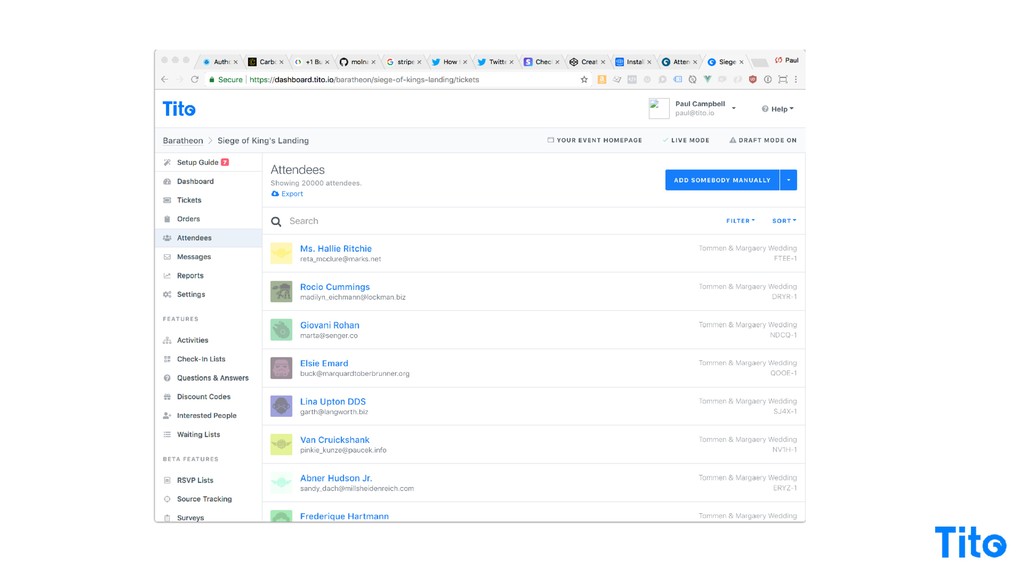
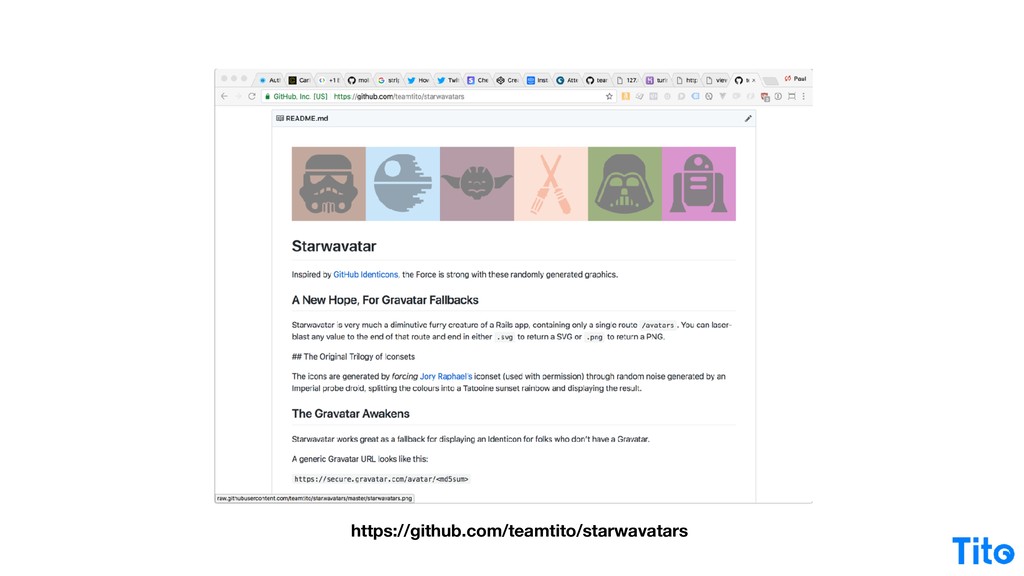
We actually use this on Tito. So our avatar fallback library is called StarWavatar, and it it uses exactly the technique I just described. So it goes and it fetches a random SVG based on the the checksum of somebody's email, and it delivers an icon based on this icon set, and we do a random color and a random icon.
But all it is is just generates an SVG, spits it out, it's consistent based on the hash, and third party functionality, We just deployed it and I haven't touched the code in three years. It's brilliant. No line of JavaScript in sight. It's a modern embedded widget.
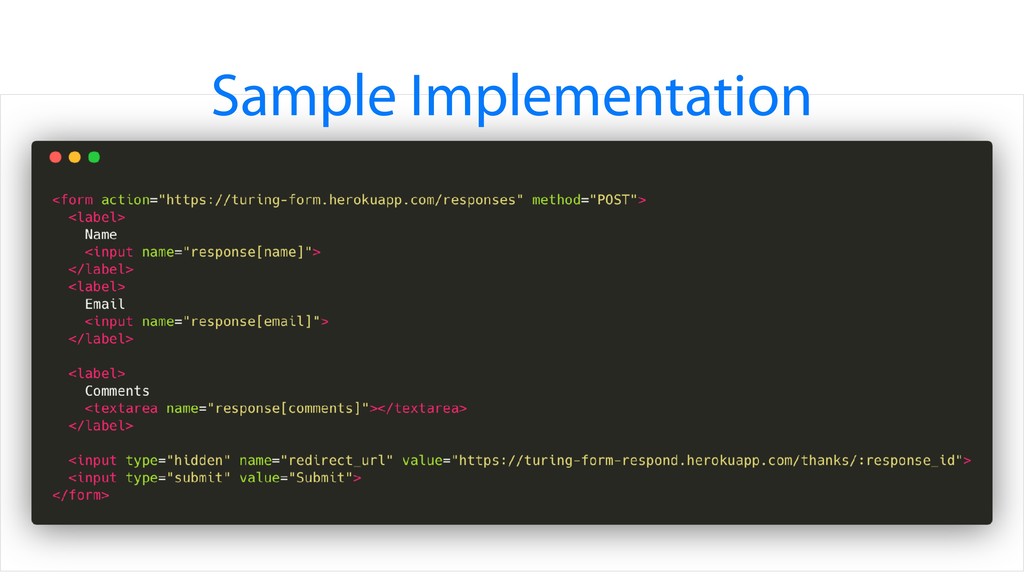
Form posts are still totally legitimate as well, and depending on your on your use case, it could be exactly what you need. So you could do exactly what you need to do. If your HTTP response is fast enough, you could post to a form that would be back at your site before anybody realizes that a button has been clicked.
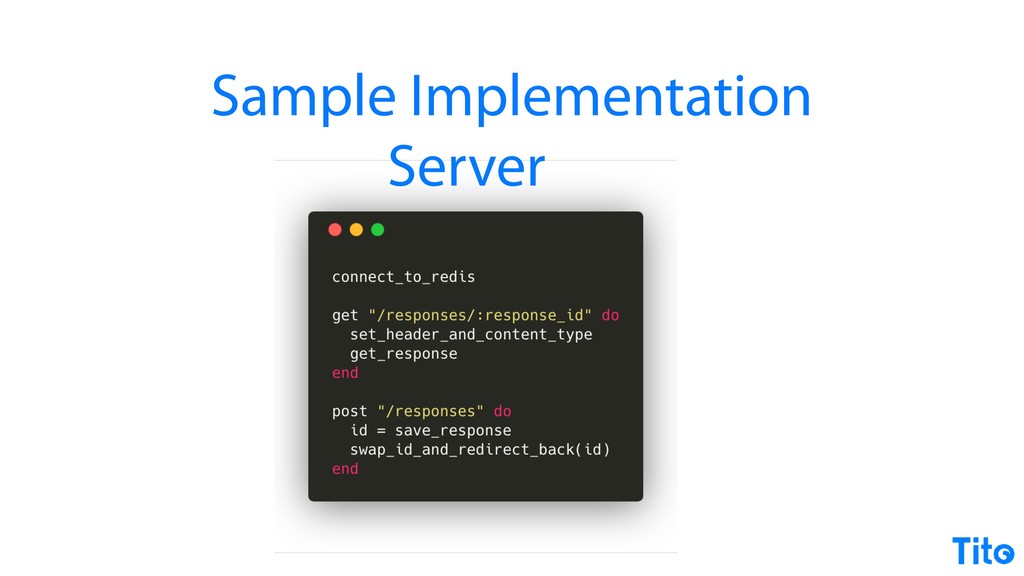
So our form post so we're gonna I'm gonna introduce this server implementation that basically you can post a response, you can you can post some data to it, you can and save it to Redis, and then you can there's a GET request to get the response back.
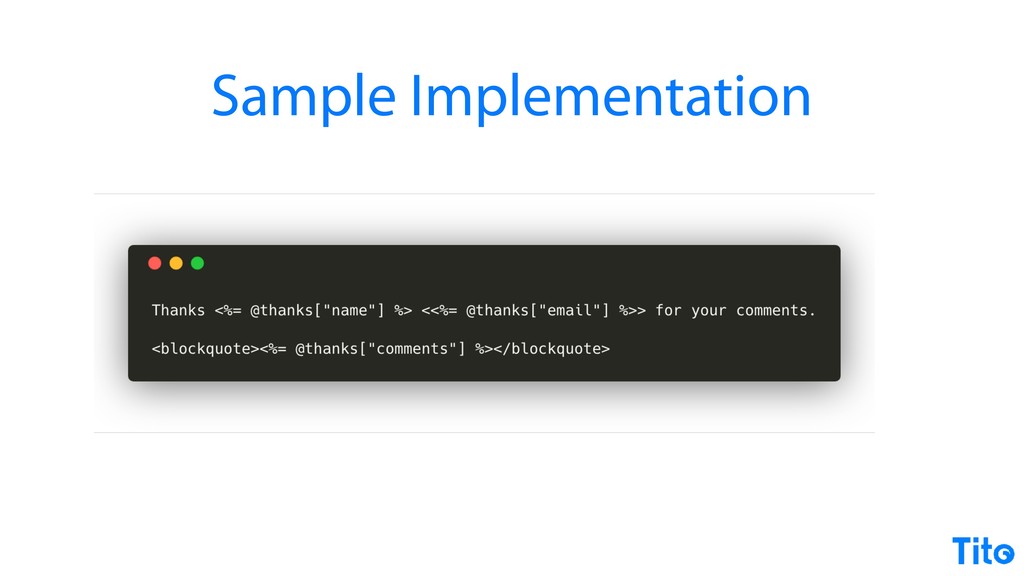
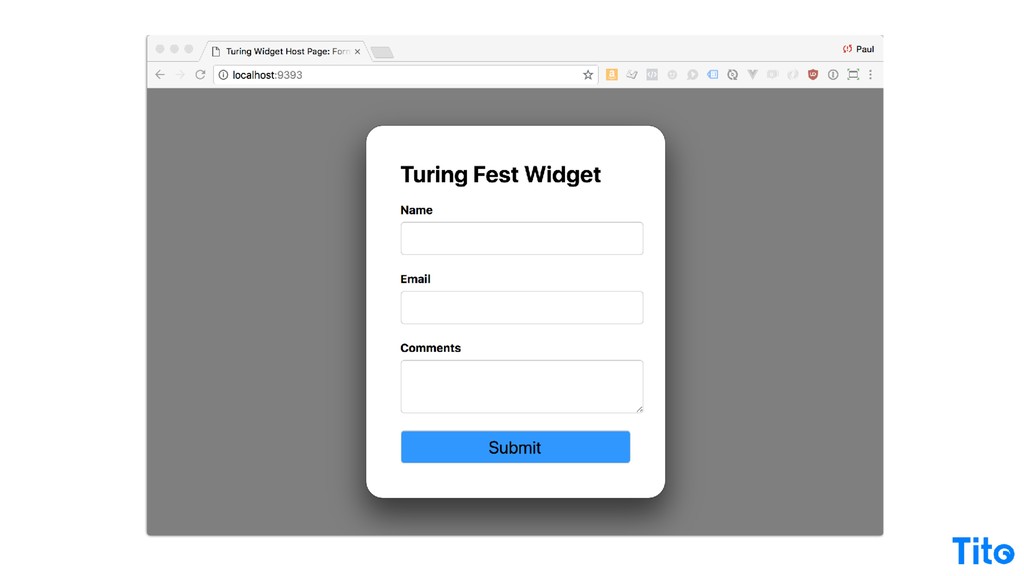
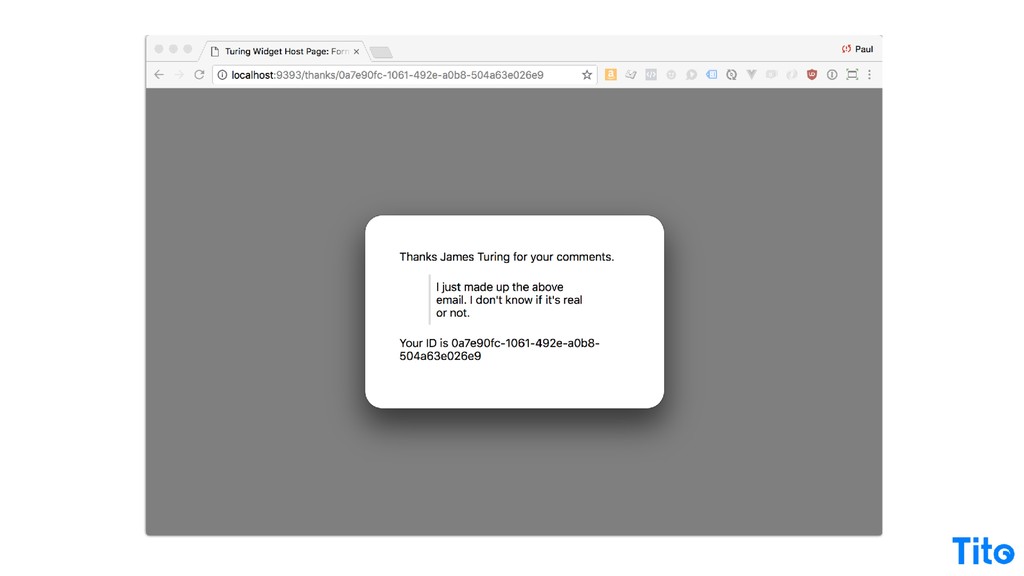
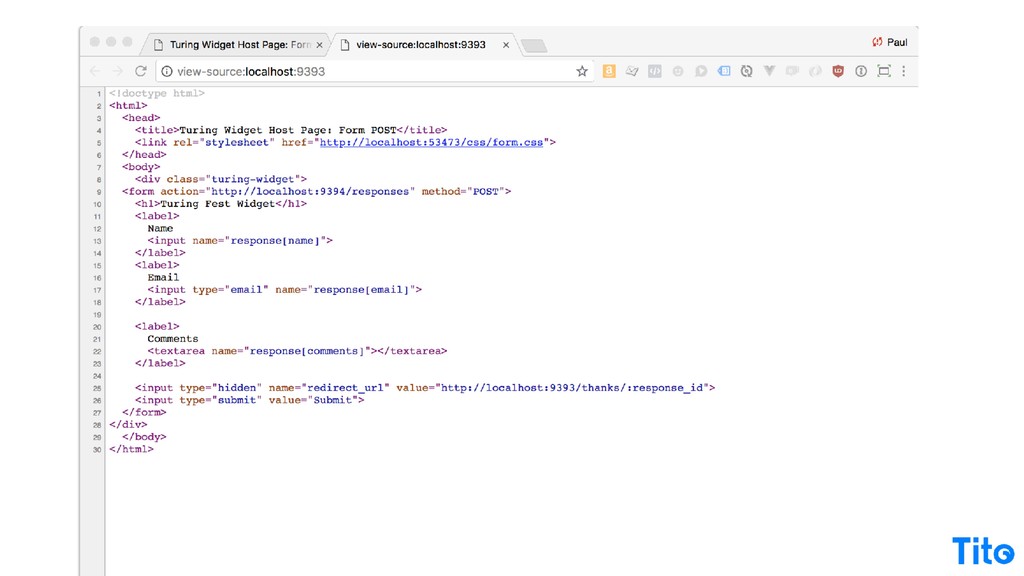
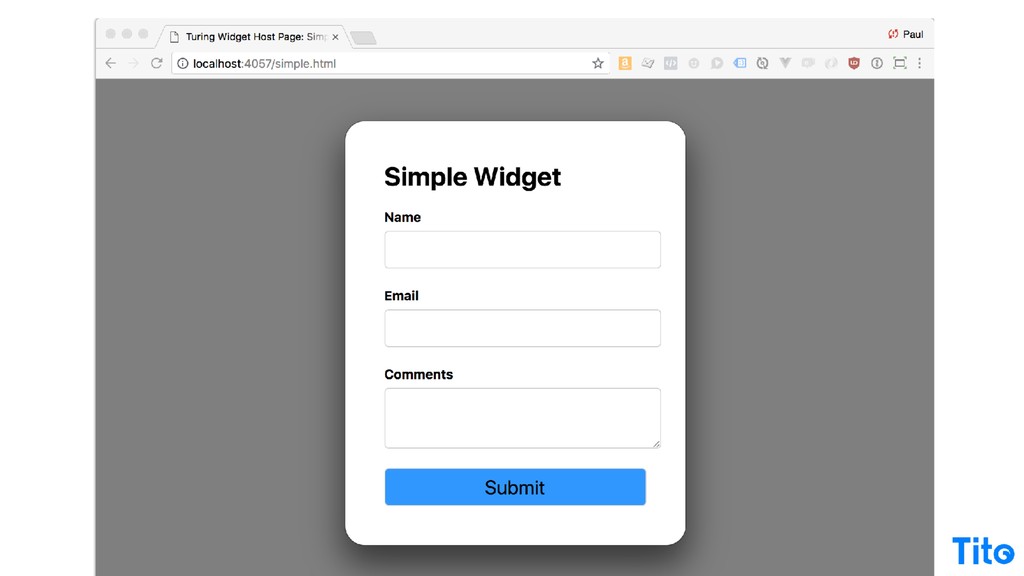
And that's basically what the server does. That's a pseudo code. There's some more implementation code to make it all work, but the the usage then is dead simple. It's just like the PayPal example. You just post off to your API endpoint, provide a redirect URL and a handler on implementation page, then you can just ship off to the API and provide a little thank you page, and you've built a widget, a little bit of CSS that actually it's alright.
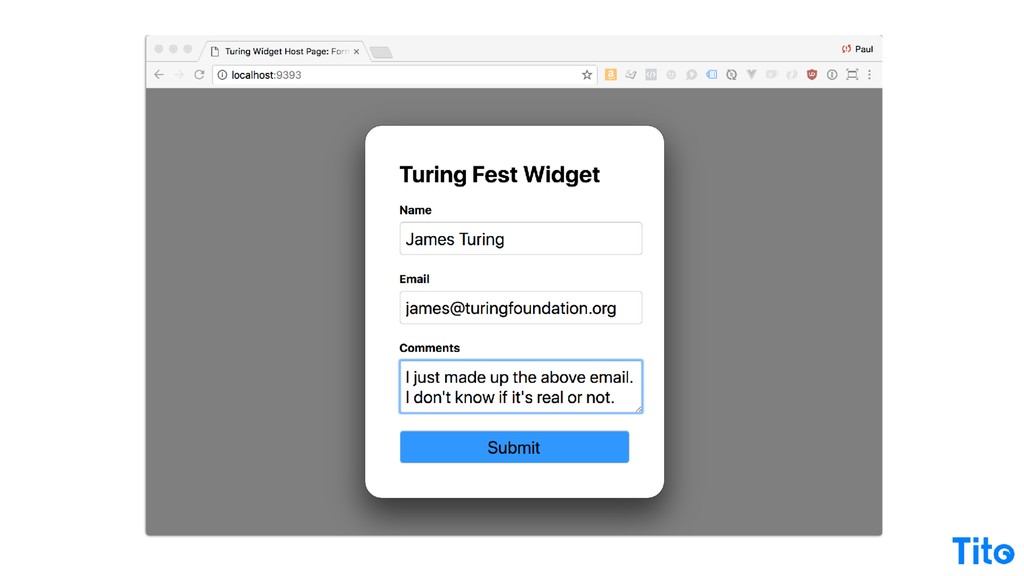
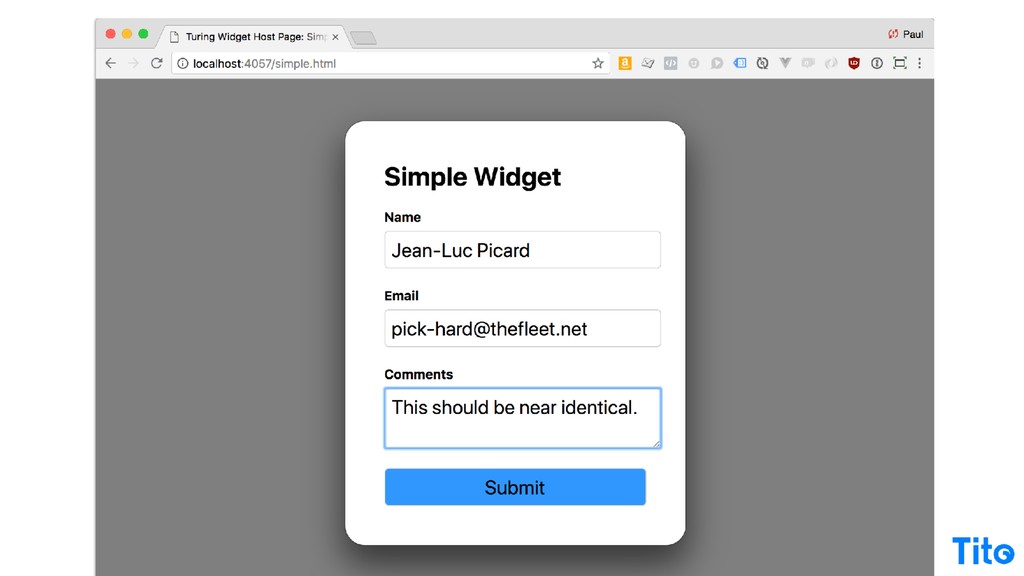
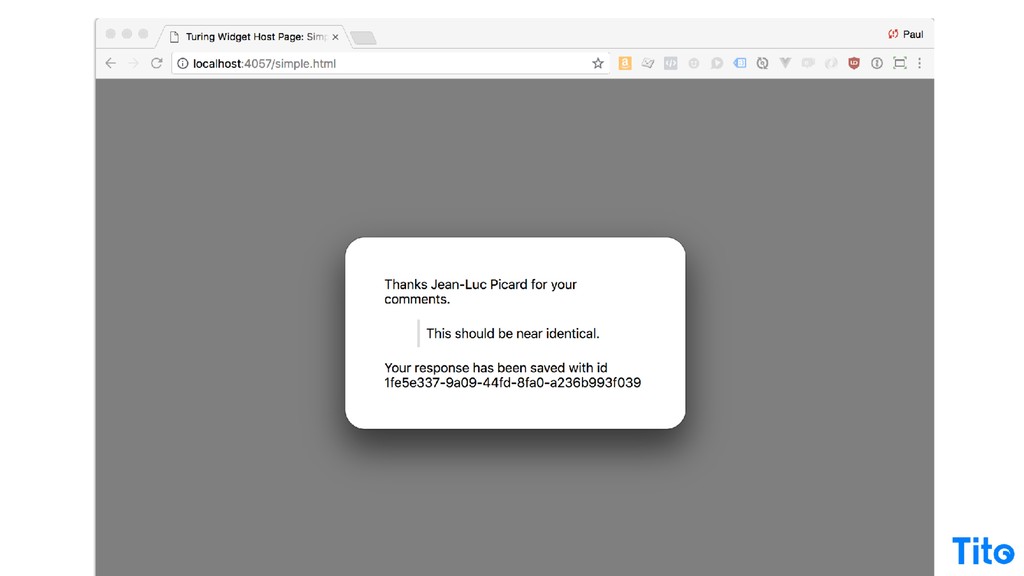
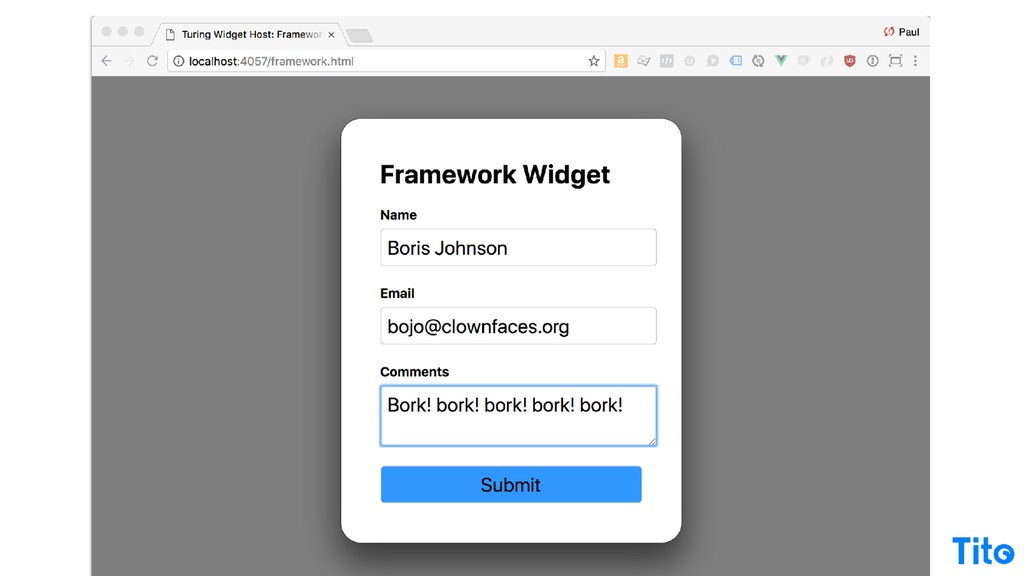
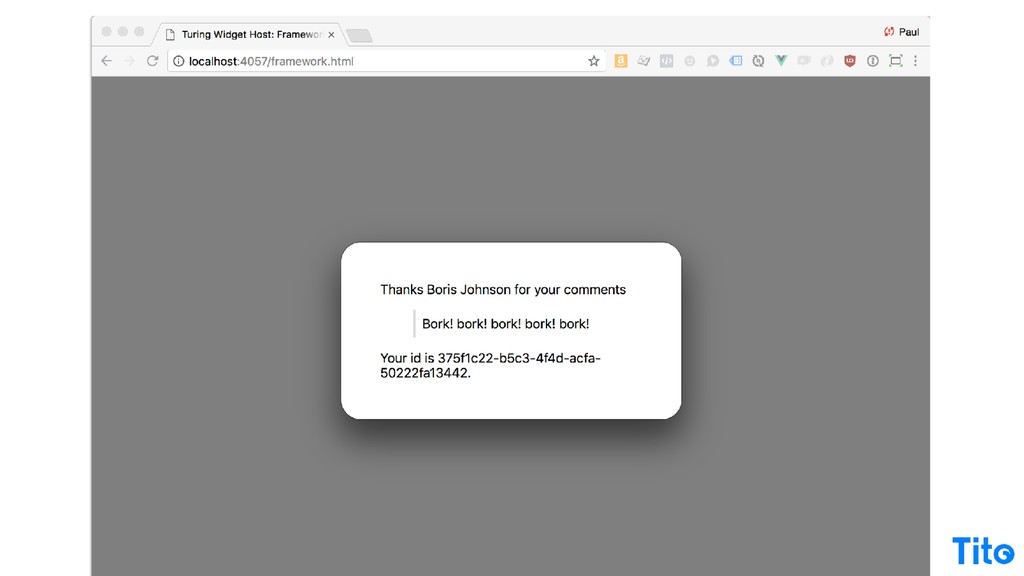
You fill it in, and then you press the button, and because the server response is so fast and because you're saving a Redis so fast, you're back here and people don't know whether it's JavaScript or not. Still totally legitimate way to go about things if you really need to do quick functionality.
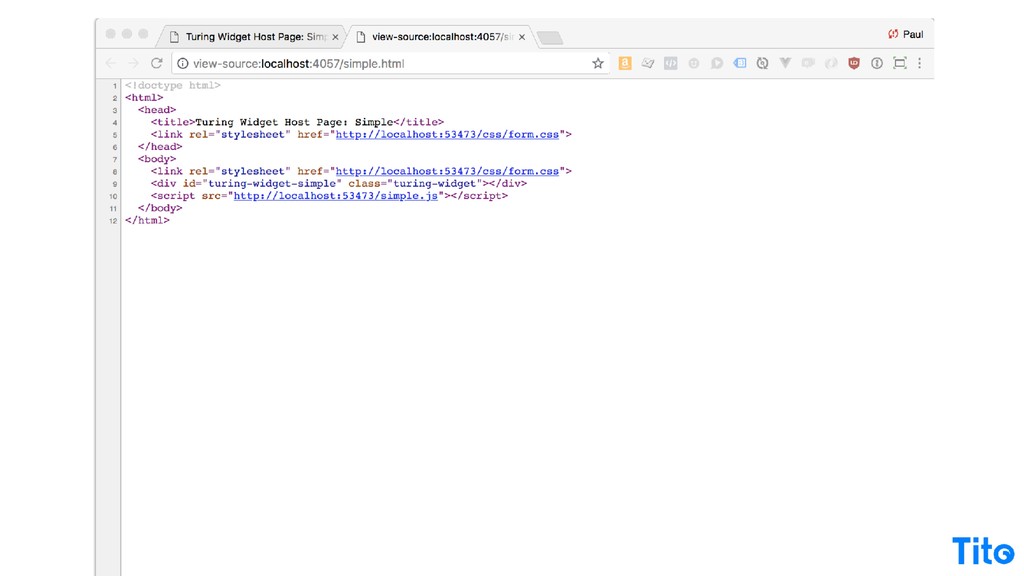
It's third party, it's still a third party service that you build or provide doing the work, but the in the usage is really really easy and you don't need to worry about any any build or whatever like that. So just verifying that this is the usage and you actually have to write all the HTML the way we've been doing it for years.
It's oh, so easy. So that's kinda like my ******** web warning. Before you reach for an embedded app and all of the goodness of the modern stack, consider whether you need to do that at all, because it's totally legit to just provide a web service that transports over HTTP.
It's all there, it still works, it's better than ever, and it could be all that you need. And we actually use that technique sometimes to just save an email or whatever, and you can be over to the third party service and back before you know it.
But embedding functionality in a third party site can be very compelling for the business case to make things rich, interactive, and and and interesting for people, but it can also be very compelling for sharing functionality from within your own apps and serving it that way.
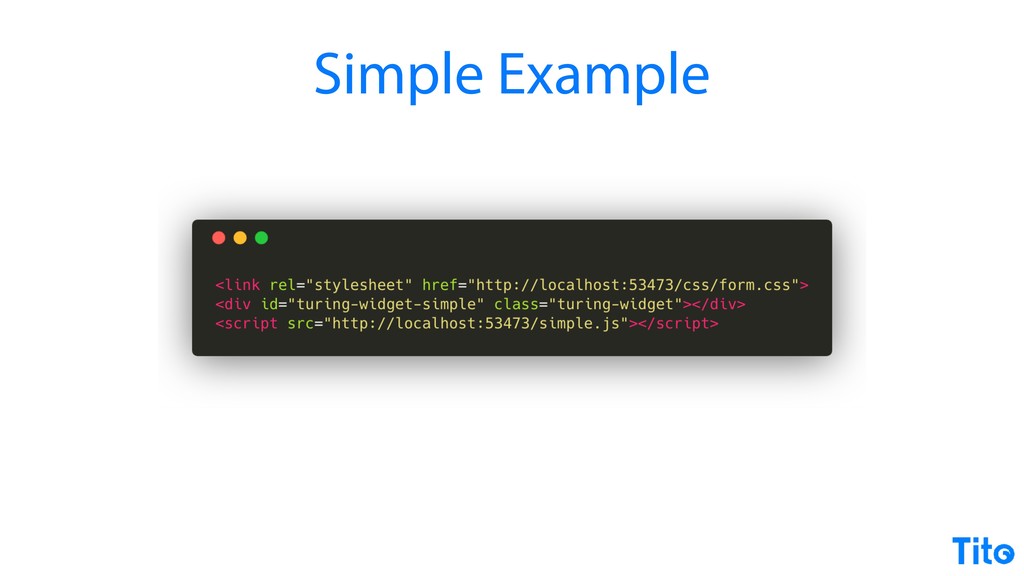
So there's always gonna be legitimate cases for doing embedded JavaScript, and all I'm saying is think hard about doing it before you do it, but let's go and figure out what the approach would be. Here's the deep breath slide. Alright. Let's start with a simple example.
So here is an implementation, basically exactly what the Tito widget does, and all it's doing is calling a simple JavaScript file running on a local server. Five three five three four seven three, that's supposed to spell serve. It's exactly the same widget. It has exactly the same behavior.
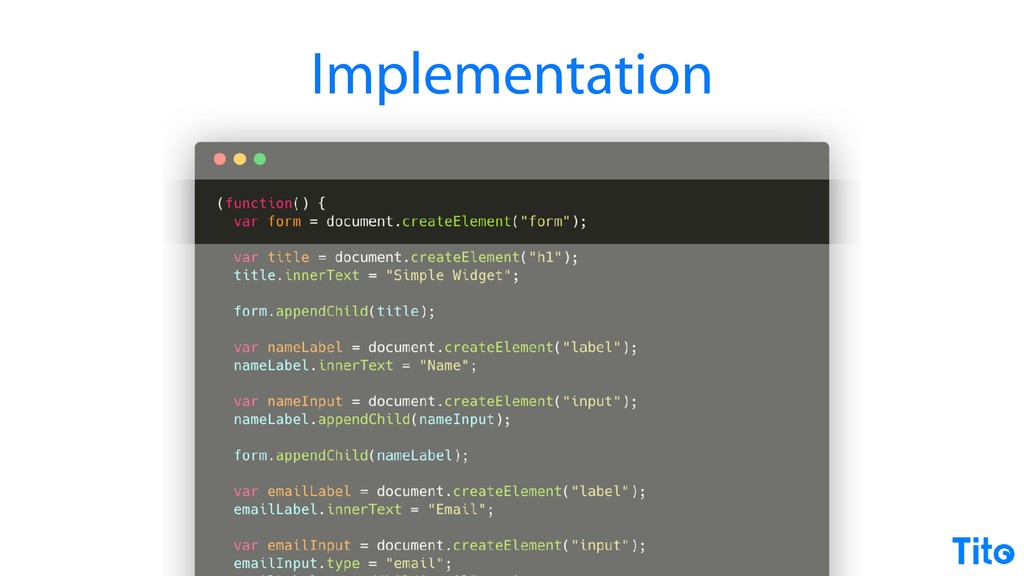
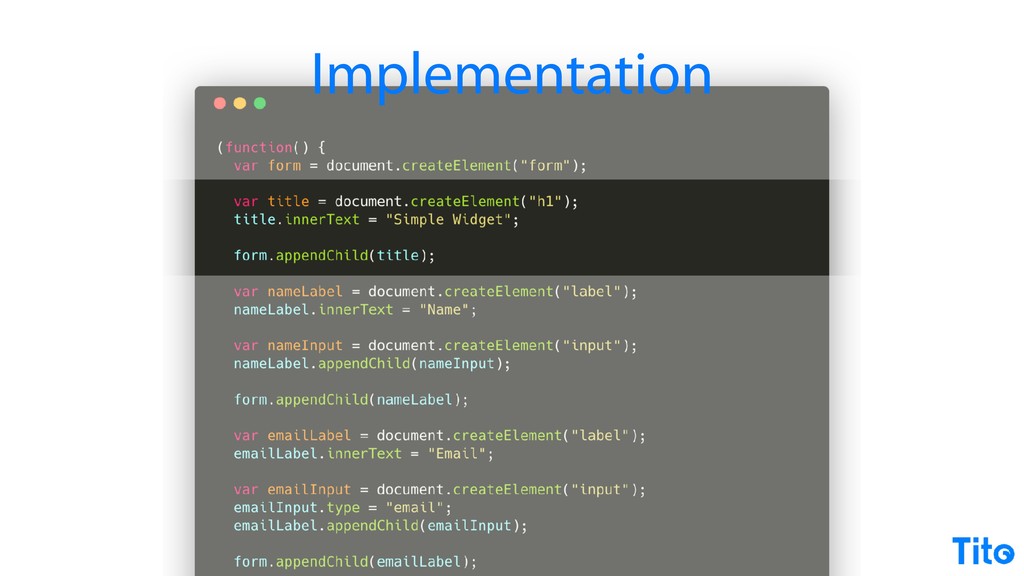
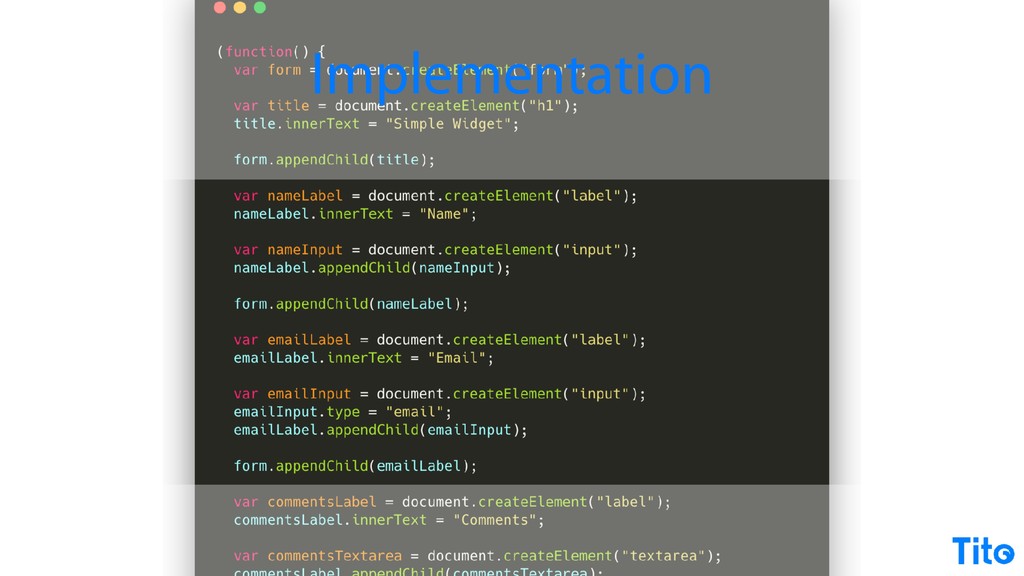
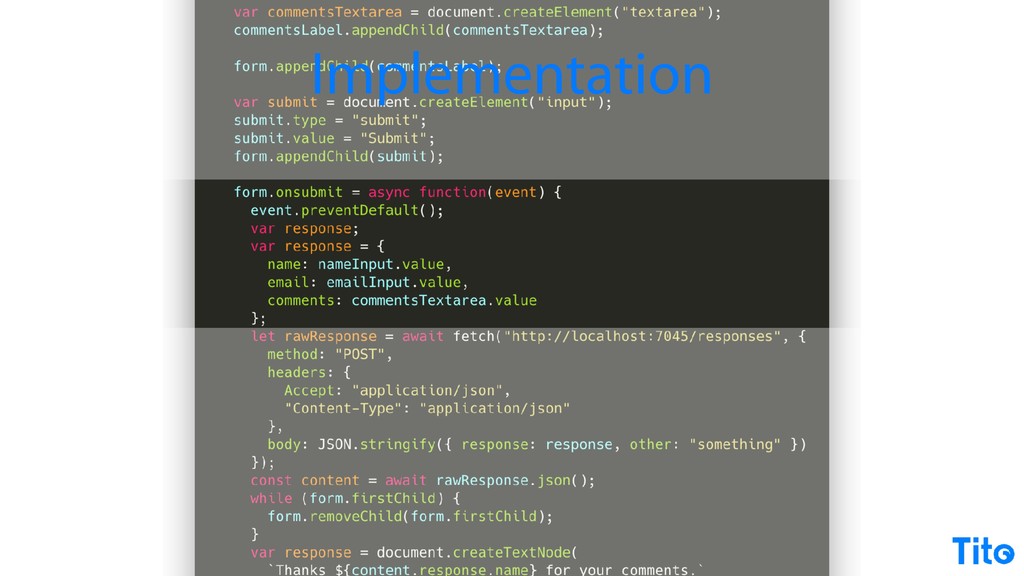
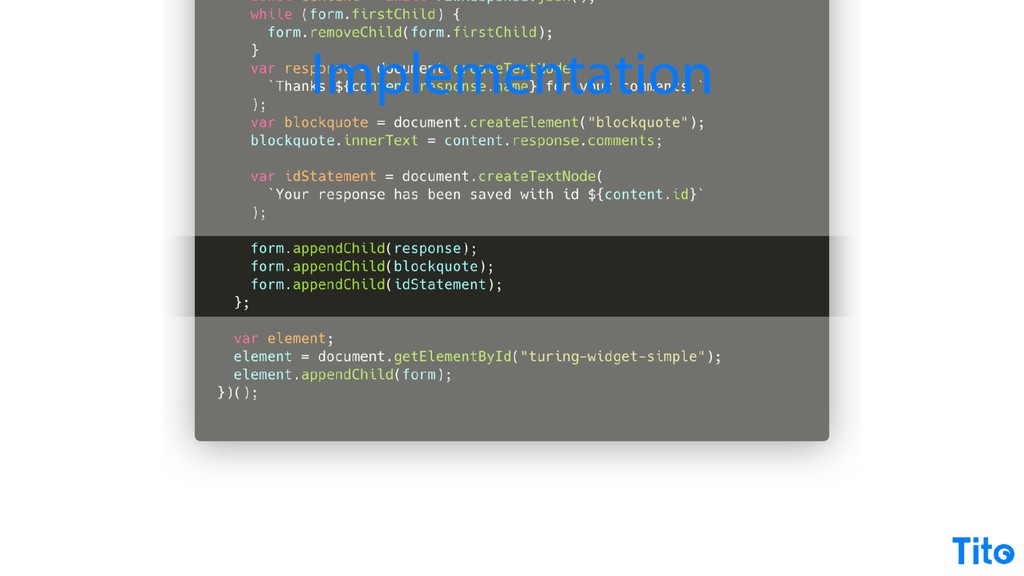
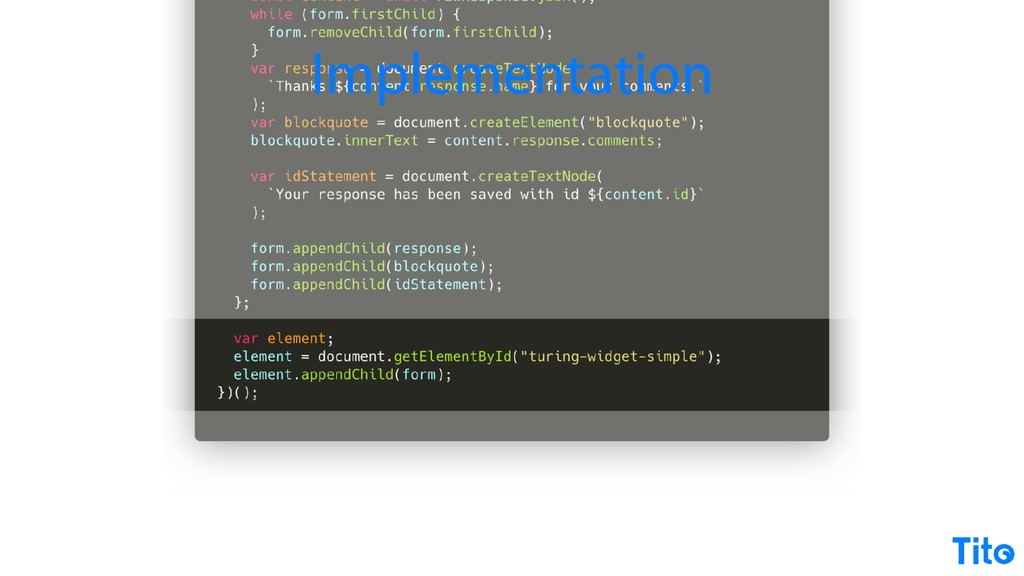
It goes off and it posts to the same API endpoint that we created earlier, this but this is the implementation. So there's no HTML in the source code, all the HTML is being created dynamically. And so it's a little bit contrived here, but you can build exactly the same markup using pure JavaScript, very, very simple.
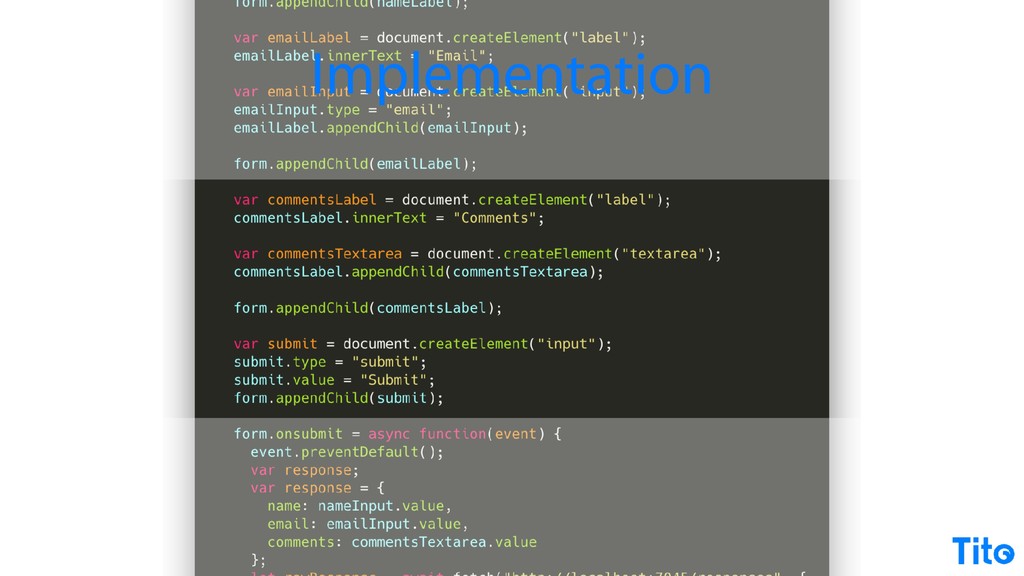
Primitives, creating a name input, creating an email input, form input, adding them all together, that easy. Write a handler. The handler works, it goes off. Notice that it's async, so we're able to use the async function supported in more or less the last two releases of Chrome at least.
So you can still use it, so if you're only using this for if you're just using it for personal use or for small projects or projects where you know that somebody's gonna have the latest browser, you can use so much of this modern functionality without a polyfill or without any special kind of runtime to use modern JavaScript features.
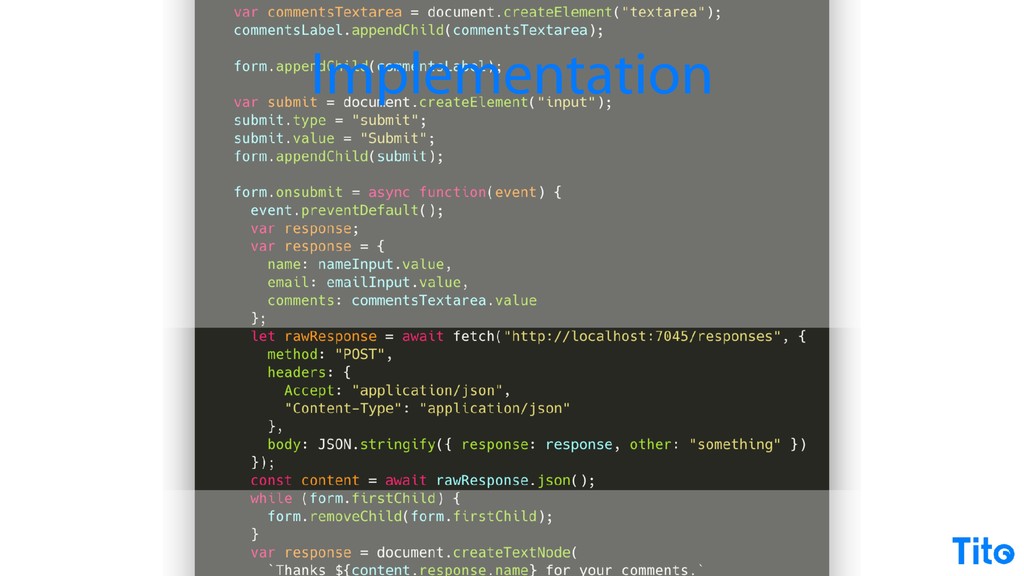
So it's totally legit to just write a simple piece of JavaScript that uses modern features. Again, you can use the fetch API. This is doing a x or a cross domain request, posting the response, and getting some JSON back. Totally legit. This all works without a polyfill on the latest browsers, but it still works.
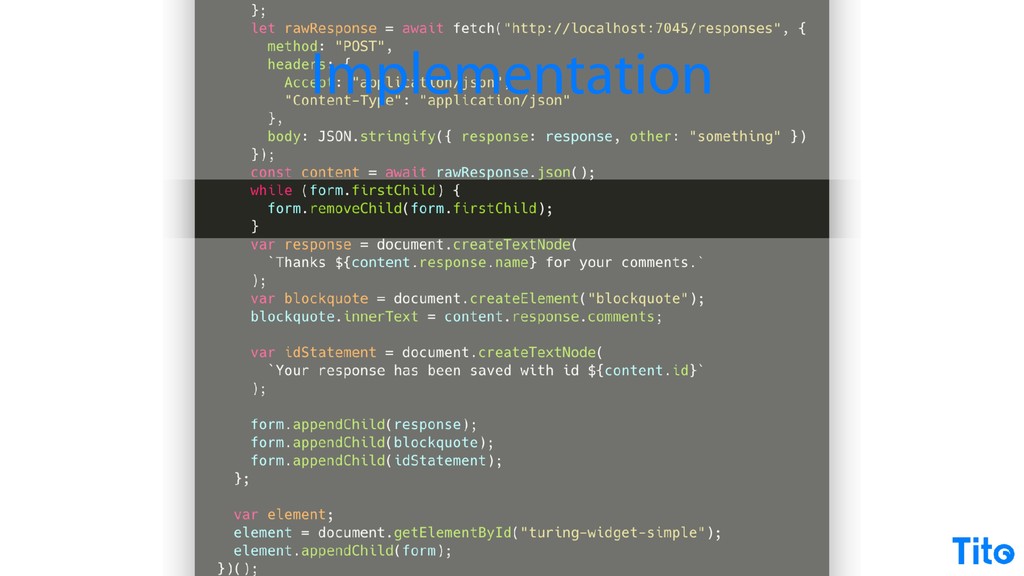
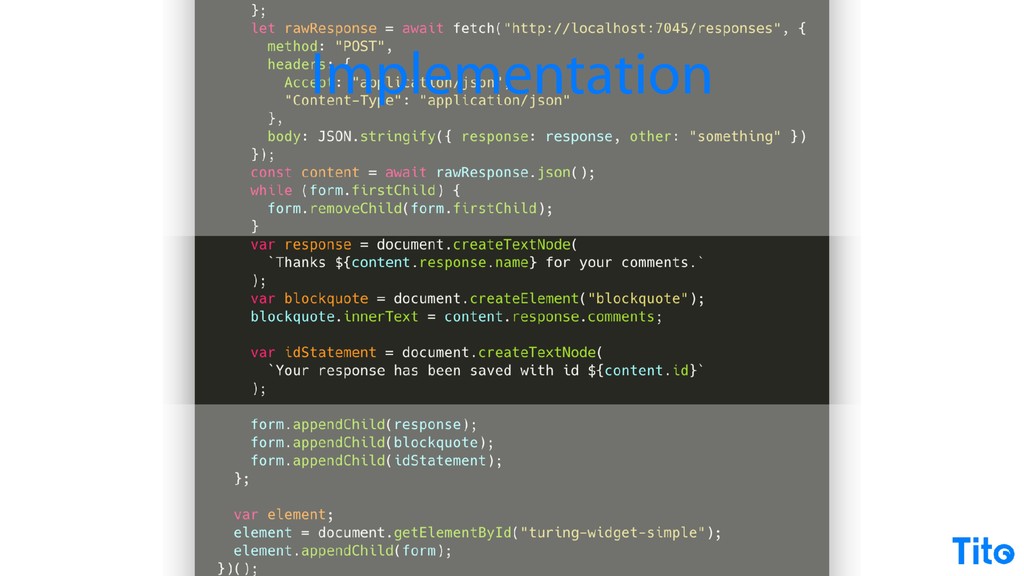
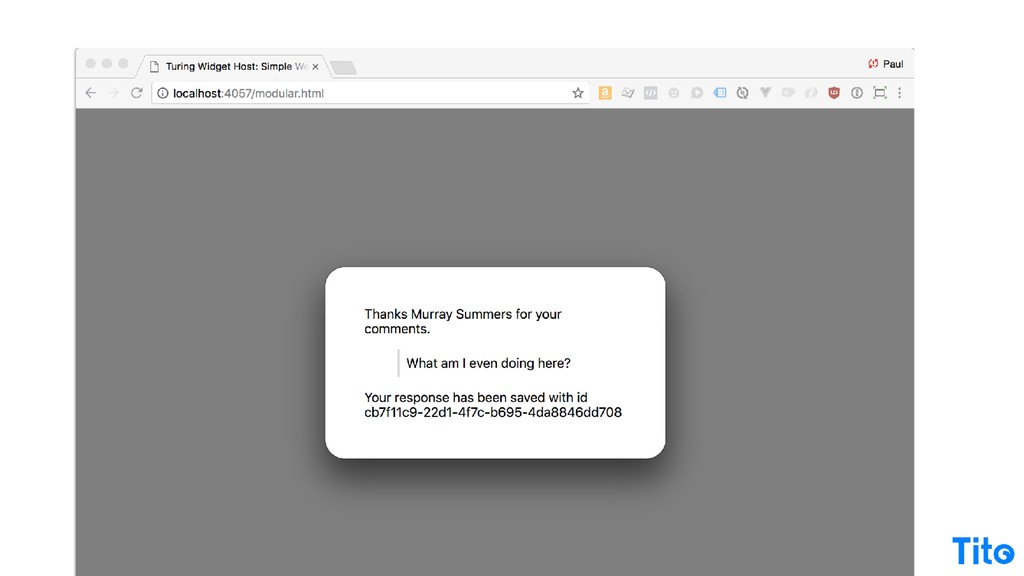
It's still totally fine to do. And then handle the response, take or get rid of the existing form and add the response to it, and then all add that within your form element, and then just add it to your drawing widget. So exactly the same functionality that we got from shipping off to the third party API and coming back, but it's all in JavaScript and it's all raw JavaScript.
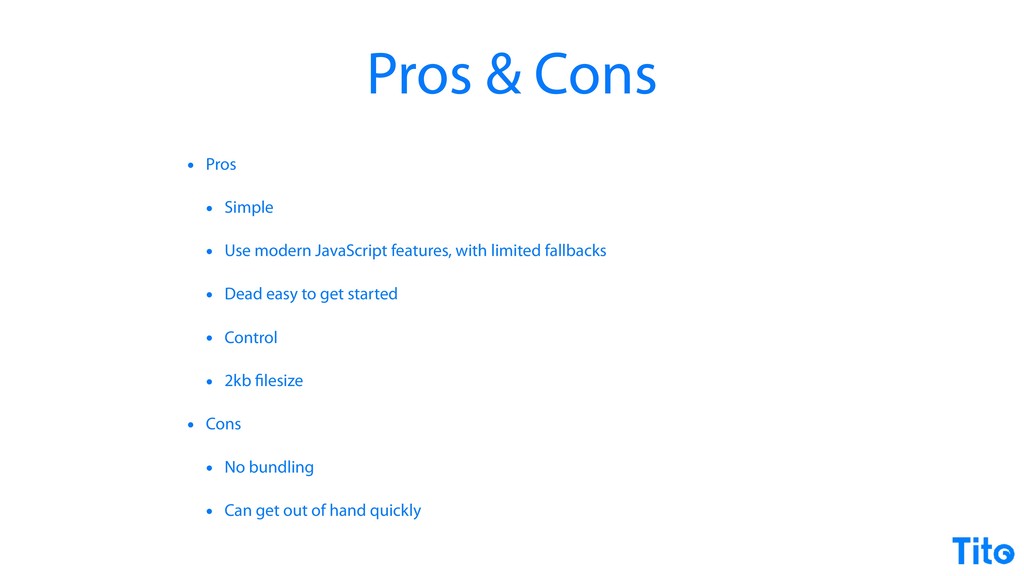
So this could be a good approach to take. It keeps things really, really simple. You don't need to use a bundler, you don't need to use package manager, you don't have any dependencies, you're using all native I mean, it's native ECMAS modern JavaScript features.
Obviously, it's limited fallback, so it's a little bit annoying because you don't really have browsers, but it's still totally legit. You've got a lot of control this way because all the source code is very well contained. Your file size is is not really contributing to the ******** web because it's it's basically a small enough once it's zipped up, it's basically invisible.
But of course, you don't get any of the modern kind of tool chain features like bundling, and if your application has any kind of complexity, then you're basically ******. So once again, we'll just stop and reconsider. There's three techniques there of a counter that you just like generate on the server and you include it as an image.
There's a form post that ships off, does something and ships off back to your site. And there's just some really, really simple JavaScript that can embed itself and create elements and do simple stuff really, really well. And all of those things don't contribute to the ******** web.
They contribute to the nice, clean, HTTP is good web with a sprinkle of JavaScript web. And it's a good time to reconsider the amount of stuff you can achieve by just keeping things simple. But it's basically Node. Js. And ten years ago well, was yeah.
You know, you're on ten years ago, Ryan Dahl brought Node. Js to the world, and it's just created the land mine that we now know as modern JavaScript development. The the JavaScript ecosystem is a complete beautiful mess. It's a complete, like, disaster. Everything moves so quickly.
People are just contributing stuff like lightning quick, and it's often very, very hard to navigate. My one recommendation after spending, like, whatever, the last eighteen months trying to navigate it as it's kind of because I'm based on rails, I've been getting up to speed with it.
My kind of observation is that you have to take a different approach. Because everything's moving so quickly. If someone writes a blog post in two thousand seventeen, it's not relevant today. The official documentation seemed to be the canonical source of truth for how to use all these things.
Read mes generally tend to be better than blog posts, and I found myself reading an awful lot of source code. Modern the modern JavaScript ecosystem is going to be fantastic in about five years. Today, it's way better than it was ten years ago.
The ideas are they're they're still still in flux. So obviously, the tools are all things that are reasonably mature now. NPM, I would recommend, if you haven't read all, like, the basic NPM docs, familiarize with those. Webpack is a bundler that takes your simple JavaScript file or set of JavaScript files that use your modern JavaScript and puts them into a single file for distribute distribution on, obviously, the web.
It's a mighty, mighty beast. Again, loads and loads of Stack Overflow driven development out there telling you what not to do with Webpack and some really, really good stuff on their official documentation. If you wanna use modern JavaScript features in your own source code, but you want to be able to support a ton of other browsers, you're gonna need something like Babel.
And if you want to delegate your options to a framework to give yourself things like the ability to use reactive programming and encapsulated components, you'll need a framework like Fue or React or Angular. It's really amazing that you have so many options and there seems to be a coalescence of ideas.
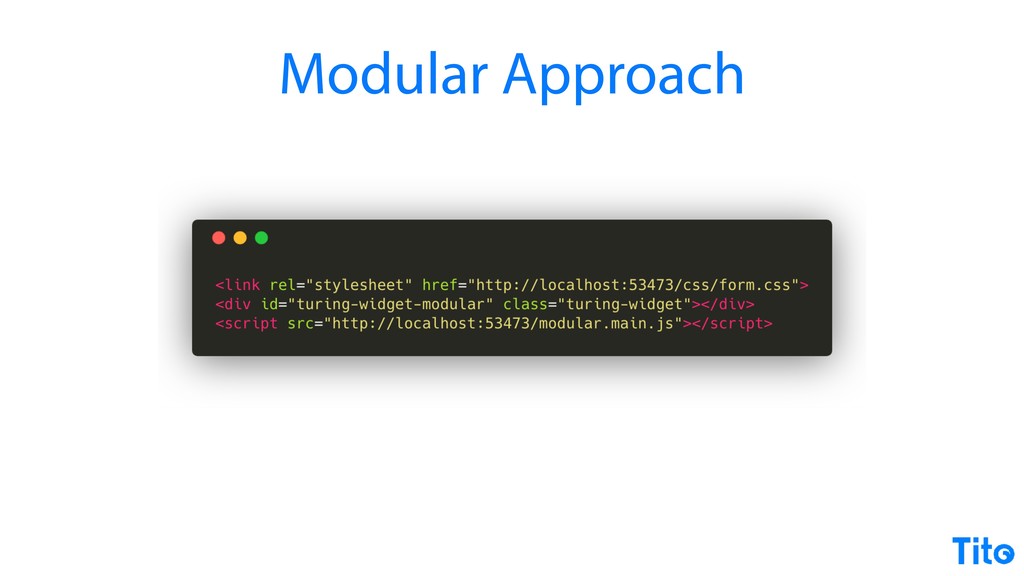
As I say, five years time, it's gonna be amazing. Today, it's sort of like it's a little bit of a crapshoot, but there you go. Perfect. Perfect. Perfect. Alright. So the two approaches here, once you bring in this tool chain, I'll talk about is one, you can do a modular approach to what we've already done, which is basically just like take the JavaScript that you wrote in your simple application, but bring in bring in modules, and bring in the modern style for writing JavaScript apps.
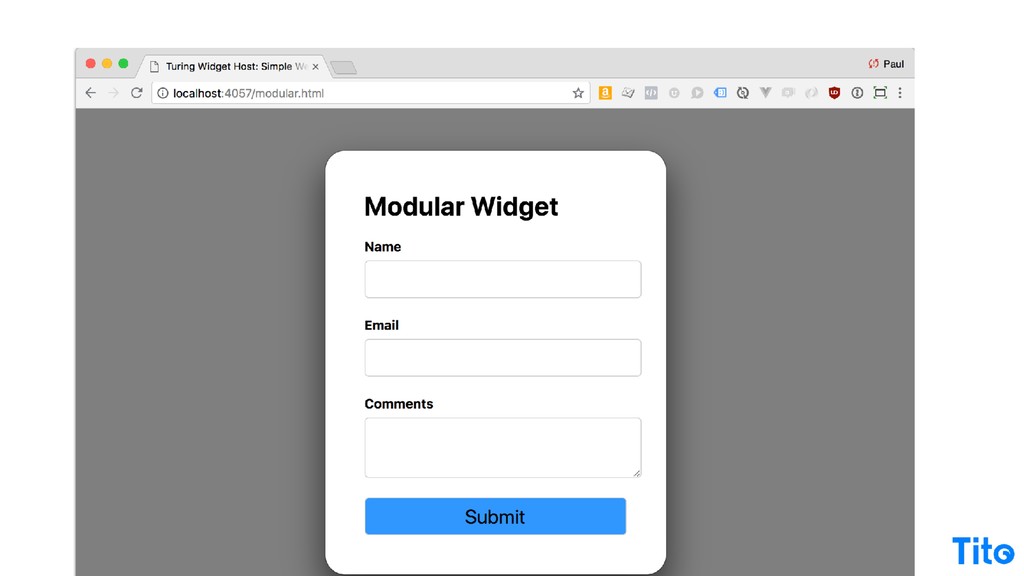
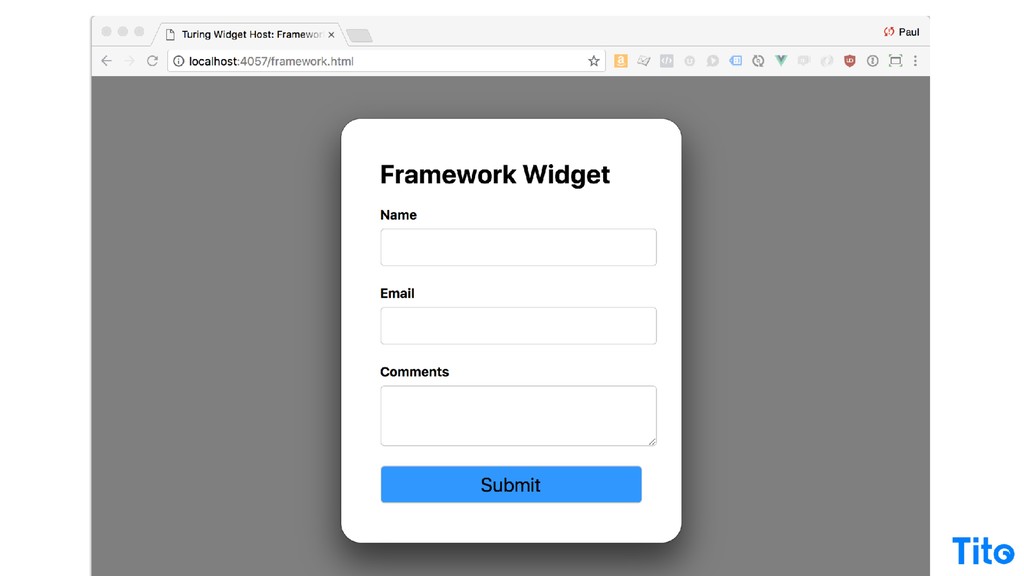
So the usage is gonna be exactly the same for your end widget. The source code is gonna be exactly the same, but it's gonna be organized a little bit differently. And I 'm sort of contrivially showing the same UI the whole time here.
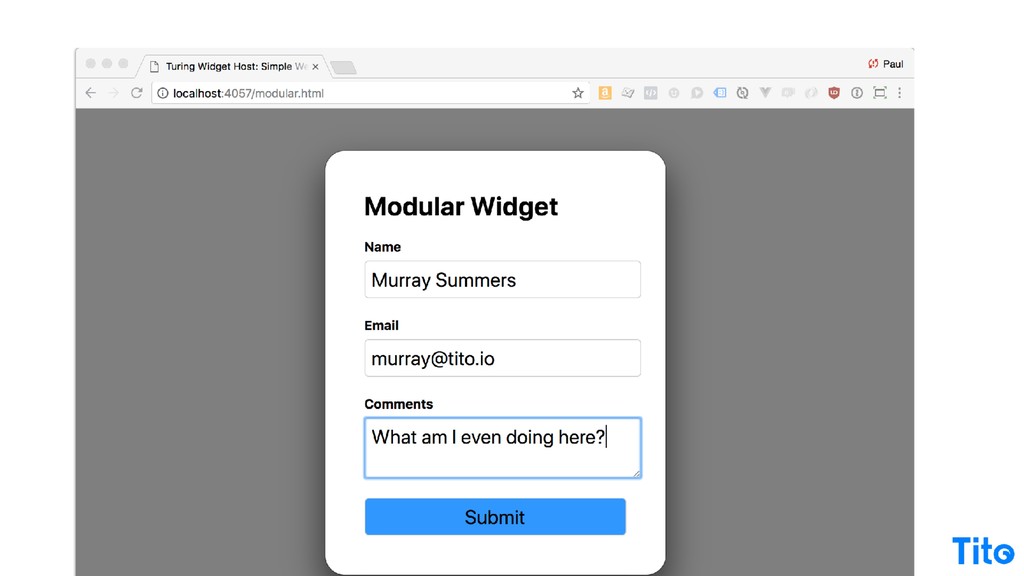
The API hasn't changed, and the UI hasn't changed. I think that's cool, because all that's changing in is the JavaScript that's powering it inside, both in terms of the JavaScript that's written, but also the JavaScript that you read, which I think is interesting.
For the UI, it's exactly the same. It ships off to the same API and you get the same response, but we're doing it we're just using different techniques to achieve the same thing. But before I continue, we gotta talk about what that tooling looks like.
And this is sort of why I'm as much down on all of this as I am open it, because writing that simple JS file was really quite gratifying in the sense that you just wrote a file, you include it in the page, everything just works.
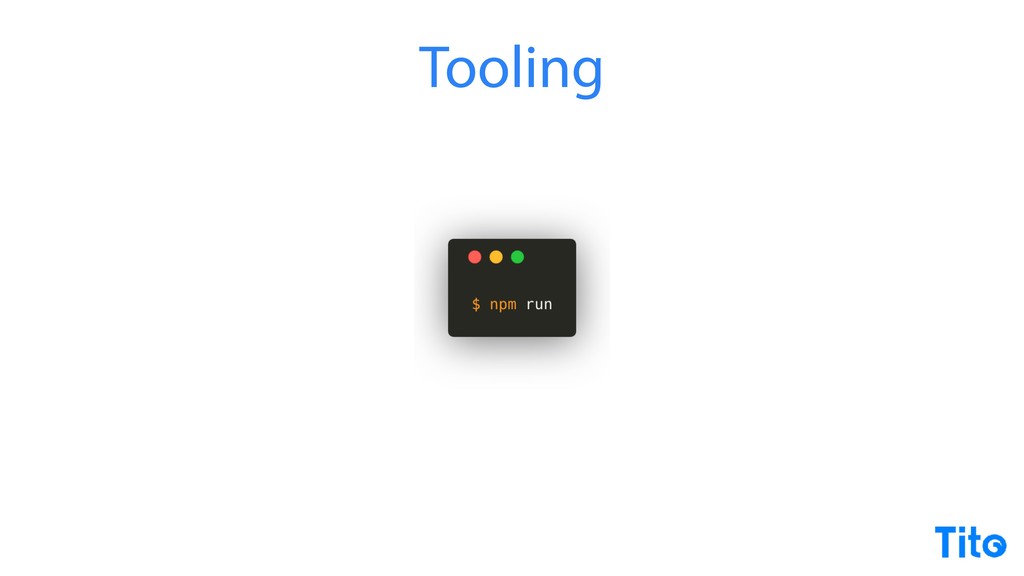
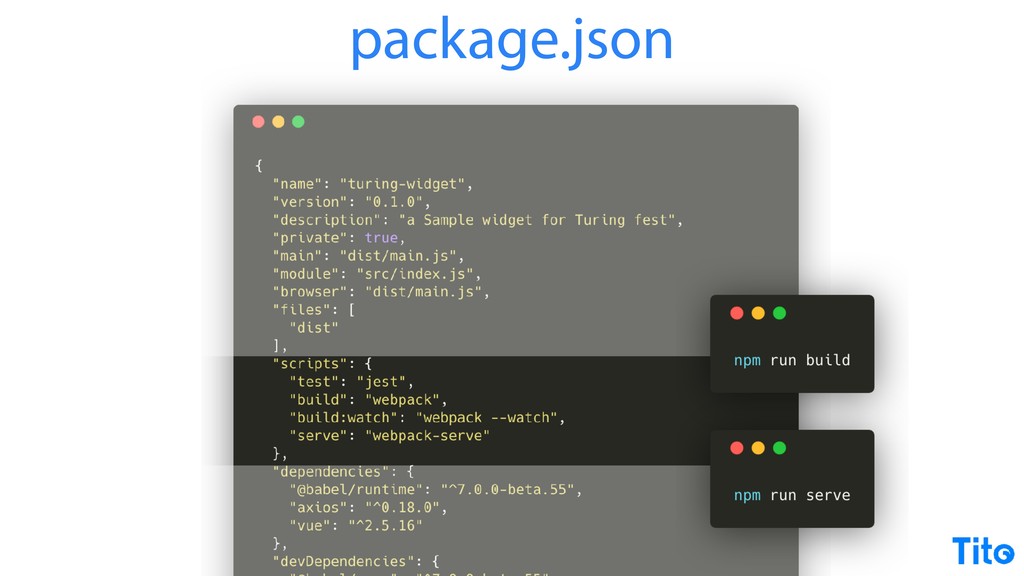
I can't really think about adding complexity to it, but just for its own pure simplicity, it's so delightful. But here's the set of tools that are required to get it all to all work. You've got your NPM run tool, which is your is what what you go to whilst you're developing, whether it's to bundle your code with webpack or whether it's to serve your code in a local development server.
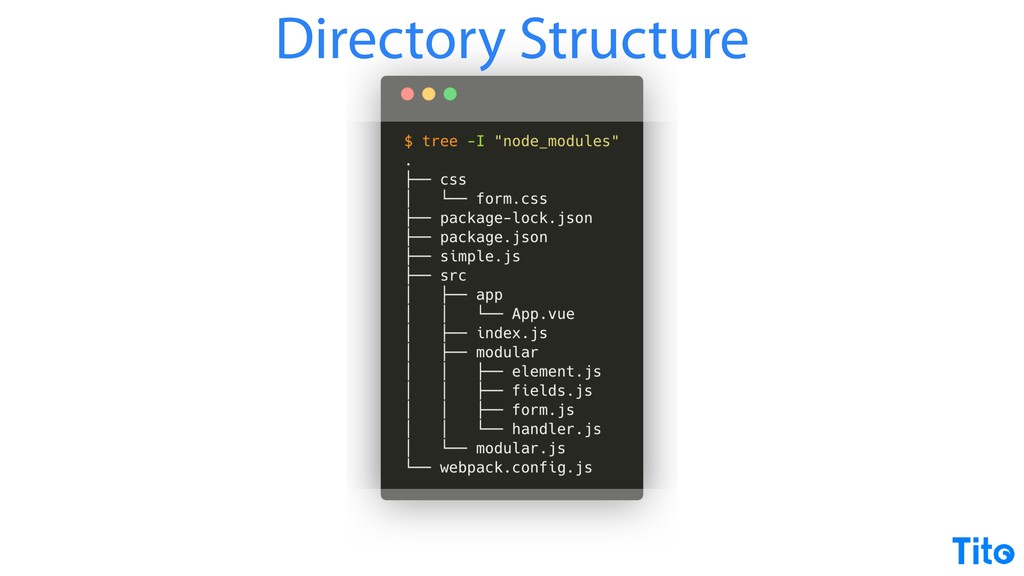
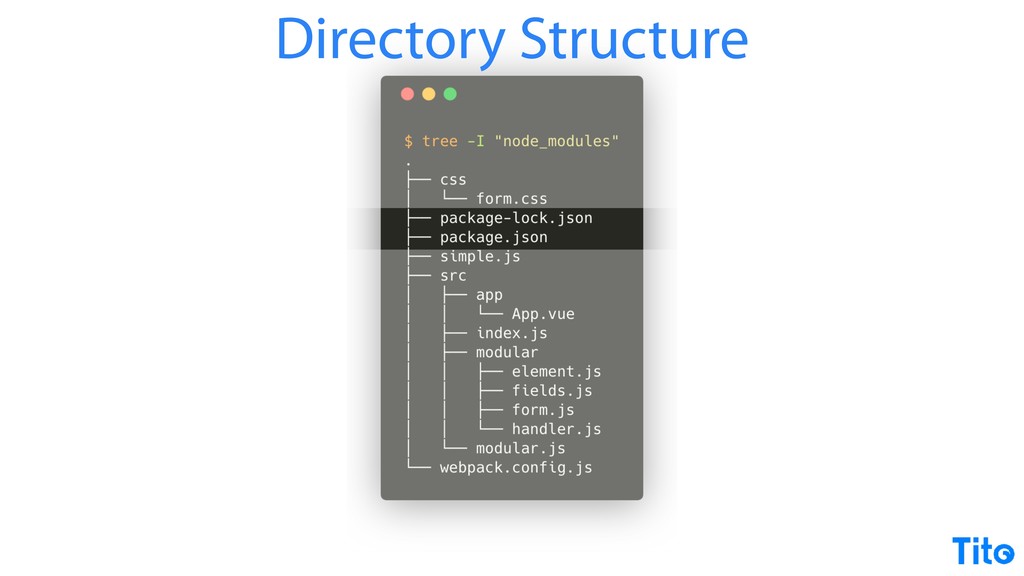
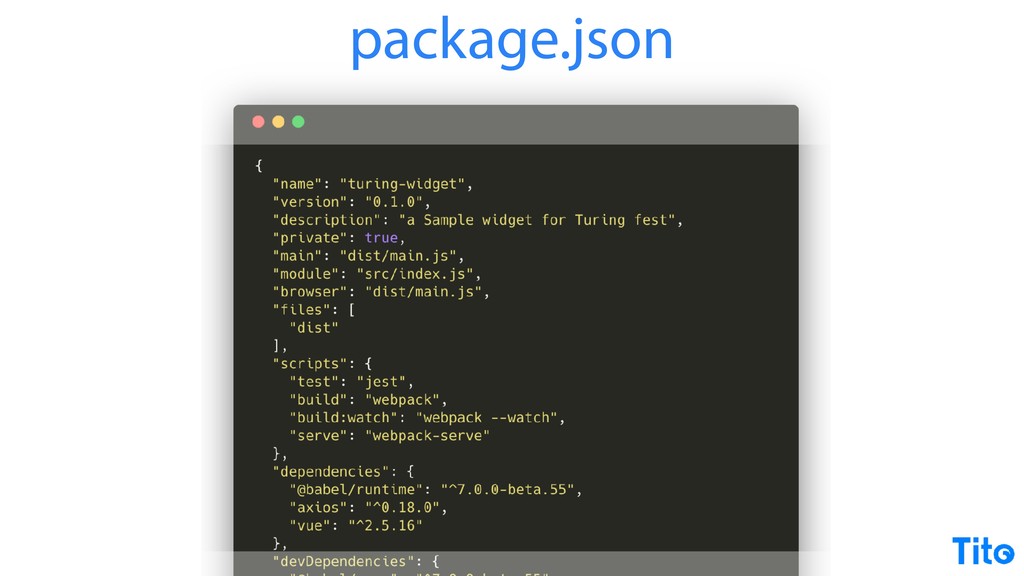
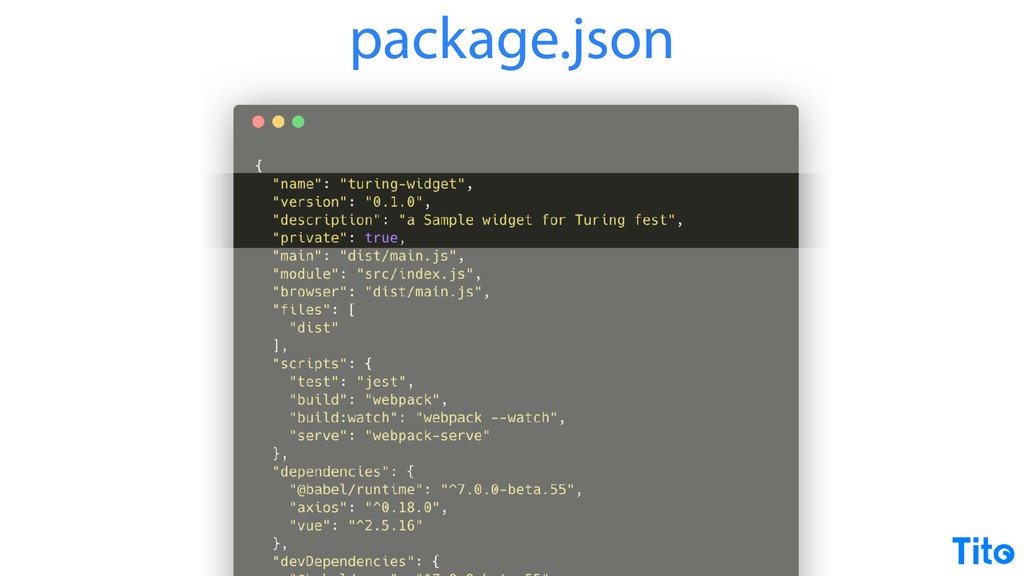
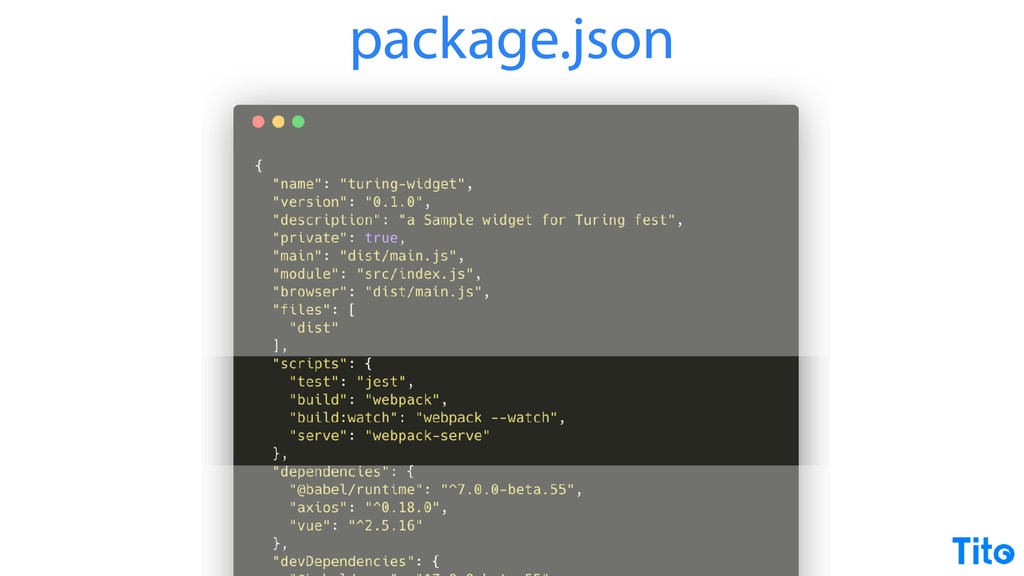
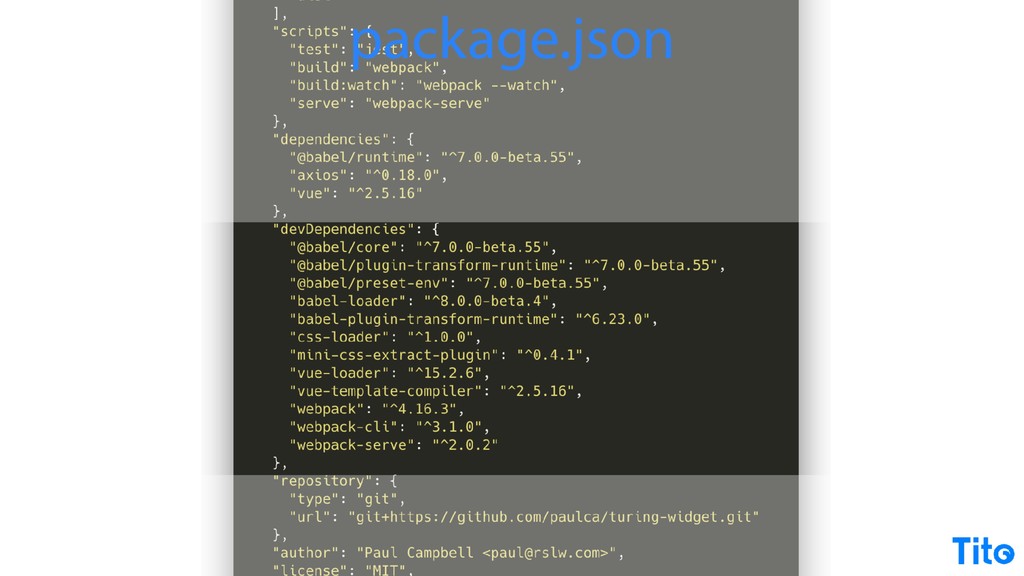
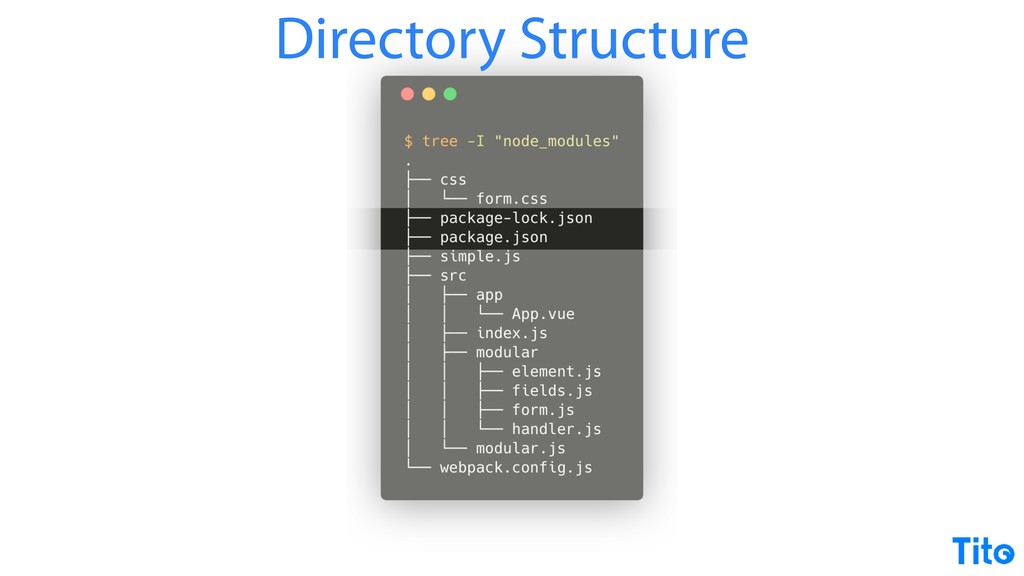
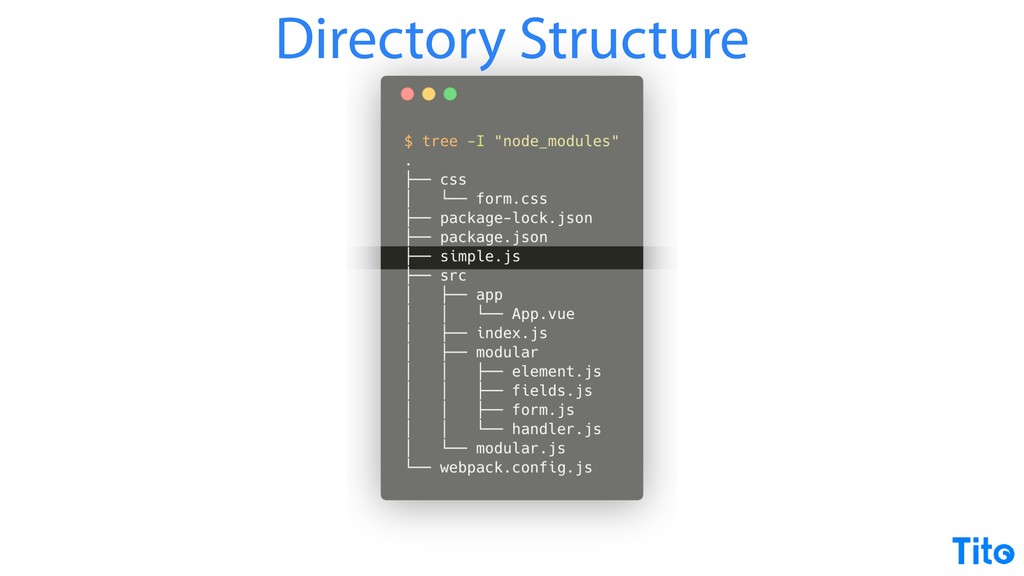
We now need a directory structure. Lost in there is my little little simple dot JS file, but now because we're doing dependency management, which is great, we need to declare our dependencies and also lock the versions down. The package dot JSON file is well, let's take a step back and just appreciate how ugly JSON is to actually read.
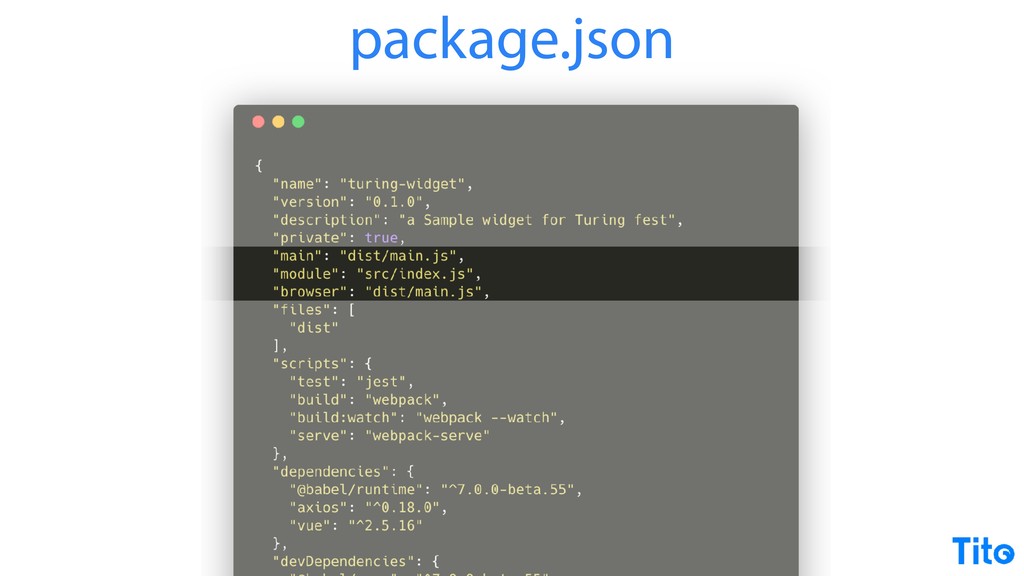
But that aside, package JSON allows us to specify some metadata. Since we are well, sorry. It it also allows you to specify some output files for different environments. It's not really all that important right now, but it's the kind of thing you need to think about if you're gonna be distributing a widget, for example.
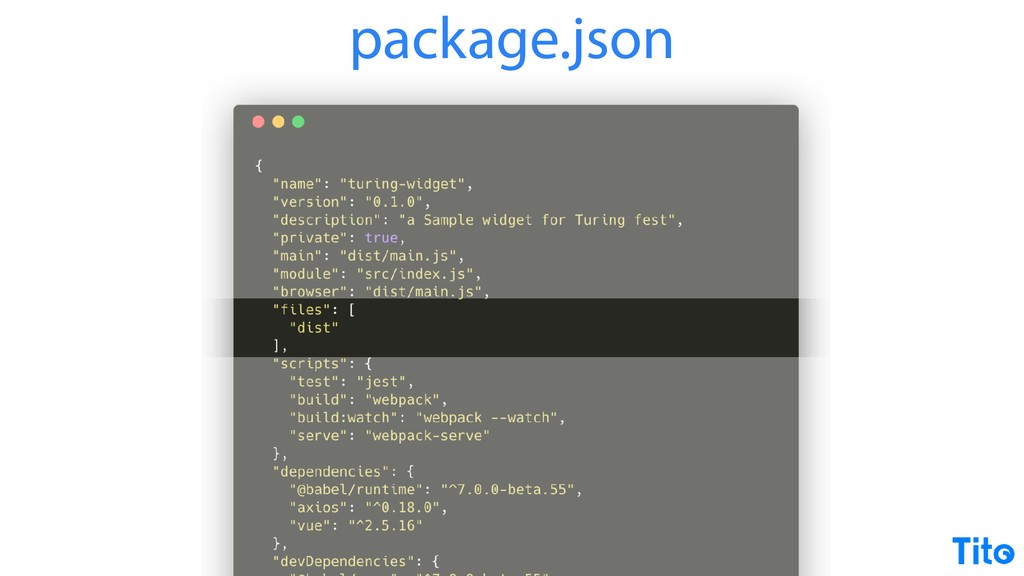
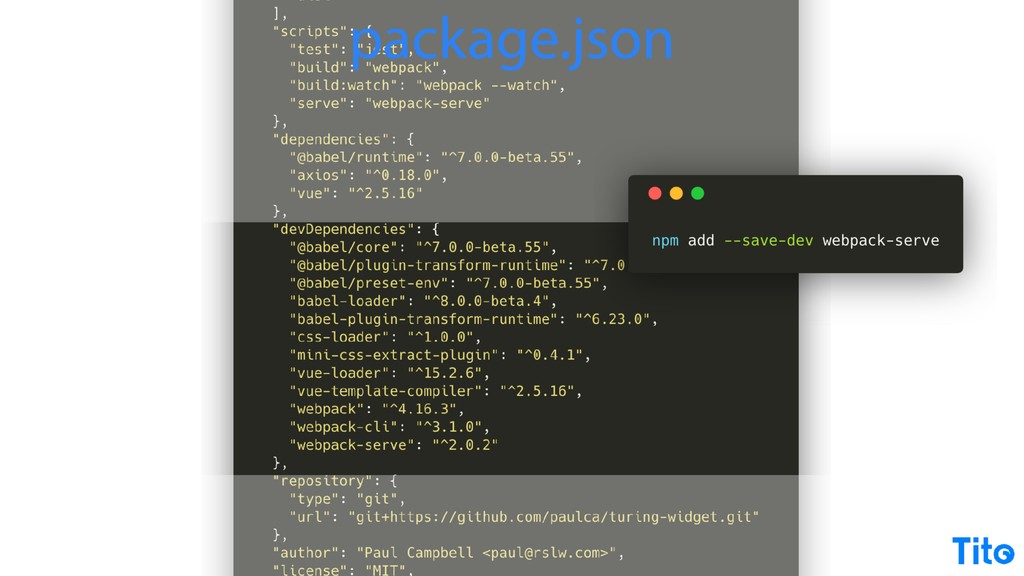
You can specify files that get put into the public package if you're gonna be publishing it. You can specify scripts to run with the NPM run command. In this case, build is just delegating to the to the Webpack binary from the the the the bundle, and the serve is using this Webpack serve tool.
Webpack serve, you won't find any blog posts and you won't even find it in the official Webpack documentation at the moment. It's a replacement to something called Webpack dev server, which is again another beautiful beast, but if you haven't checked Webpack serve, I I really recommend it. It uses native WebSockets.
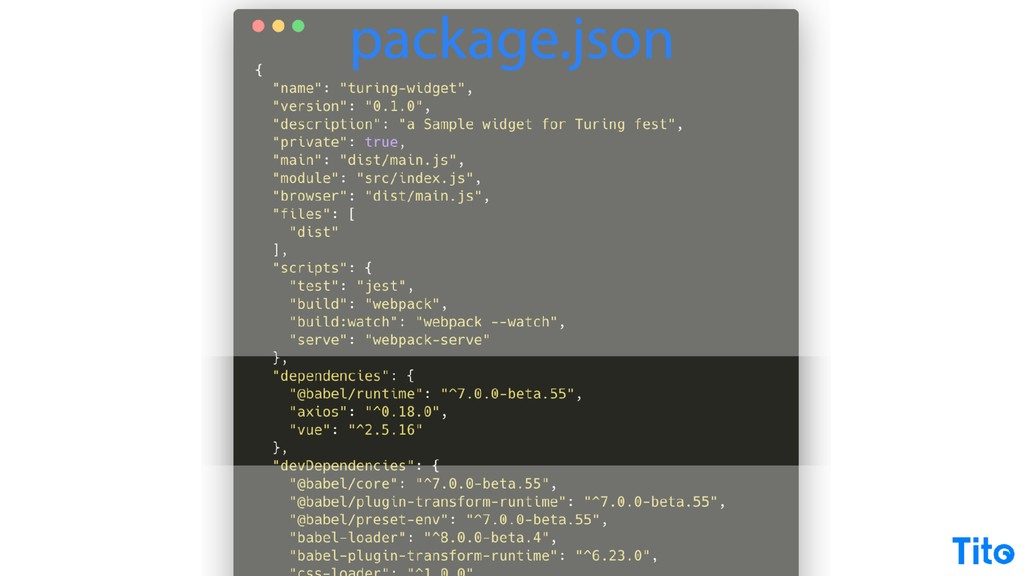
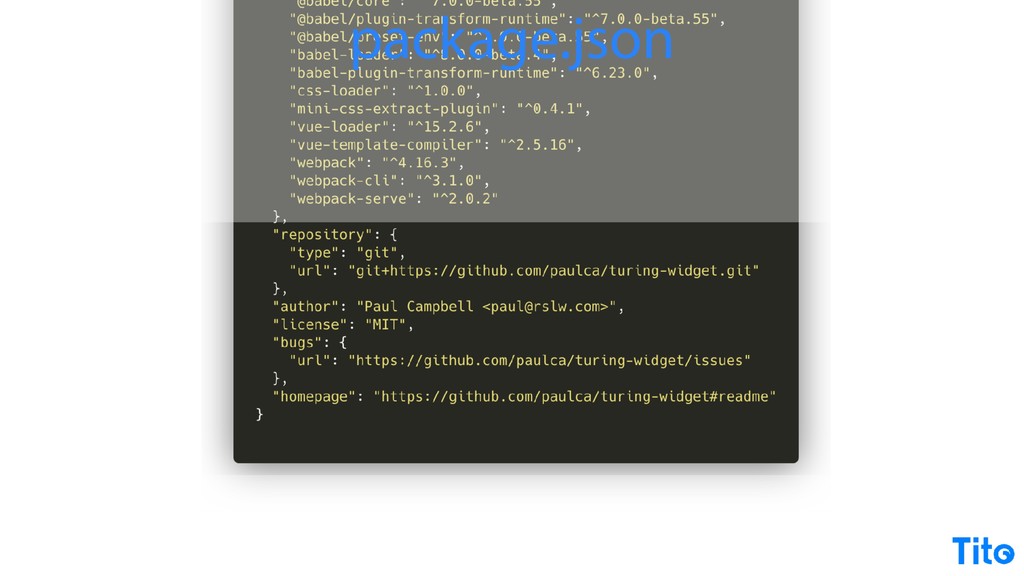
It's super fast, it's super modern, just works. It's one of those just works, but it's also one of those things that illustrate that things are moving way too fast in JavaScript right now, and easy to miss. There you go. Specify our dependencies here.
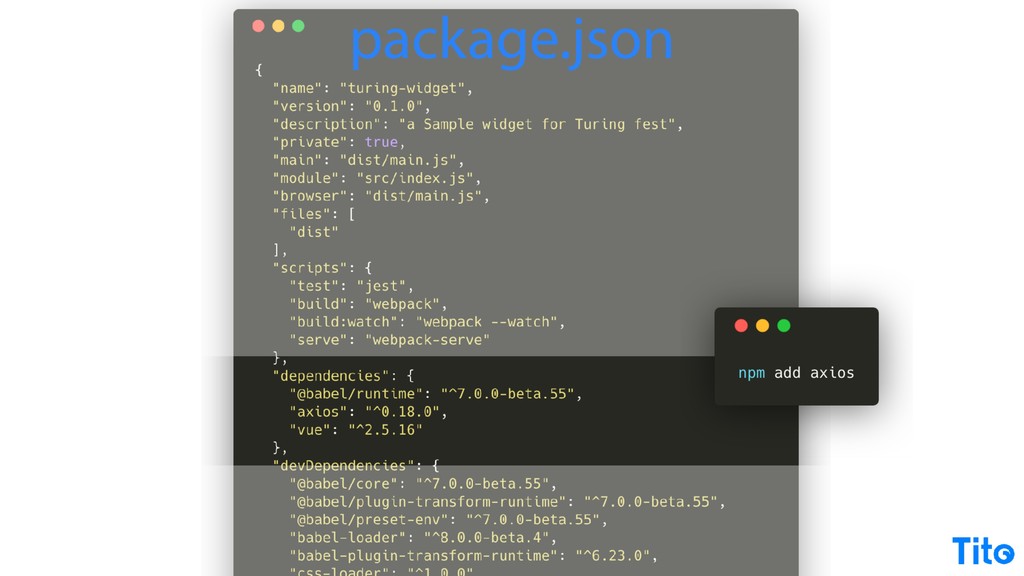
We've seen this before. This is a simple API to add those, and we can specify development dependencies as well. So and then the rest is more or less more metadata. So just look how lost my little simple JavaScript file is in all of this boilerplate.
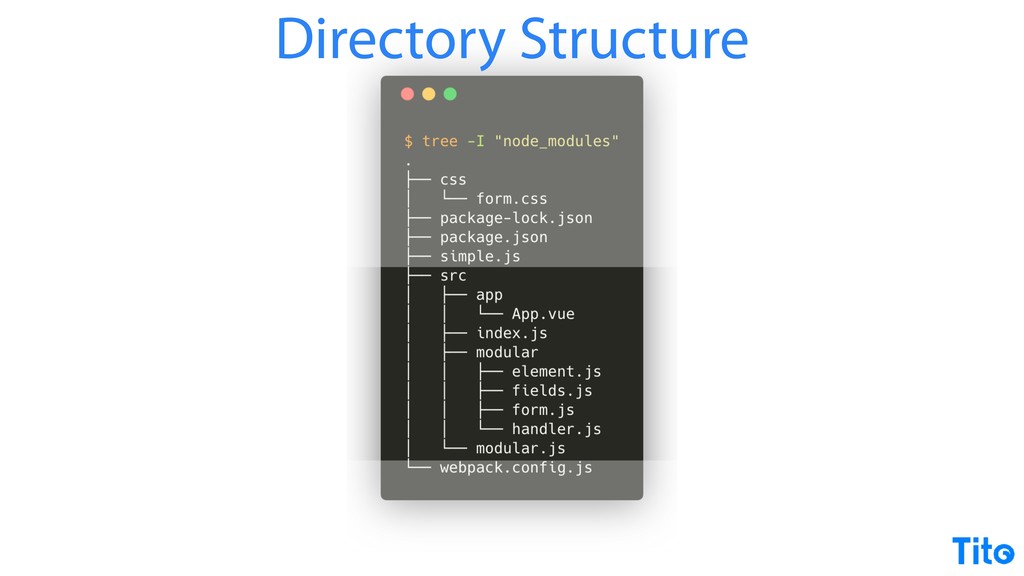
Then we have our app, and this basically combines two approaches that I'm gonna go through now. One is just a modular approach to the JavaScript file that we already built, but also using a framework like what we're gonna gonna show as a view.
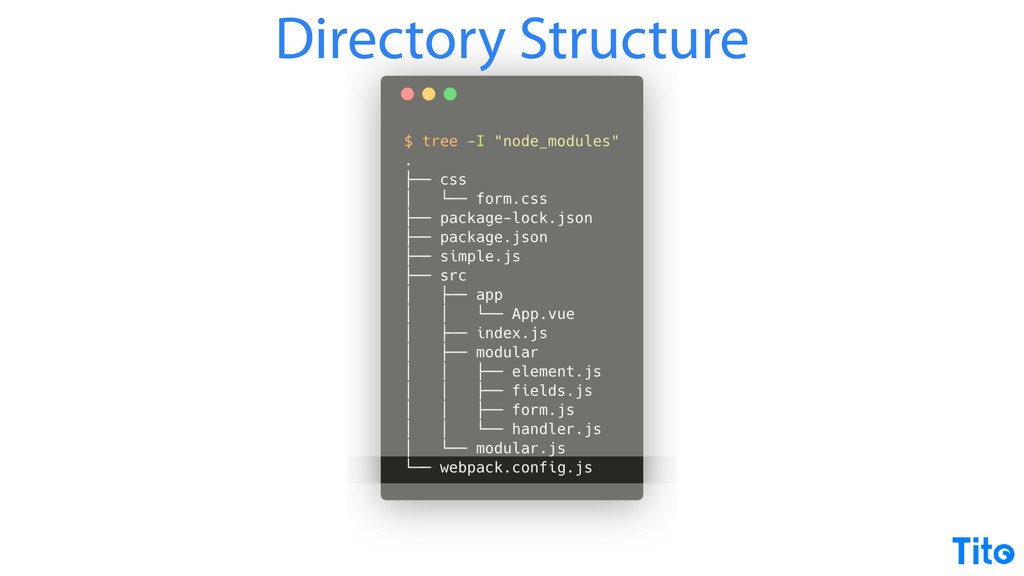
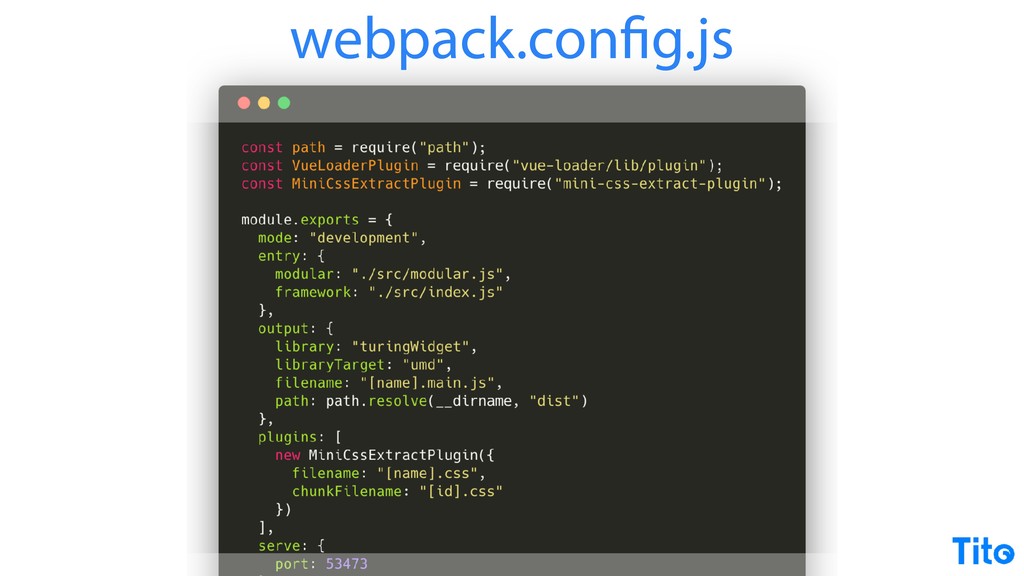
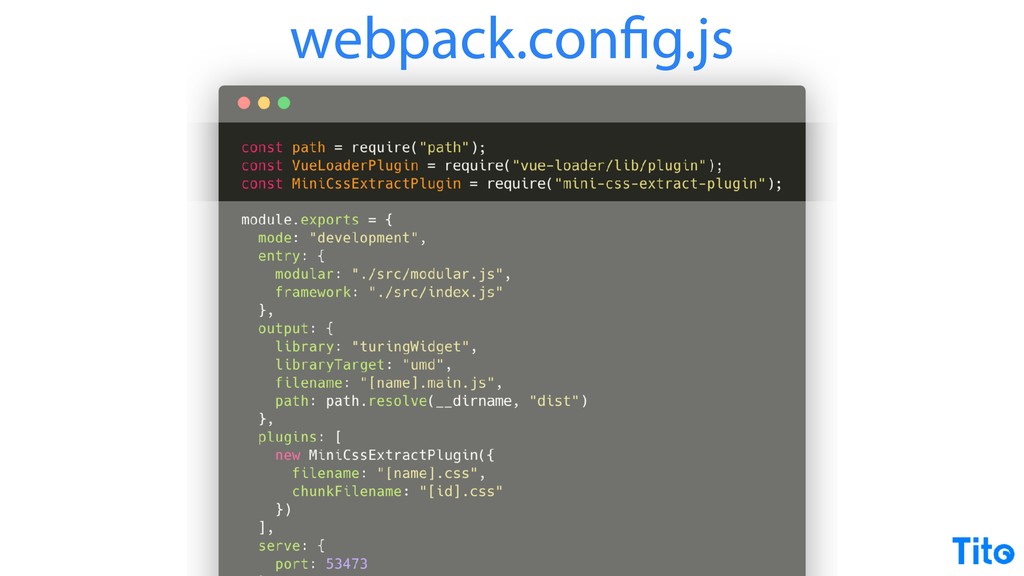
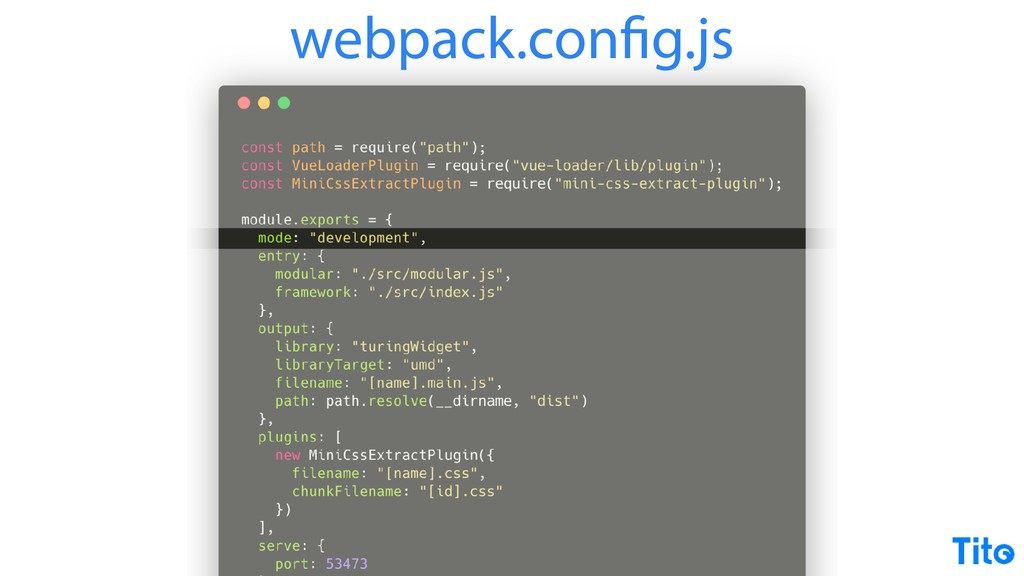
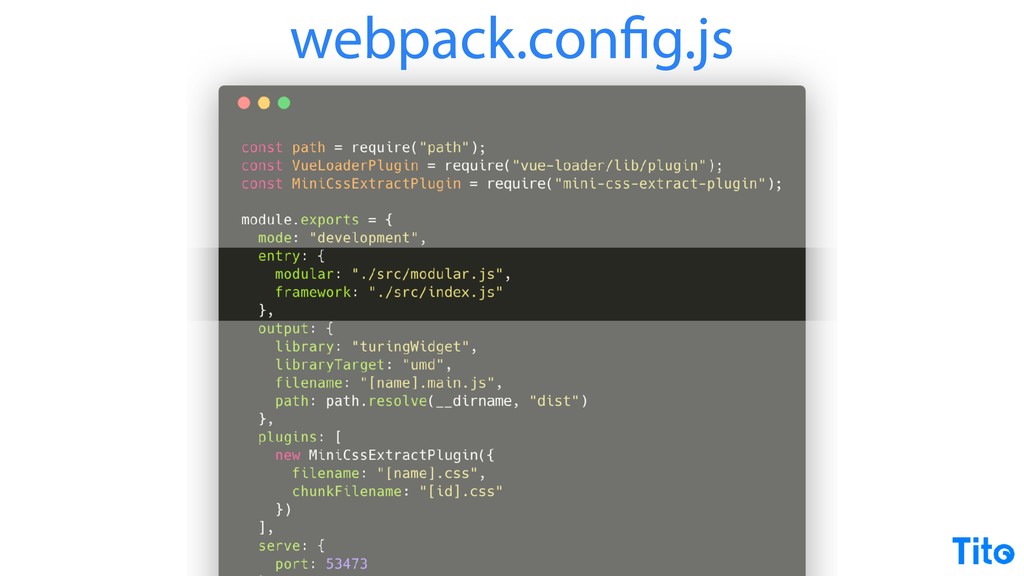
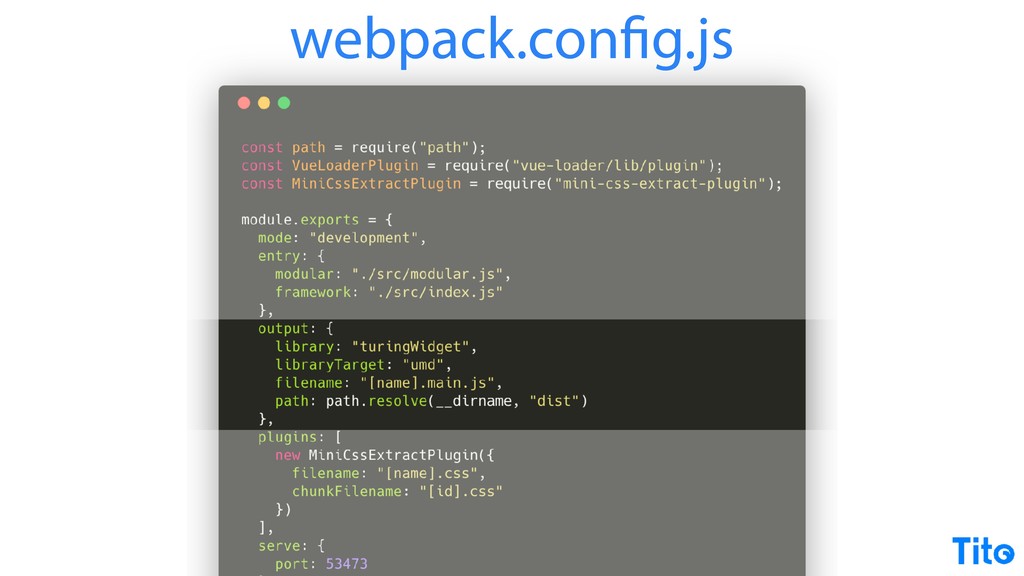
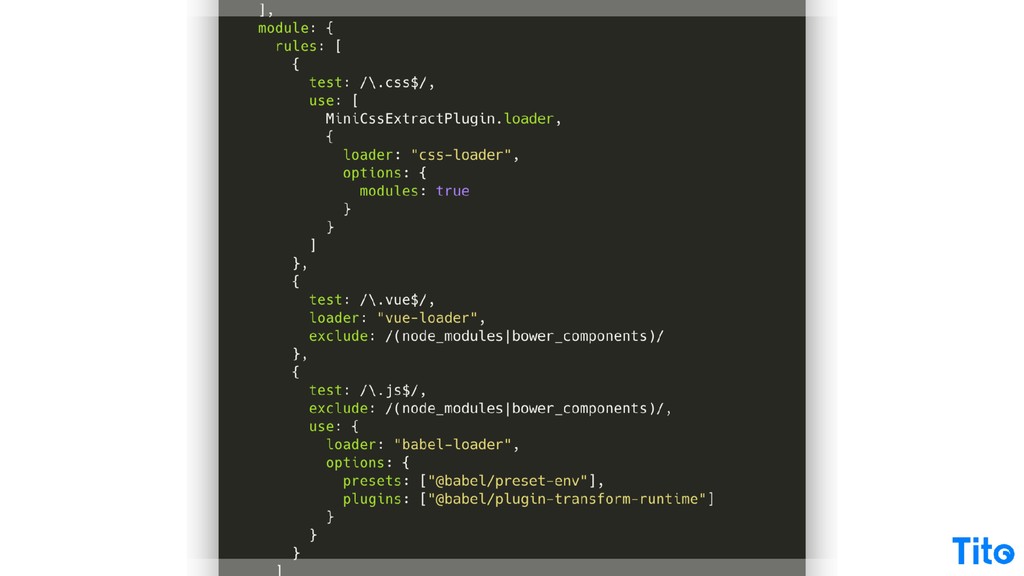
The other thing then is is the Webpack configuration, the black art of Webpack configuration. Again, I don't know what to recommend here other than read and read and read the Webpack docs over and over. It's it's so powerful what it does, but I think because it's configured in JSON, it's just it's so hard to read and you don't really know what's going on and you have to build it up piece by piece, but once you do, it does make sense, requires some dependencies, you can do a development mode or a production mode,
you can make that dynamic later or whatever. You can define an entry point, which is a file that includes all of your dependencies, and then sends them to outputs. I will draw attention here to the fact that I'm calling library and one of the library targets.
There you do need to check out the webpack library page. Webpack assumes that you're bundling for your own application. So if you're building a third party library, you need to be bundling using the library command. If you one of the other options for library target is just to encapsulate everything into a global variable and the library, the value of the library there is is that.
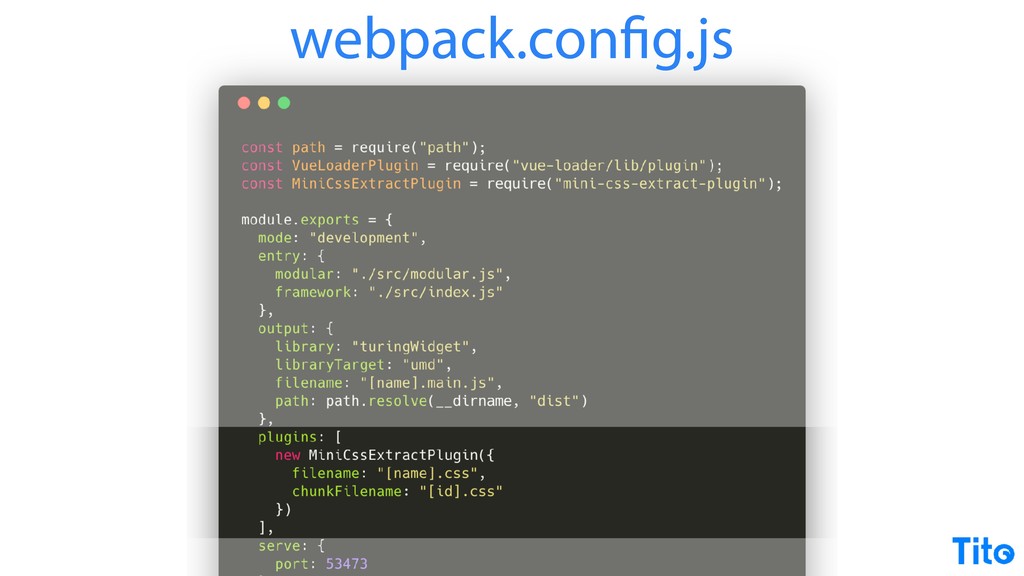
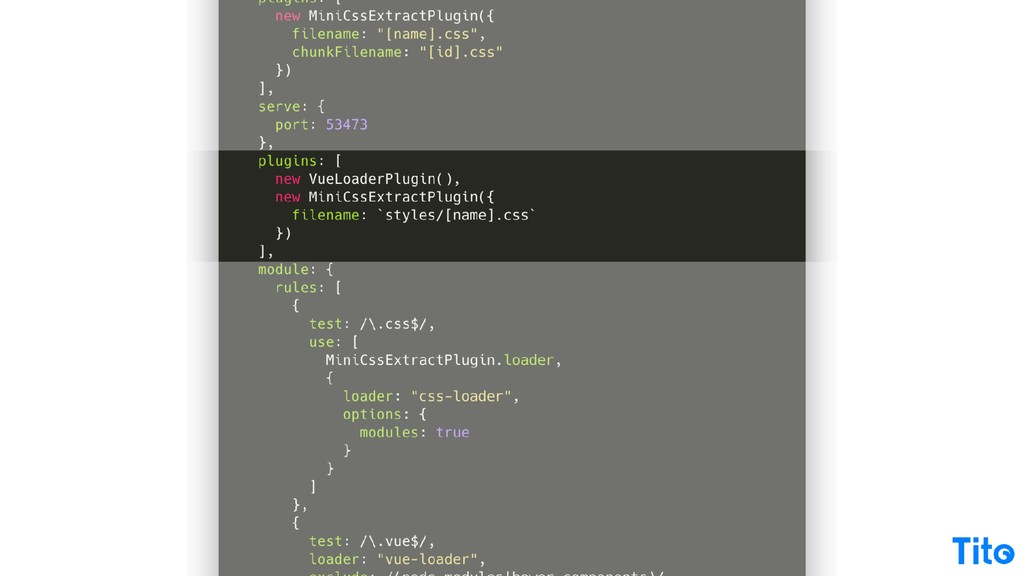
But it's just one to you can get stuck in that for weeks. I'm not sure how I know that, but you could get stuck in weeks figuring out why Webpack's not exposing your code to be included. Then the plug ins that we loaded earlier, we just mix them in.
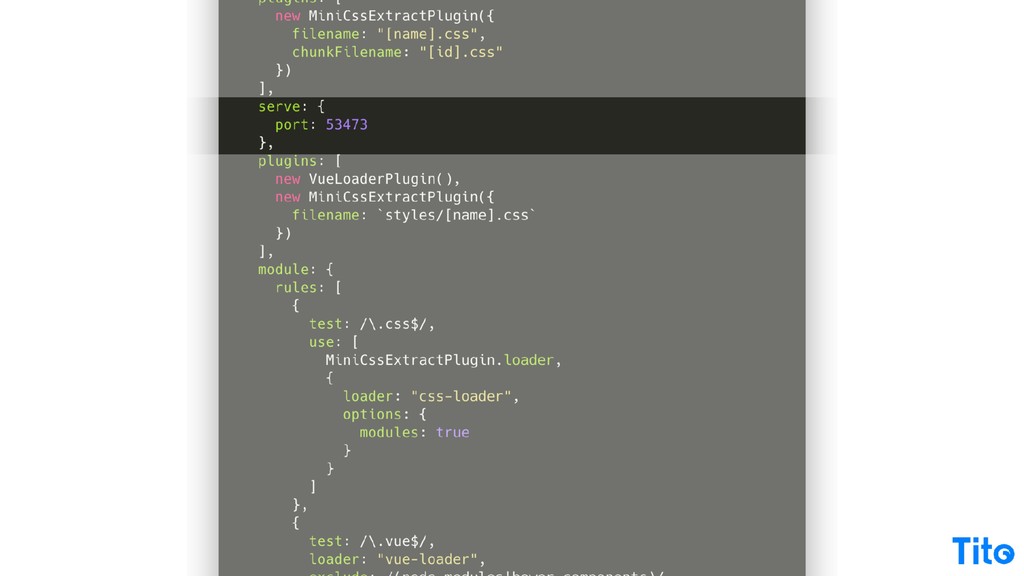
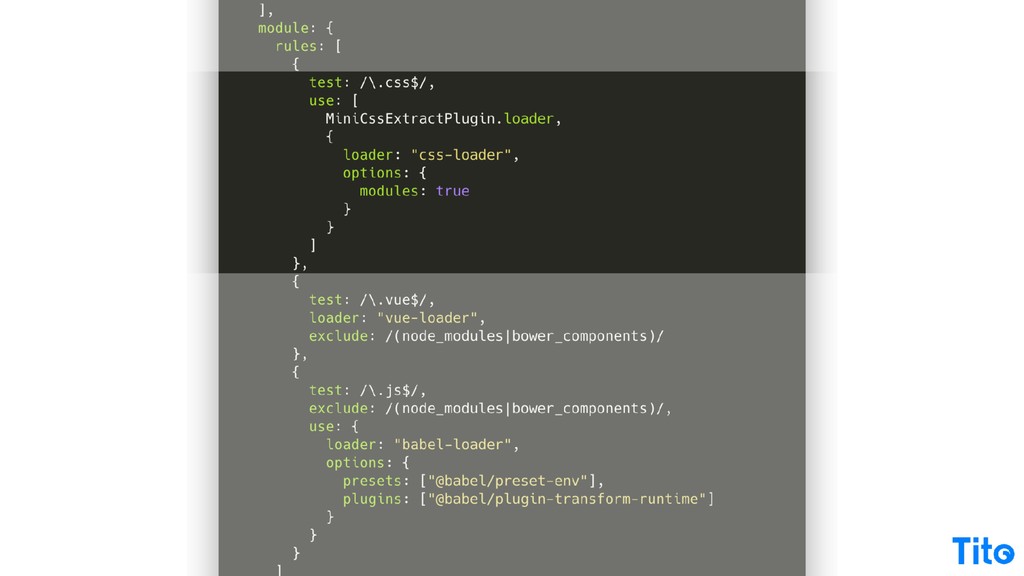
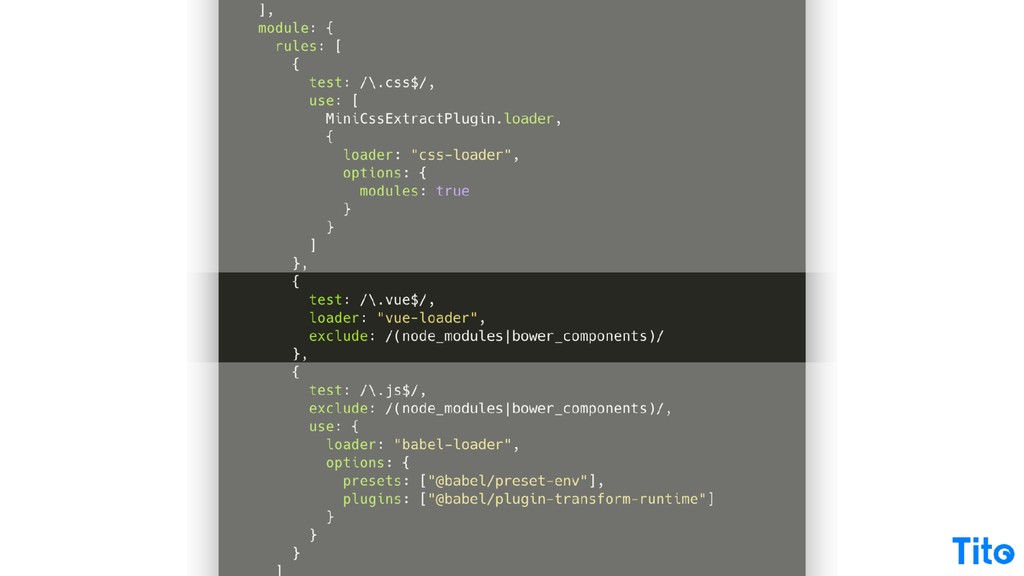
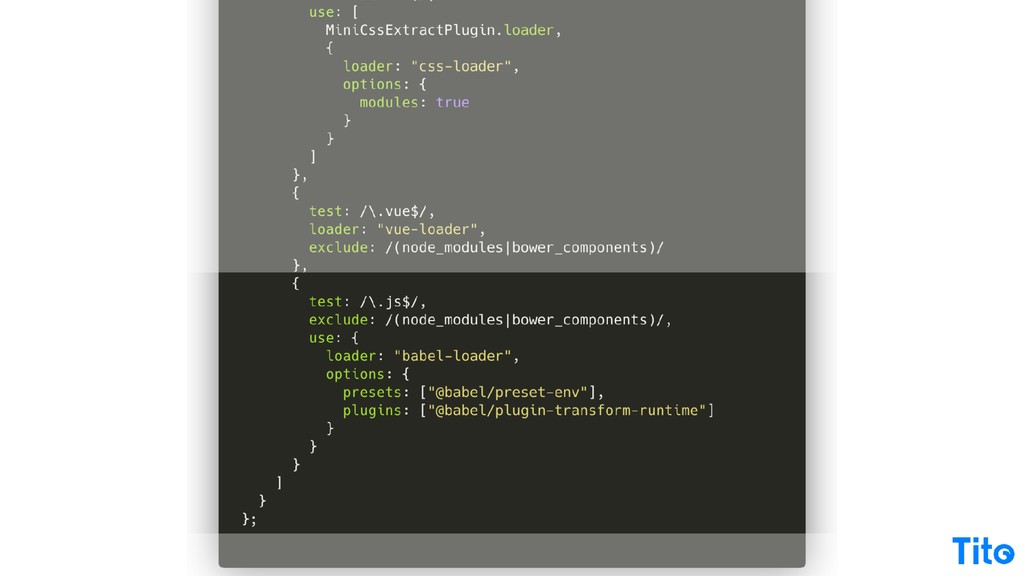
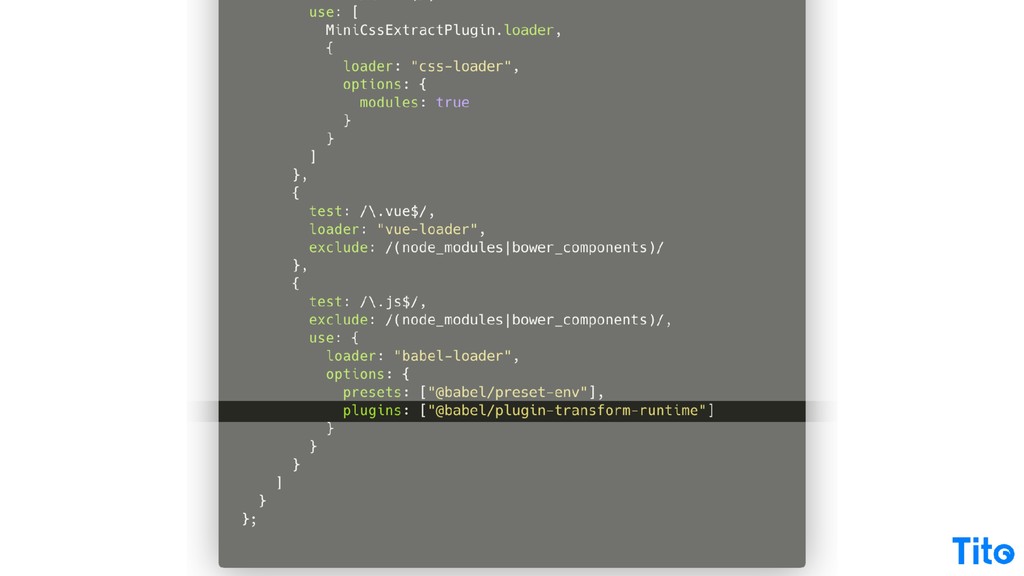
You can put configuration for Webpack serve. There's your plug ins again. And then your rules for loaders, the CSS one is basically saying for any CSS file, use these loaders. For any Vue file, use this loader, and for any JavaScript file, use these loaders.
I will also, at this point, for this context, draw attention to the Babel transform runtime, which allows you to use certain modern JavaScript features within the scope of your own library. If you use something like Babel Polyfill, they override global, so it's gonna pollute into the global scope, which you don't typically want if you're gonna be distributing this code third party.
So that's just one other pro tip in this context. But those two those two the two main things here to take away are to use the library option for your outputs and to use Babel transform run time if you wanna use the modern features and you want your code to work in older browsers.
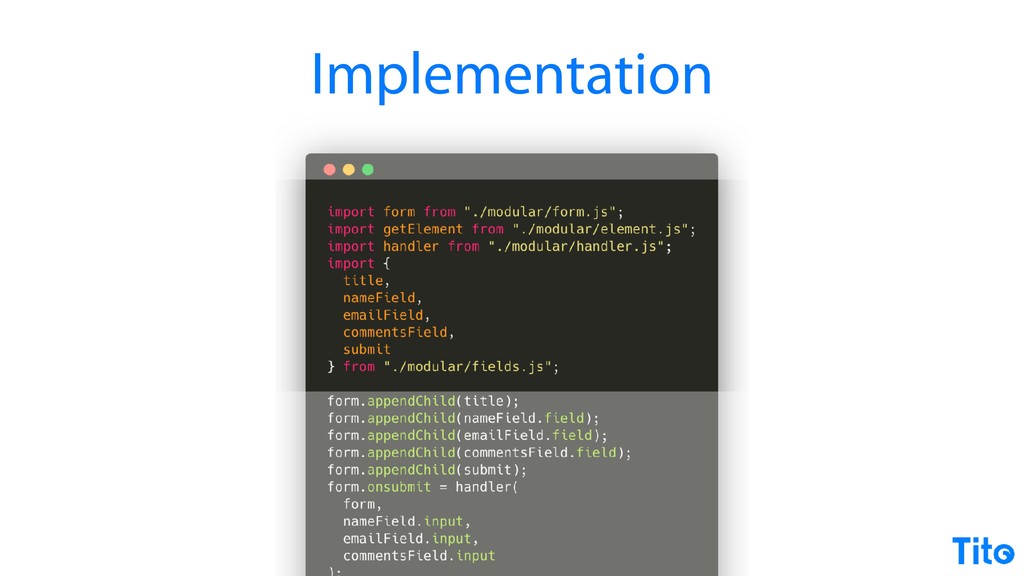
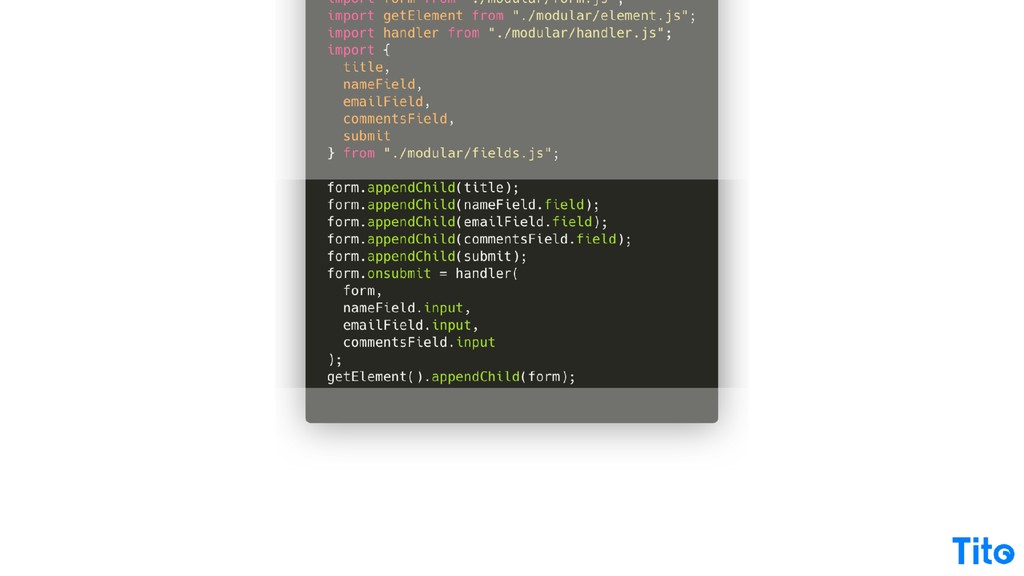
Alright. So modern JavaScript is awesome, I think. Anyway, the really really fantastic thing is that our our big long simple dot JS, which is simple in concept but also quite hard to read, is now really quite easy to reason about. We're able to to break our code into pieces that kinda make sense, we're able to import them, and then the code that does the work is really quite easily to rationalize about.
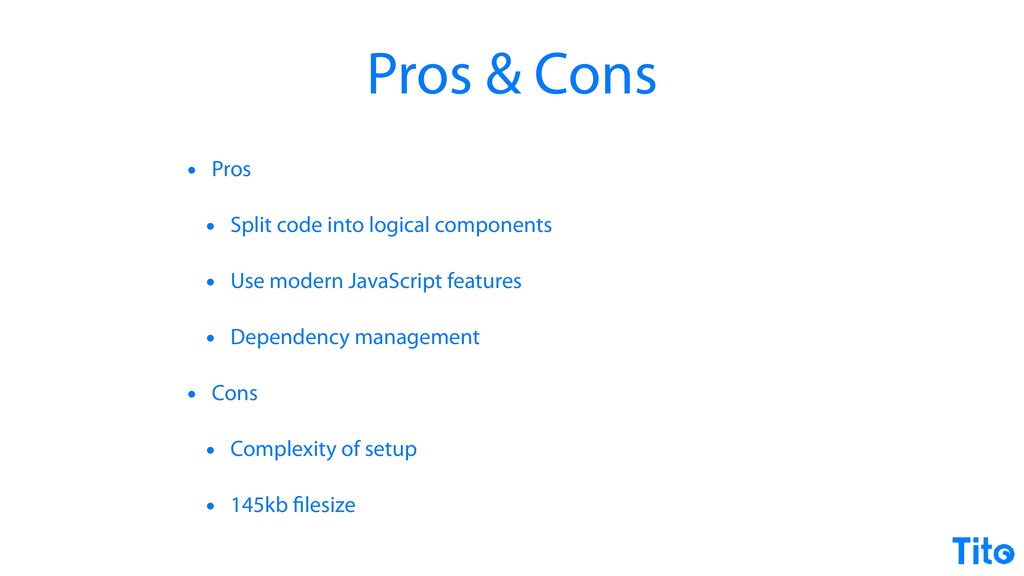
It's basically just building the form, attaching the handler, injecting a few dependencies, and then adding it to the page. So this is a really good halfway house. It's it's still including certain Webpack dependencies and it's got it's got a hell of a lot of a tool chain for a very simple for a simple app, but as complexity grows, you can split it into logical components, you can use modern JavaScript features, but if you use a tool like Babel, you can keep your browser support as wide as you as you
want to see fit depending on how much polyfilling you want to include, and you get dependency management, you get the pick of the NPM package ecosystem. Obviously, it's quite complex to set up, it's comp it's quite difficult to rationalize about, but there you go, and it will minimize down to a reasonable files file size.
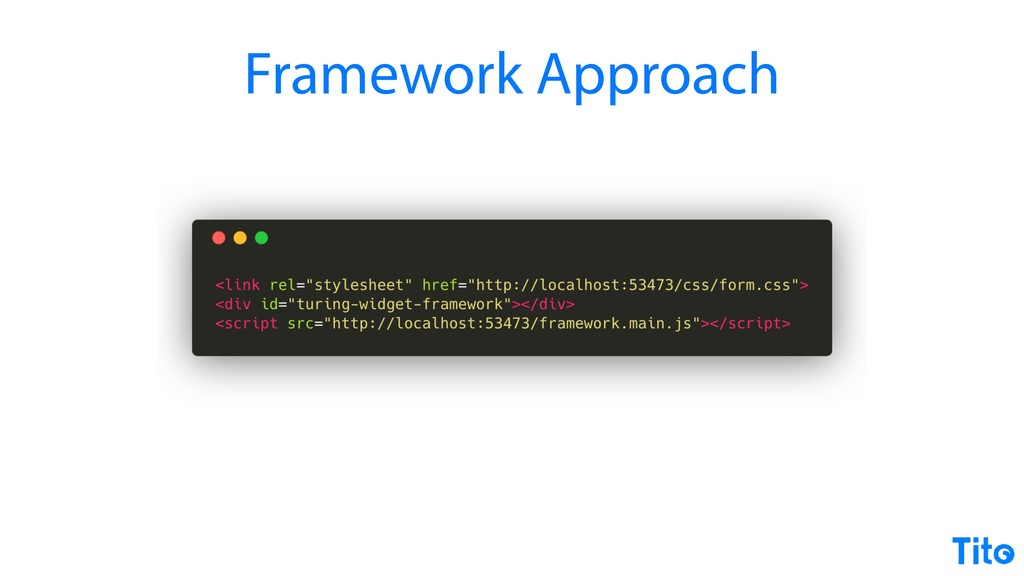
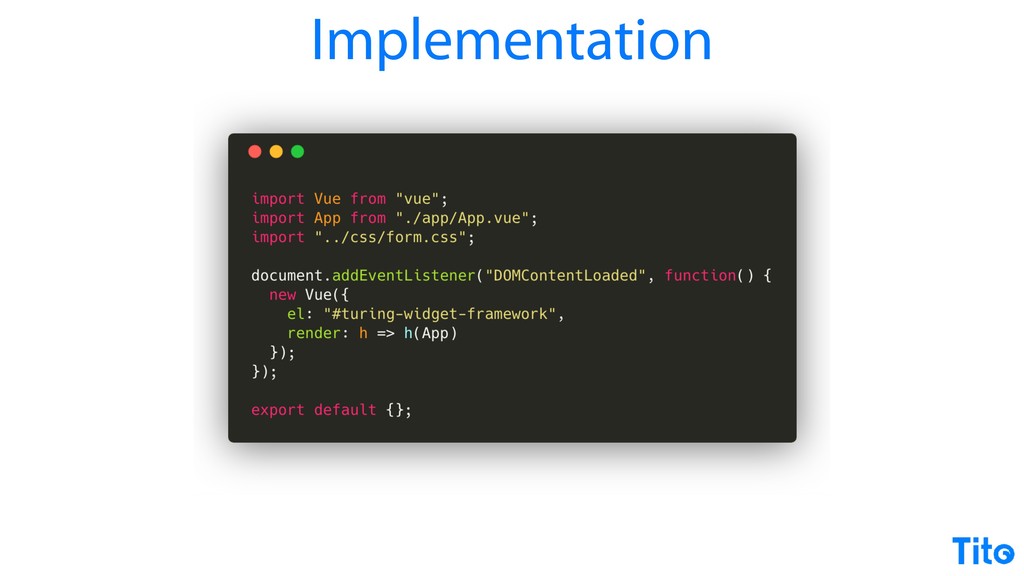
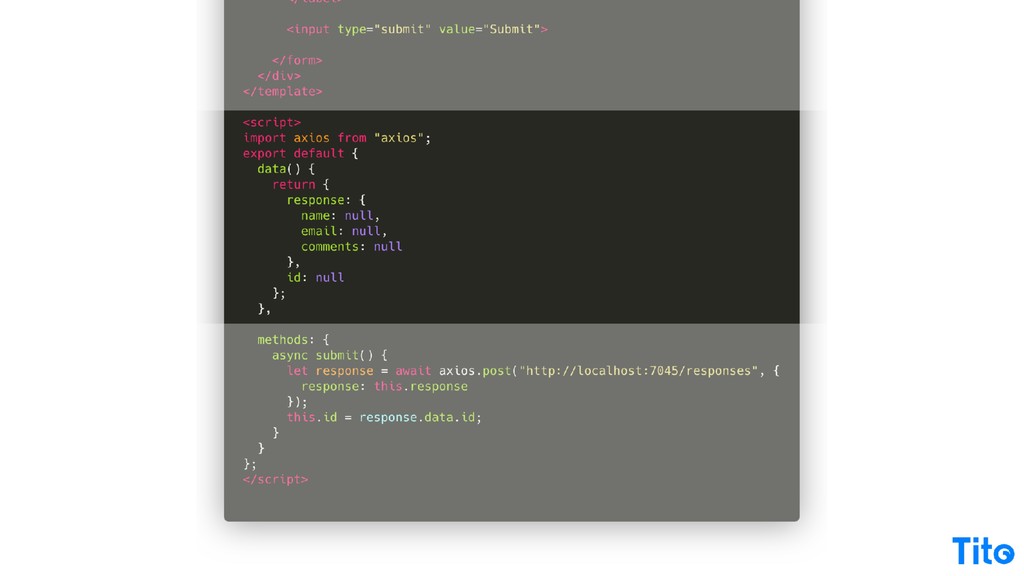
Final piece of the puzzle is then if you choose to bundle a full app inside your widget, you can go the embedded framework route. The app here, just to show, is exactly the same. The implementation at our end is basically importing Vue, it could be importing React, adding it to the page, targeting our little placeholder.
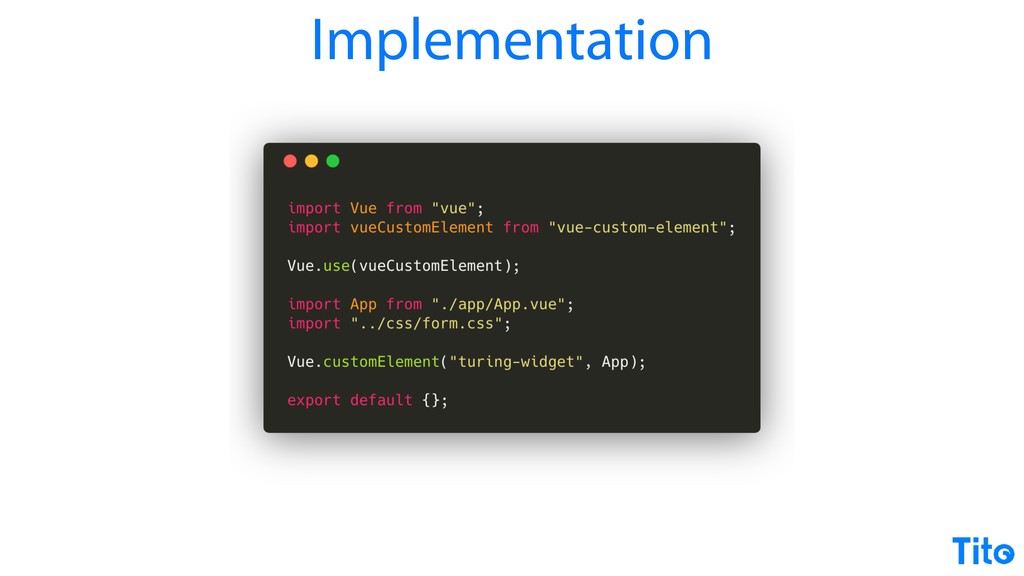
But you could also use view custom element, which is a third party library that allows you to target any custom element on the page. It's sort of like the best we can do for web components now as web components are coming into browser support, but this still gets you there.
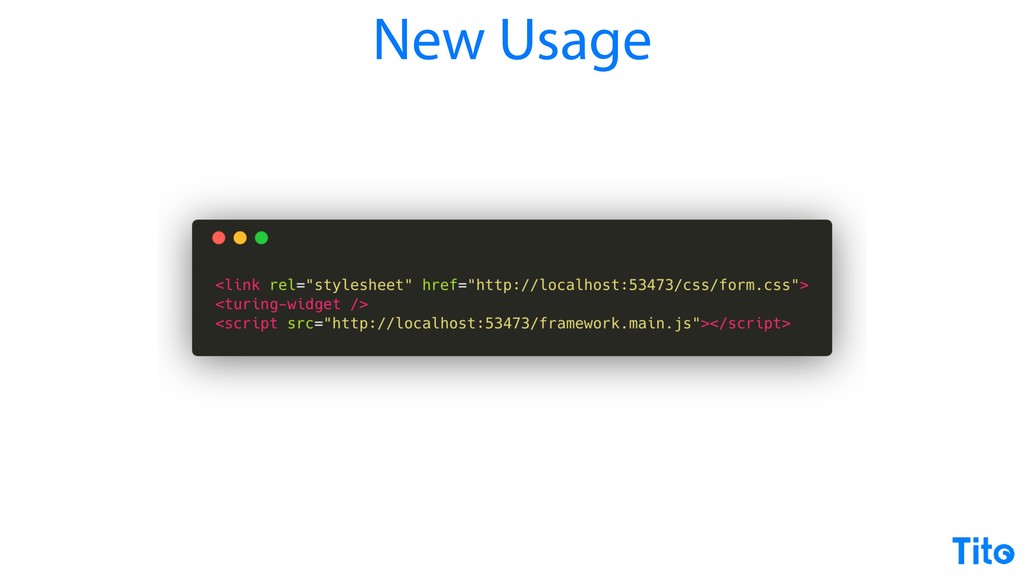
So if you wanna do the custom element thing, you can, and that gets you to this very nice platonic ideal of do a custom element and load a script file to get your widget. Just to show the app now looks, again, it's much easier to reason about.
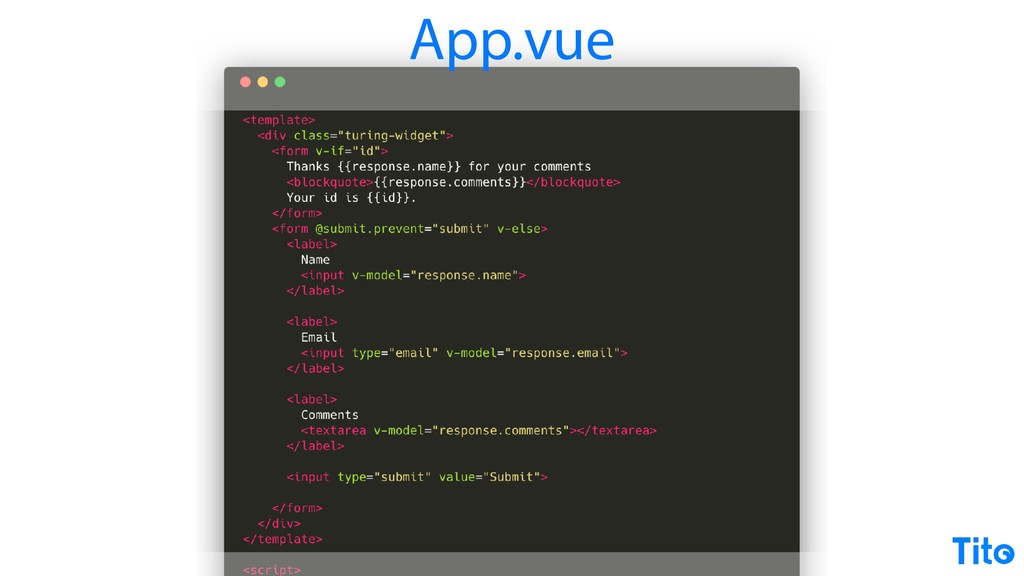
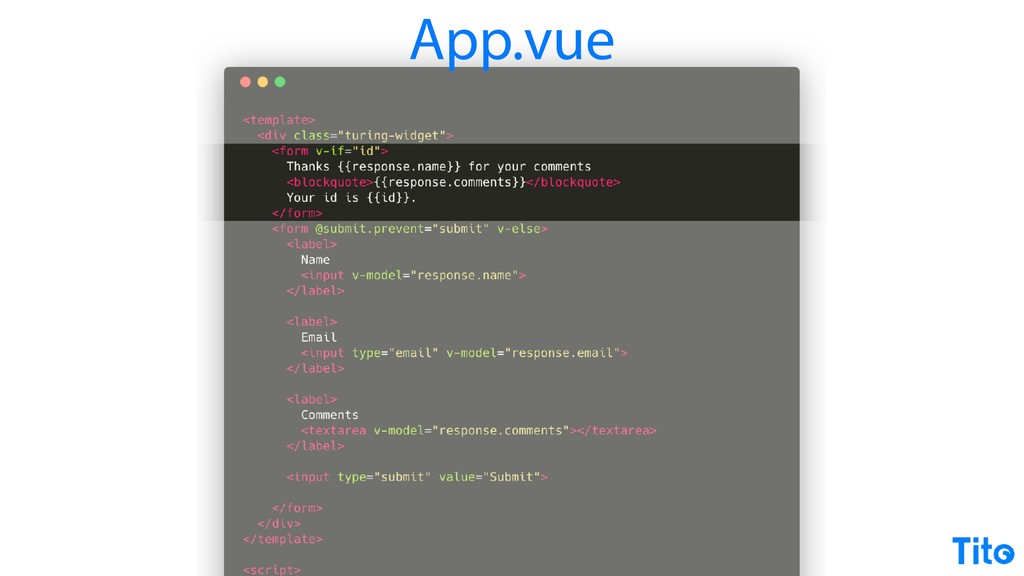
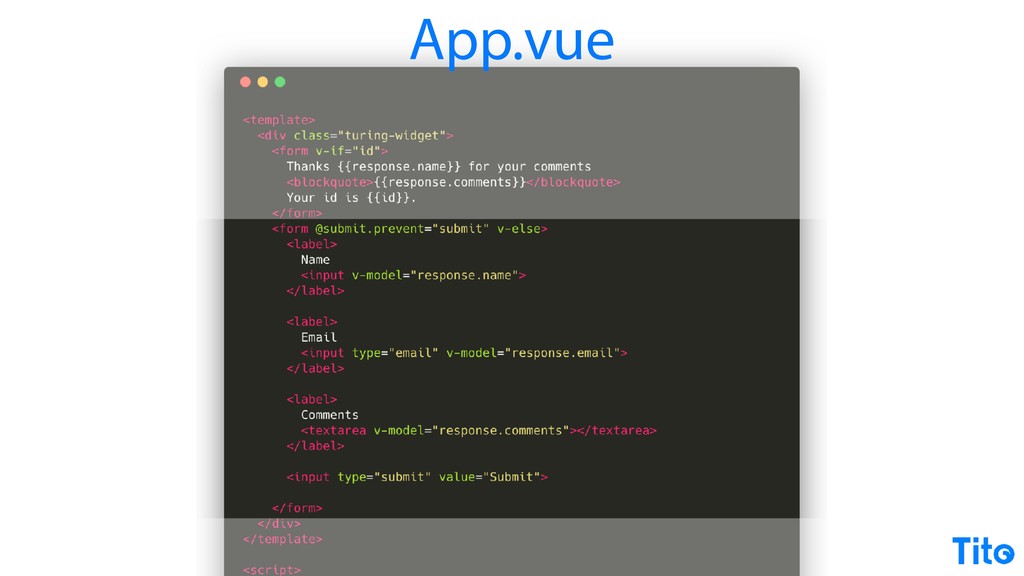
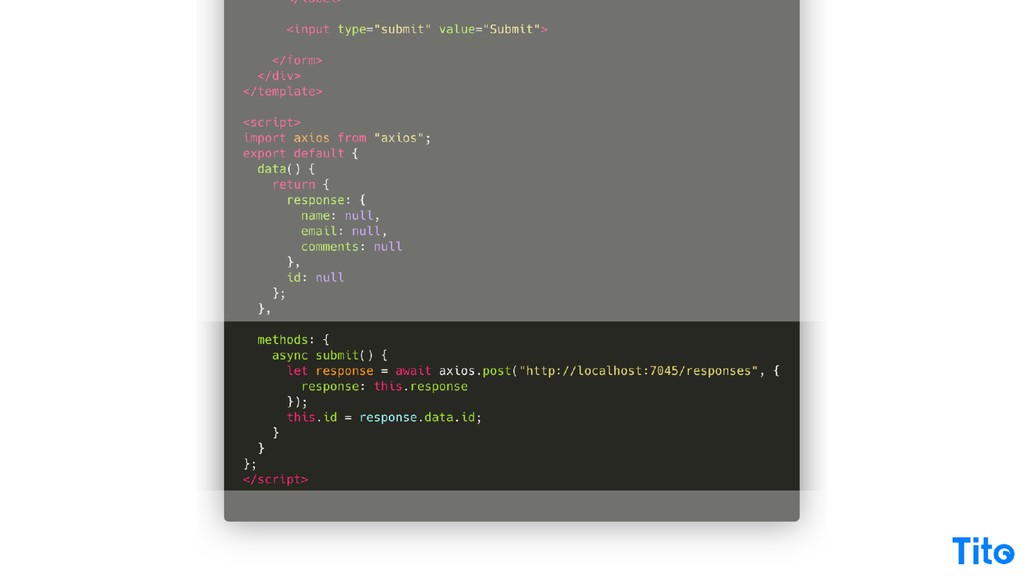
We've got the response to display if we have a response, otherwise display the form, delegate the submit to the submit method. This is just some viewed data stuff. It's just basically binding to the form fields, and then up here we've got our submit.
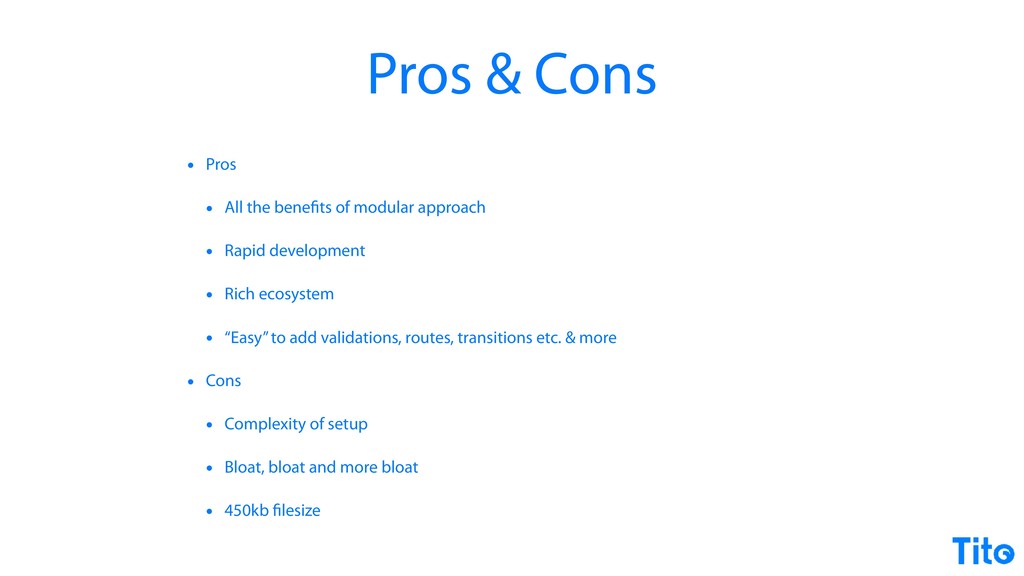
I've used Axios here just to show using a third party library. You could use fetch if you wished as well. So the pros of this technique is you get all the benefits from splitting your code out and making it easy to rationalize about, but you get all the rapid development benefits of having the Vue ecosystem or the React ecosystem or the Angular Angular system, and it's basically easy to add complex functionality to share third party code.
You have to think about how much dependencies you're actually injecting, but it's a good way to go if you want to build rich apps that drop into somebody somebody else's page. Obviously, it's still complex. Back to the ******** web thing, it's like the more stuff like this you add, the more you're bloating your file size.
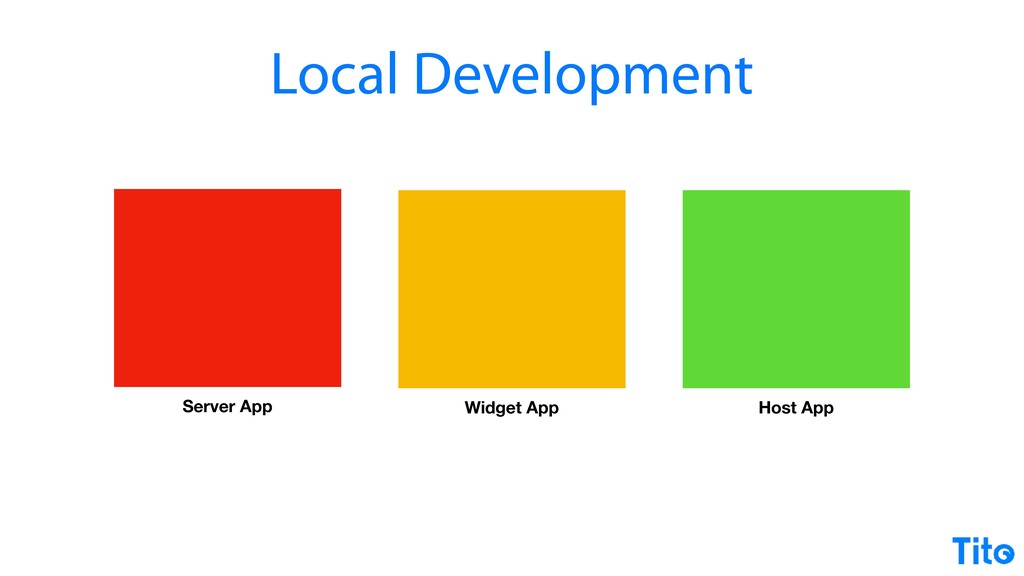
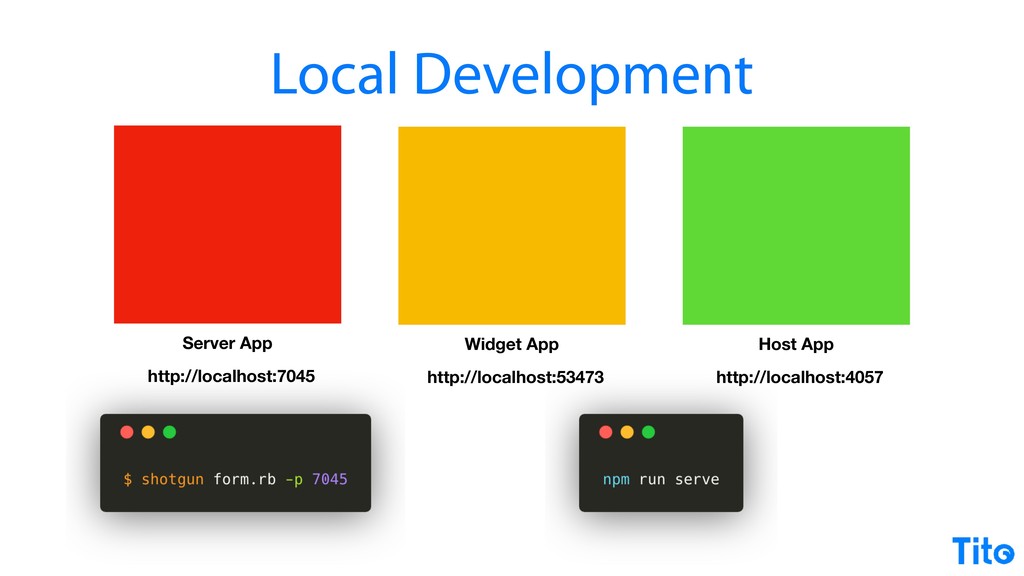
That simple example with just just just the dependencies is four hundred and fifty k before minimizing and whatnot, but like, it's it's still crazy. I'm just gonna fly through the bonus features of the talk. The local development for doing all this, you'd have your local server running, then you got an app powering your widget using that that MPM serve command, then you got a host app for doing your test as if you were a customer of it.
This is the way I was running on them on. I just I just thought I'd draw attention to my awesome port numbers, but that's local host form. Seven zero four five form. It's not really, is it? And then serve, and then four zero five seven is almost host.
But, yeah, makes them easy to remember. There you go, free advice for port numbers. There we go. Every everything I've done there, this is the bonus feature, I have written full working app examples with all of the functionality to make all the pseudo code work.
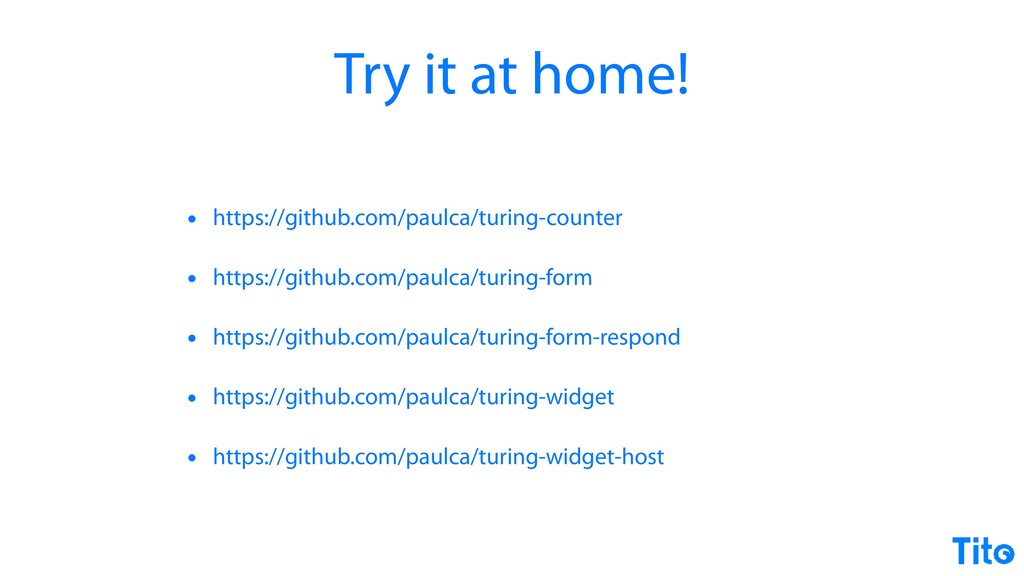
So if you wanna try any of this or see it all, you can go on Paul CA and just search for any repos prefixed with Turing. Everything works. It should all work. There's a few defend few dependencies. And so that just leaves me with the philosophy.
This is a truth. It it it I have really, really bended my brain to try and get everything that I could have done distilled into a twenty five minute talk. But it is really, really hard to do this, to do it well, and to do it in a way that respects both users of the of the embedded app and the web at large.
There's just there's quite a lot to think about technically and philosophically. So I would go back to the question of like, really, really question the needs of whether you need to do it, and that's why I wanted to provide some good examples of how not to do it before going the whole hog.
It really is a great time to be building fully JavaScript apps, but it's also a horrible time to be building fully JavaScript apps, because the tools are maturing at such a fast rate. As soon as you've kinda gotten used to the way one tool works, a whole new version will come out and it will change the way things are going.
So, you kinda have to strap in. I do think that the future is bright. Like ten years ago, I was attending talks that described the kind of tools that we have now. They didn't exist then, and I think in five years, we're we're gonna be in a really, really good mature place.
But the final takeaway is that it's JavaScript, and there really are no rules. And hopefully that was useful and have fun. Cheers. Thanks very